This thread has been locked.

If you have a related question, please click the "Ask a related question" button in the top right corner. The newly created question will be automatically linked to this question.

CCS/TMS320C6747: TMS320C6747

Part Number: TMS320C6747
Other Parts Discussed in Thread: OMAP-L137, CONTROLSUITE, TMDSOSKL137

Tool/software: Code Composer Studio

Hi,

We have purchased EVM Board of OMAP-L137/TMS320C6747 floating point starter kit.

The kit contains three CD/DVD

1) OMAP-L137/TMS320C6747 Demonstration version of MontaVista pro 5.0

includes Installers for ->  MV PRO 5.0 System Tools and Target File System

(DVD 1 includes Demonstration version of MontaVista pro 5.0

(DVD 2 includes OMAP L137 ARM/DSP installers //  XDC tools // DSP Code Gen tools......etc)

2)OMAP-L137/TMS320C6747 Platform CCS v3.3 IDE(DVD 3)

Now we are having CCS version V7.1.0  .If we want to continue with CCs v7.1.0 and  with both these installers (DVD 1 includes Demonstration version of MontaVista pro 5.0
(DVD 2 includes OMAP L137 ARM/DSP installers //  XDC tools // DSP Code Gen tools......etc) .

Q1) Will it work  with newer version or we have install only CCS V3.3?

Q2) For Windows platform of CCS which DVD 1 or DVD 2 we have to install.

Regards,

Ashrumochan

  • Hi,

    The first DVD Demonstration version of MontaVista pro 5.0 is a third party software, which TI does not support and I cannot say if it will be compatilbe with the newer versions of CCS.

    The second DVD which includes OMAP L137 ARM/DSP installers //  XDC tools // DSP Code Gen tools......etc) I can say that these are probably older revisions. I'd recommend to use the Software (XDCtools, CG tools and so on) provided here:
     

    Additional sw libraries can be found on the product folder:
     

    Also I'd like to stress that if you use the sw from the above links it is recommended to use the CCS version listed as compatible with the package.

    Best Regards,
    Yordan

  • Hi Yordan,

    Thanks for your response.

    I have installed the Windows related software and using CCSV7 .

    After installation ,But there is no example files like starterware or c2000 controlsuite for c6747.

    Please can you send me link for C6747Starterware or related example driver files?

    I have previously C6748Starterware installed in my pc how it can be used for C6747EVM please suggest?

    Regards,

    Ashrumochan.

  • Hi,

    Starterware, as I said is outdated software. There are examples in Processor SDK RTOS, take a look at the following user guide:
      

    Best Regards,
    Yordan

  • If you talking about the Spectrum Digital kit, TI# TMDSOSKL137, you might have to buy a JTAG emulator.

    The kit board has an on-board JTAG emulator that the newer "free" CCS does not support. At least not without a licence.

    The CCSV3.3 on the CD is speciailly pre-licensed to support the on-board JTAG.

    I ported some of the C6748 Starterware projects to the C6747 (in 3.3 only). It is somewhere on this forum.

  • Dear Wong,

    As you told "free" CCS does not support..But Its working and I am able to debug with XDX100V3 Emulator also.

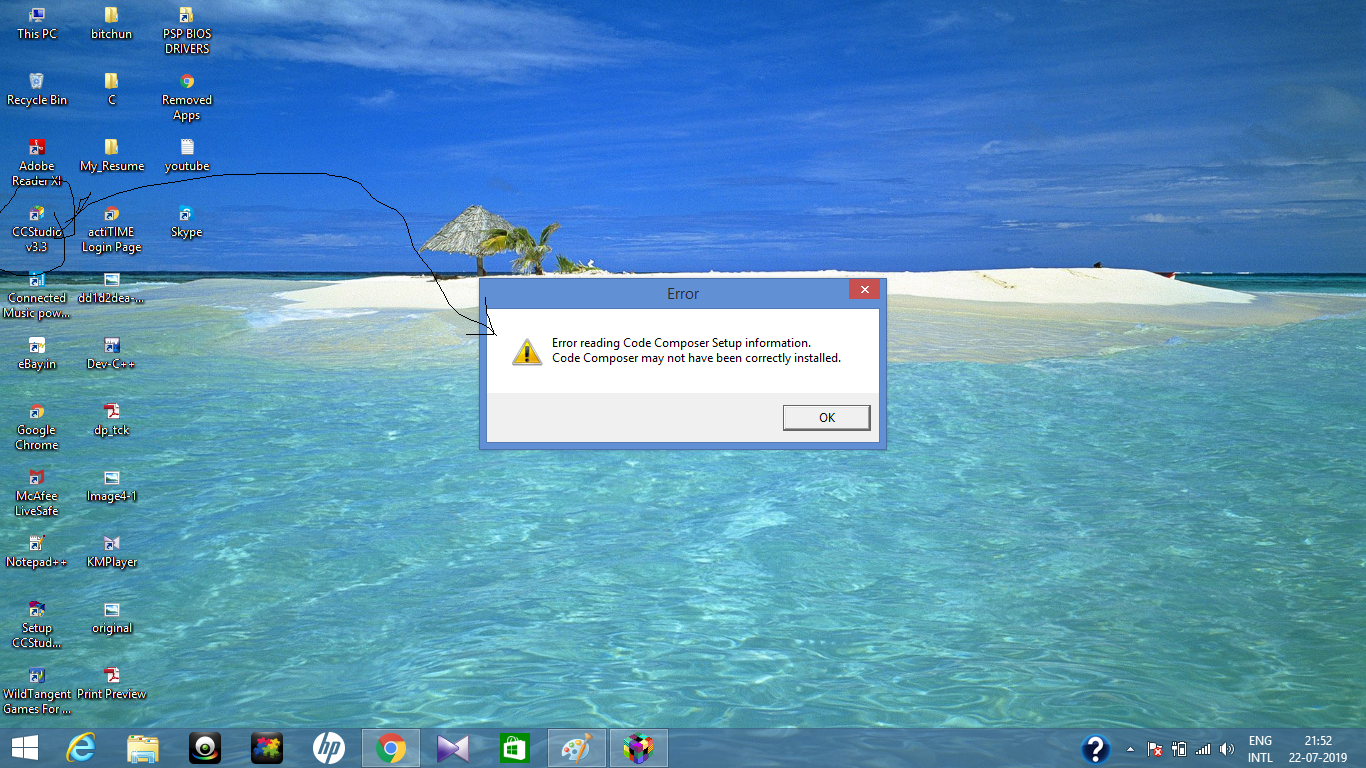
    And I have Installed CCSv3.3 but its after installation while its asking to select any processor family from no of selections.

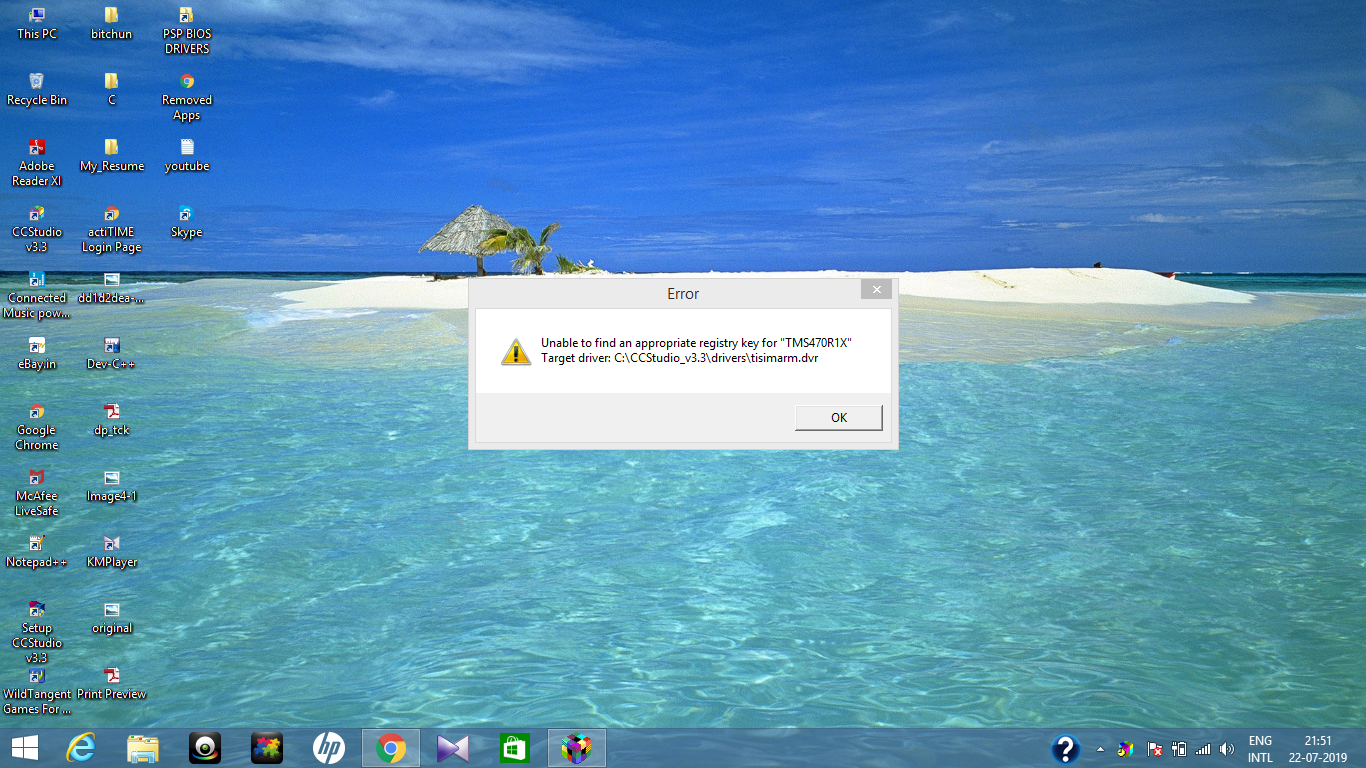
    After selecting TMS320C67XX its telling unable to find the path.

    What might be the issue plz clarify?

    Regards,

    Ashrumochan

  • Hi,

    As the error message states, this might be an issue with the installation. Have you tried deleting the current CCS version and installing a fresh one?

    Best Regards,
    Yordan