This thread has been locked.

If you have a related question, please click the "Ask a related question" button in the top right corner. The newly created question will be automatically linked to this question.

TMS320C6678: Iperf

Part Number: TMS320C6678


Hi,

How to use iperf test ethernet performace?

The customer run iperf in pc. How to do with evm?

http://processors.wiki.ti.com/index.php/MCSDK_HUA_Demonstration_Guide

  • Hi Nancy,

    MCSDK HUA demo is inside MCSDK, the test is web based for TCP or UDP throughput using Java script. It works most of the time, you can still try that for throughput numbers.

    In the Processor SDK RTOS package, the HUA demo is however dropped. 

    For the iperf throughput test, this needs client, server topology (one side is PC and the other side is the C6678) and supports of iperf stack/handshaking on both sides. There is only basic ICMP test and TCP, UDP server test available on C6678, not the iperf stack. So you can't test C6678 bandwidth with iperf. I also just tried and I can't make a connection to PC. Basically the program on C6678 just echoes back what PC sent to it (driven by iperf), the PC side iperf can't understand what received.

    Regards, Eric

  • Hi,

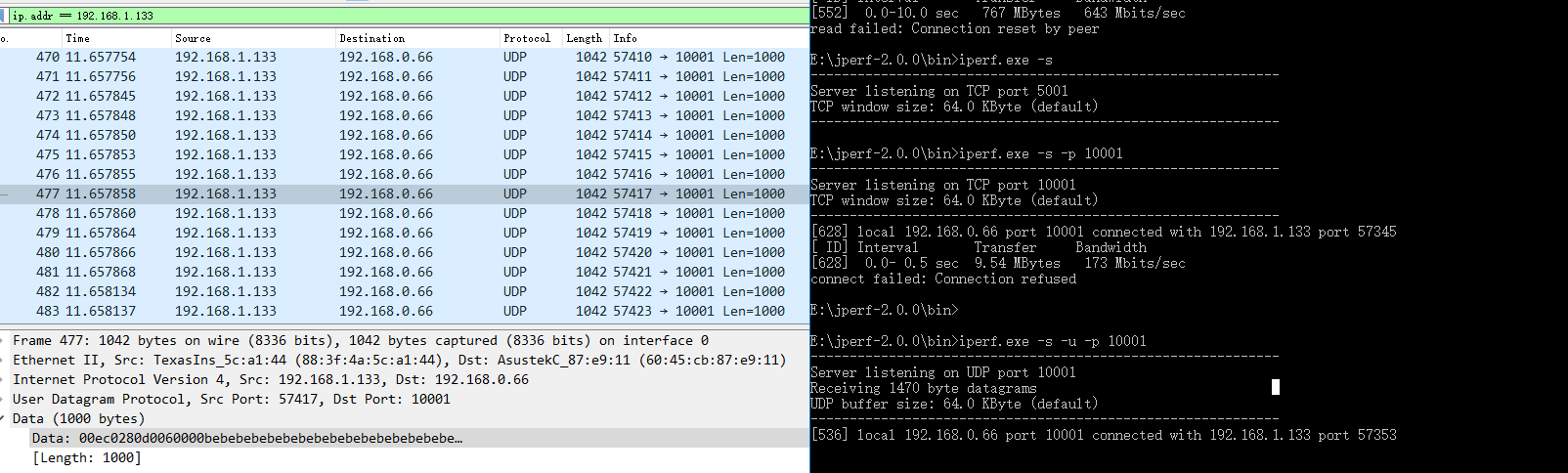
    This is screen capture. There is no throughput test time.

  • Hi,

    I already explained. We don't support the iperf test on C6678 using NDK, you can't expect to have an iperf connection from a PC. You need to port IPERF to your application on C6678 for this.

    Regards, Eric 

  • Hi,

    Thanks! Where are ICMP test and TCP/UDP server test?

    CMP

  • Hi,

    It is NIMU_emacClientExample_EVMC6678C66BiosExampleProject. You can use it for ICMP ping, TCP/UDP server test.

    Regards, Eric