This thread has been locked.

If you have a related question, please click the "Ask a related question" button in the top right corner. The newly created question will be automatically linked to this question.

CCS/PROCESSOR-SDK-DRA8X: J721E-TDA4-YOCTO

Part Number: PROCESSOR-SDK-DRA8X
Other Parts Discussed in Thread: SYSBIOS

Tool/software: Code Composer Studio

Dear TI

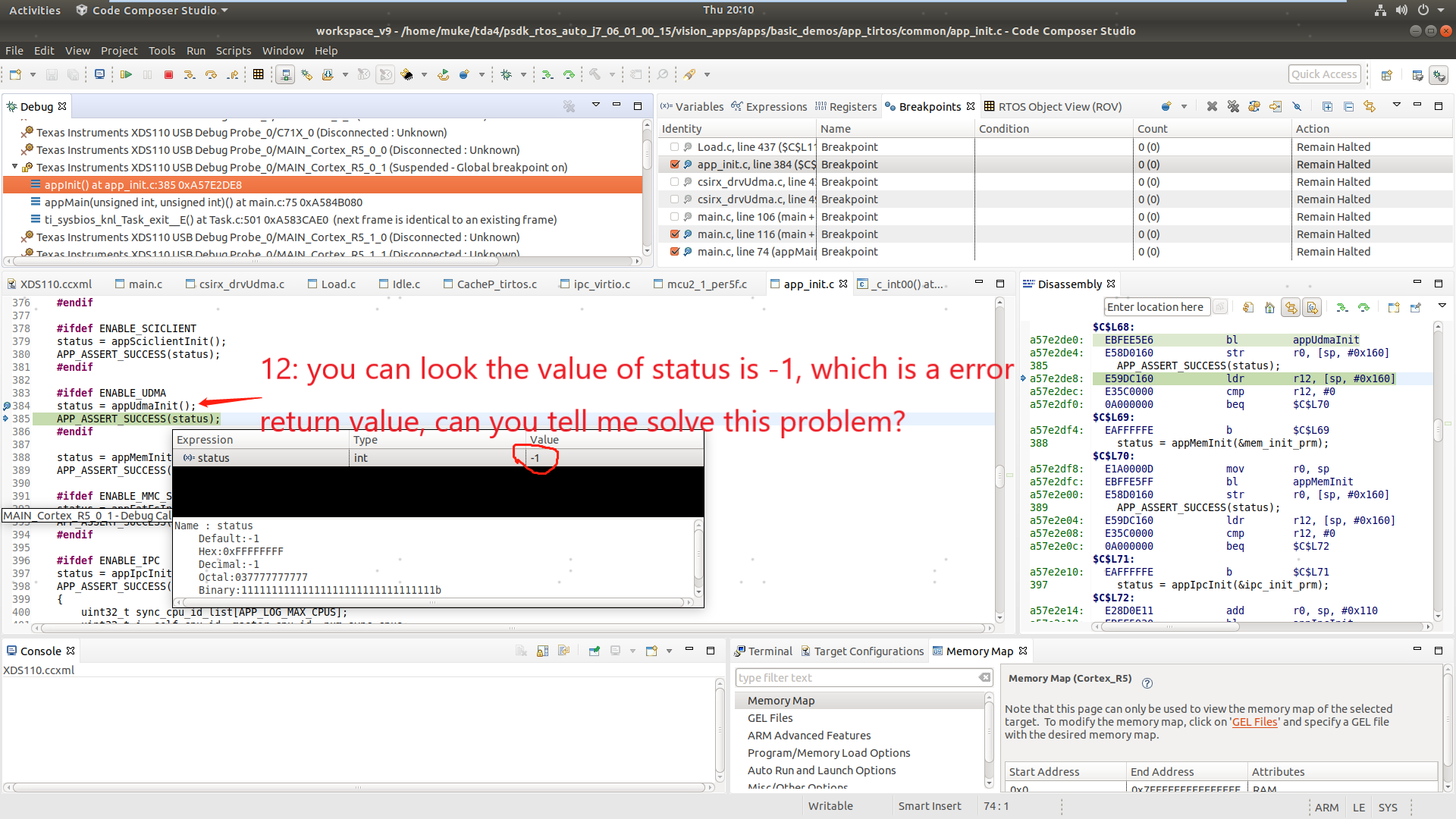
        I have a serious problem in debug,I use CCS&XDS110(TDA4 on-board debugger) debug mode, I choose to load the program, to load the(/psdk_rtos_auto_j7_06_01_00_15 / vision_apps/out/J7/R5F SYSBIOS/debug/vx_app_tirtos_linux_mcu2_1.out) files, Then I make breakpoint in the main function entry (99 lines) in (psdk_rtos_auto_j7_06_01_00_15/vision_apps/apps/basic_demos/ app_tirtos_linux/McU2_1 /main.c), Then make the breakpoint again at (psdk_rtos_auto_j7_06_01_00_15/vision_apps/apps/basic_demos/app_tirtos/common/app_init.c 384 lines) [status = appUdmaInit()], but I find that the appUdmaInit function returns -1(you can look it in pictures).
        However, if I directly control TDA4 development board through the serial port, Select the path of (/opt/vision) to run vx_app_single_cam.out, the program can be directly run, and camera can normally show images in HDMI display , so why is the return value of appUdmaInit function is -1 under debugging state? Because when the return value is -1, The debug will be stuck at code (psdk_rtos_auto_j7_06_01_00_15/vision_apps/apps/basic_demos/app_tirtos/common/app_init.c 384 lines)[APP_ASSERT_SUCCESS(status)] and cannot continue downward,this question puzzled me for a long time
        The purpose of my doing this is to dump the pictures when the camera is working normally, I want to dump pictures in (\psdk_rtos_auto_j7_06_01_00_15\pdk\packages\ti\drv\csirx\src\csirx_drvUdma.c)[qObj = (CsirxDrv_QueObj *) Fvid2Utils_dequeue(bmObj->curQ)], the variable 'qObj' represent a address of picture; Please help me, thank you.

  • Hi,

    I could not follow when you say you are loading the .out directly through CCS. Are you not using Linux boot?

    If so then there are lot of other dependencies that happen via UBOOT which is required by all core .out.

    If you want to debug the code, you can

    1. Set below flag to 1 in "vision_apps\apps\basic_demos\app_tirtos\tirtos_linux\mcu2_1\main.c"

    volatile uint32_t enableDebug = 0;

    2. Then boot the image as usual using uboot

    3. Connect to the particular core through CCS

    4. Load the symbol via CCS and point CCS to the file

    5. Set the flag back to 0 and now you can step through and debug

    Regards

    Sivaraj R

  • Kindly refer psdk_rtos_auto/docs/user_guide/ccs_setup_j721e.html#using-ccs-debug-with-linux-on-a72 section for details

  • Hello Sivaraj 

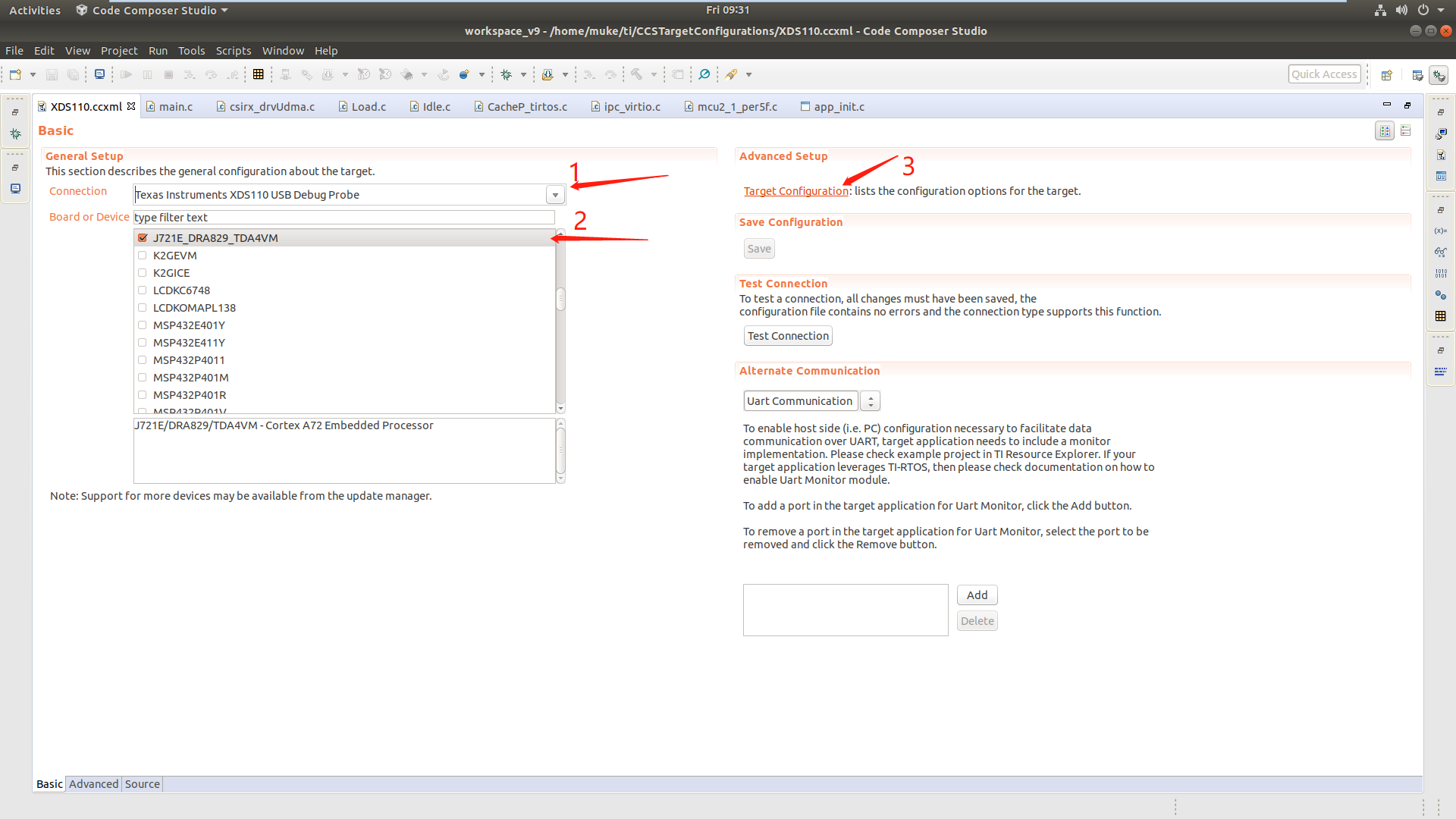
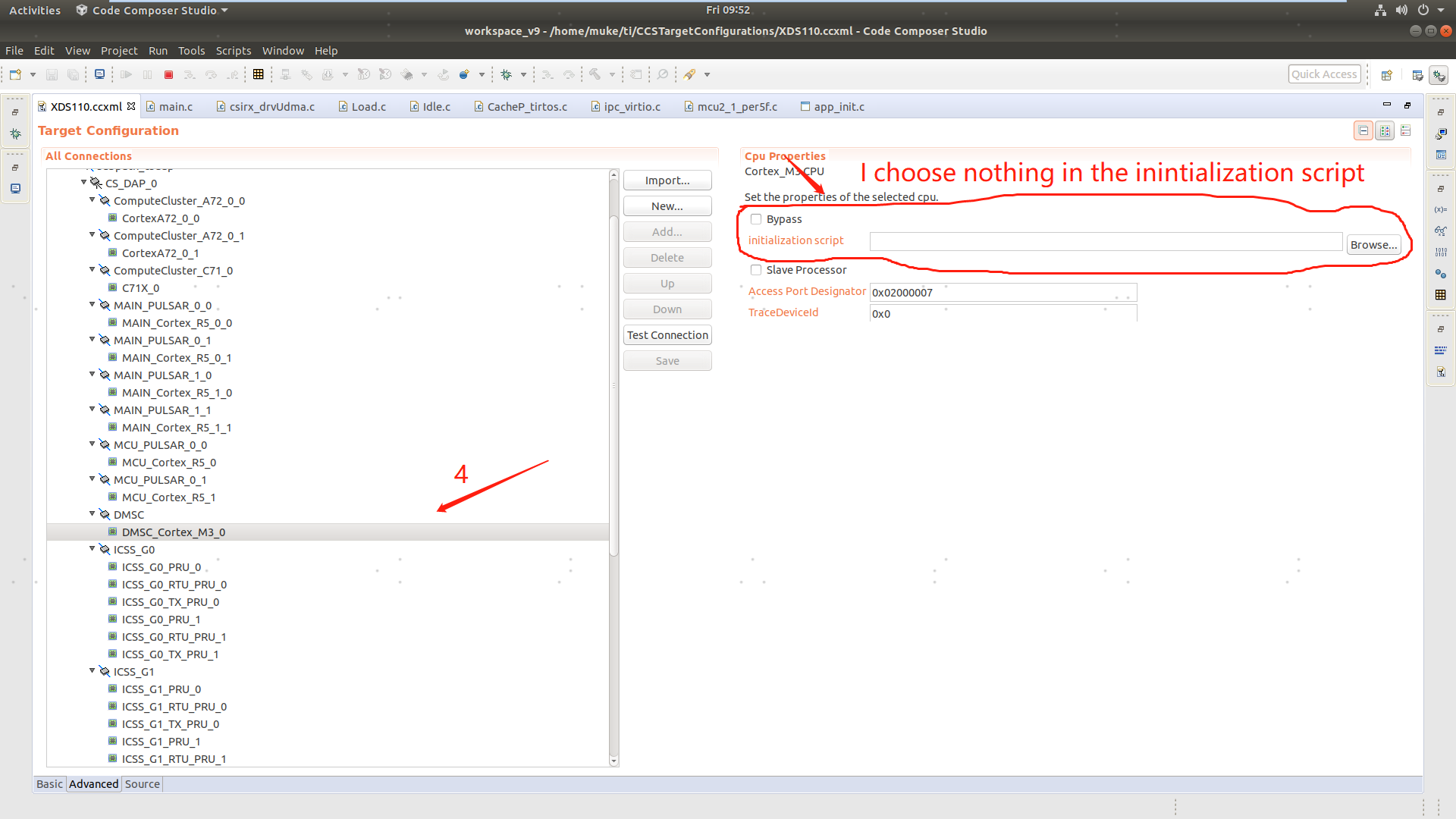
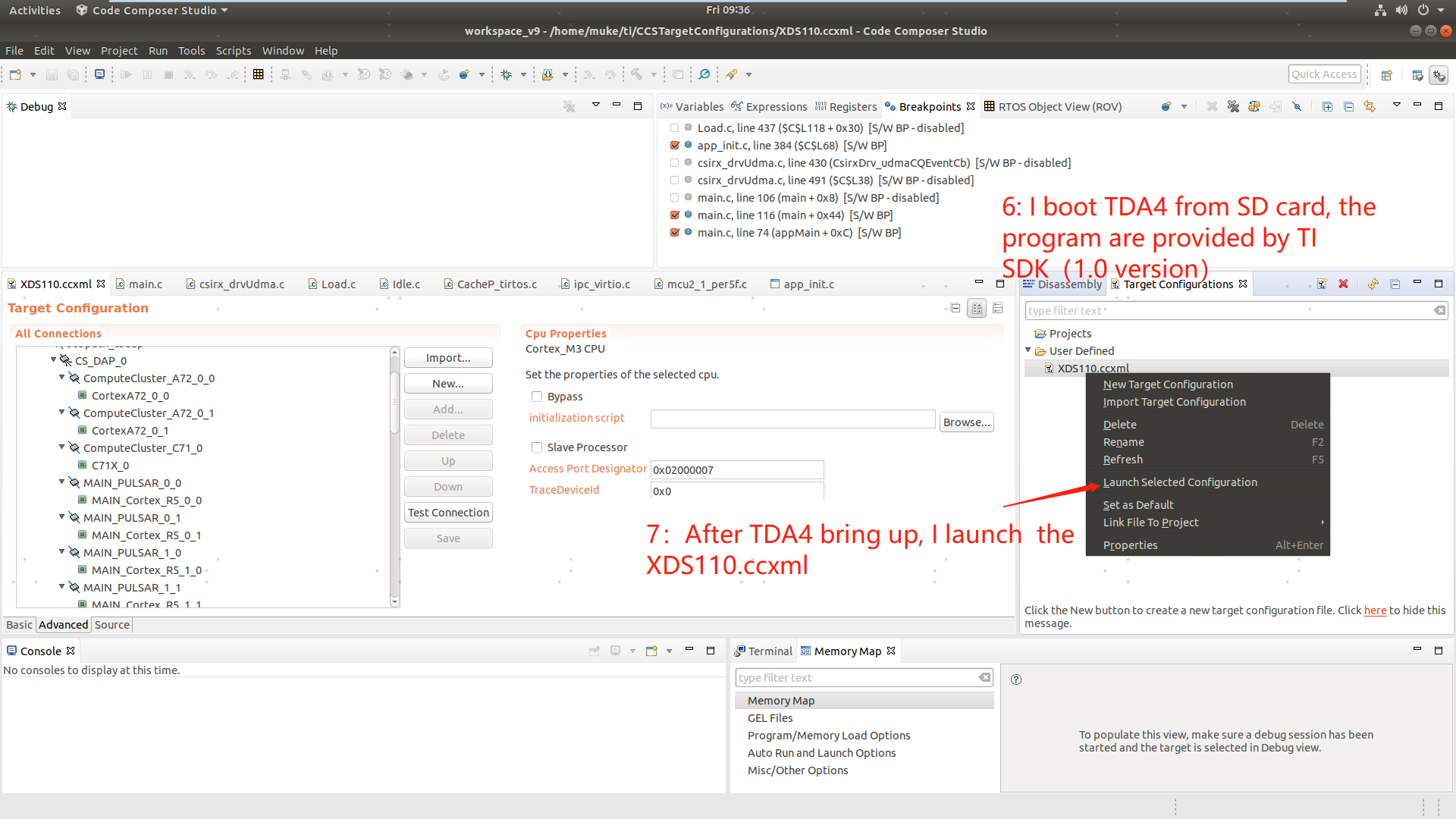
    the picture is my detailed operating procedures,can you help test the value of status and solve this problem?

    main.c : [psdk_rtos_auto_j7_06_01_00_15/vision_apps/apps/basic_demos/ app_tirtos_linux/McU2_1 /main.c]

    app_init.c [psdk_rtos_auto_j7_06_01_00_15/vision_apps/apps/basic_demos/app_tirtos/common/app_init.c]


    I have a serious problem in debug,I use CCS&XDS110(TDA4 on-board debugger) debug mode, I choose to load the program, to load the(/psdk_rtos_auto_j7_06_01_00_15 / vision_apps/out/J7/R5F SYSBIOS/debug/vx_app_tirtos_linux_mcu2_1.out) files, Then I make breakpoint in the main function entry (99 lines) in (psdk_rtos_auto_j7_06_01_00_15/vision_apps/apps/basic_demos/ app_tirtos_linux/McU2_1 /main.c), Then make the breakpoint again at (psdk_rtos_auto_j7_06_01_00_15/vision_apps/apps/basic_demos/app_tirtos/common/app_init.c 384 lines) [status = appUdmaInit()], but I find that the appUdmaInit function returns -1(you can look it in pictures).
    However, if I directly control TDA4 development board through the serial port, Select the path of (/opt/vision) to run vx_app_single_cam.out, the program can be directly run, and camera can normally show images in HDMI display , so why is the return value of appUdmaInit function is -1 under debugging state? Because when the return value is -1, The debug will be stuck at code (psdk_rtos_auto_j7_06_01_00_15/vision_apps/apps/basic_demos/app_tirtos/common/app_init.c 384 lines)[APP_ASSERT_SUCCESS(status)] and cannot continue downward,this question puzzled me for a long time
    The purpose of my doing this is to dump the pictures when the camera is working normally, I want to dump pictures in (\psdk_rtos_auto_j7_06_01_00_15\pdk\packages\ti\drv\csirx\src\csirx_drvUdma.c)[qObj = (CsirxDrv_QueObj *) Fvid2Utils_dequeue(bmObj->curQ)], the variable 'qObj' represent a address of picture; Please help me, thank you.


  • I see two issues.

    1. As I said in my previous response, you can't just load a core's .out in CCS directly for Vision apps application. Vision apps supports only Linux uboot way of loading through SD card. If one need to debug a particular core, then one can enable the emulation flag as mentioned in the previous response.

    2. While doing the debug, you should not load the .out again. Instead you should use the "Load Symbol" option in CCS. Loading the .out again will do the core initialization again (resource reallocation happens again) and will result in failure.

    Regards

    Sivaraj R