This thread has been locked.

If you have a related question, please click the "Ask a related question" button in the top right corner. The newly created question will be automatically linked to this question.

PROCESSOR-SDK-DRA8X-TDA4X: CSI2 to Display

Part Number: PROCESSOR-SDK-DRA8X-TDA4X

Hi,

What all software and hardware components(in vision_apps demos) are involved in the capturing image data from CSI2 and send it to Display, Is there a data flow diagram ?

We are using a GMSL2 camera with in built ISP, where do I need to configure the data format of the camera output, which all software components I need to change as ISP processing of image data is not required ?

Regards

Mahipal

  • Please refer to app_single_cam documentation in the user guide. There is a dataflow diagram on this page

    vision_apps/docs/user_guide/group_apps_basic_demos_app_single_cam.html#autotoc_md35

    To support YUV422 format, you will need to make a few changes:

    1. Modify usecase graph to remove VISS and AEWB nodes.

    2. LDC and MSC (scaler) nodes may also be removed if you don't need them.

    3. In the sensor driver, please set the format to TIVX_RAW_IMAGE_8_BIT

    4. You may need to change SerDes settings for the data type. Please contact your GMSL representative to get the correct settings.

  • 1. Modify usecase graph to remove VISS and AEWB nodes.

    2. LDC and MSC (scaler) nodes may also be removed if you don't need them.

         Can you please be specific on the above two points, which components and which source files you are referring to in the SDKs ?

    Where the data format macros like "TIVX_RAW_IMAGE_8_BIT "are defined ?

  • The usecase graph is in the function app_create_graph of the file app_single_cam_main.c

    TIVX_RAW_IMAGE_8_BIT is defined in tiovx/include/ti/tivx_ext_raw_image.h

  • Hi Mayank,

    We are testing with a very simple OpenVX application with just a capture node and a display node. We have tried various combinations for raw image format in sensor driver code and vx_image format in application code with no success so far. We expect to receive YUV 640x360 frames from the deserialiser.

    IssSensor Data Format IssSensor Image Size OpenVX Image Format OpenVX Image Size Result
    TIVX_RAW_IMAGE_16_BIT, 15 640x360 VX_DF_IMAGE_U16 640x360 vxGraphParameterDequeueDoneRef() blocked
    TIVX_RAW_IMAGE_8_BIT, 7 1280x360 VX_DF_IMAGE_U16 640x360 vxGraphParameterDequeueDoneRef() blocked
    TIVX_RAW_IMAGE_8_BIT, 7 640x720 VX_DF_IMAGE_U16 640x360 vxGraphParameterDequeueDoneRef() blocked
    TIVX_RAW_IMAGE_8_BIT, 7 1280x360 VX_DF_IMAGE_U8 1280x360 vxGraphParameterDequeueDoneRef() blocked
    TIVX_RAW_IMAGE_8_BIT, 7 640x720 VX_DF_IMAGE_U8 640x720 vxGraphParameterDequeueDoneRef() blocked
    TIVX_RAW_IMAGE_16_BIT, 15 640x360 VX_DF_IMAGE_UYVY 640x360 vxGraphParameterDequeueDoneRef() blocked

    Apart from above, other parameters in iss_sensor_imx390.c were set as below.

    Meta height before = 0

    Meta height after = 0

    Sensor features = 0

    AEWB Mode = ALGORITHMS_ISS_AEWB_MODE_NONE

    As suggested by you, we also created another app based on tiovx/kernels_j7/hwa/test/test_capture_display.c. The only change from the sample code is in sensor API. We used application level APIs appInitImageSensor()appStartImageSensor() and appStopImageSensor() instead of appRemoteServiceRun() as we could not get the direct RPC call to work. We found similar result of call to vxGraphParameterDequeueDoneRef() being blocked with this as well.

    Is there anything else that we can look into or some other combination of parameters we should try?

  • Hello Vibhor, 

    Many of these formats are currently not supported in the capture node. 

    I guess you are using external ISP. Could you please tell us what is the output format from ISP? 

    We do have some support for YUV format in capture node.

    In the file test_capture_display.c, could you please change 

    ASSERT_VX_OBJECT(sample_image = vxCreateImage(context, arg_->inWidth, arg_->inHeight, arg_->dataFormat), VX_TYPE_IMAGE);

    to

    ASSERT_VX_OBJECT(sample_image = vxCreateImage(context, arg_->inWidth, arg_->inHeight, VX_DF_IMAGE_UYVY), VX_TYPE_IMAGE);

    and try it out?

    Regards,

    Brijesh

  • Hi Brijesh,

    I've already tried VX_DF_IMAGE_UYVY, I mentioned that in my previous post, last entry in the table. The output from the ISP is YUV422 640x360.

    Thanks,

    Vibhor

  • Hi Vibhor,

    What is the CSI speed from ISP? We might have to change the PHY config.

    Rgds,

    Brijesh 

  • Hi Brijesh,

    We tried with 1000Mbps, 1.5 Gbps and 2 Gbps from deserializer configuration, where to configure the PHY ?

    Can we have a debug session ?

    Regards

    Mahipal 

  • Hi Manipal,

    Could you please check with GMSL2 to get the correct CSI speed? 

    I doubt that for this small resolution, it might not be transmitting at 1Gbps/ speed.

    Sure, we could have webex session. Could you please first get the CSI speed? We need to correctly configure CSI PHY.

    Regards,

    Brijesh

  • Hi Brijesh,

    We have set DPHY DPLL frequency to 2000MHz which means 2000Mbps/lane. We're experimenting by setting this to lower value. Is there any other parameter that we should look into? What do you mean by CSI speed?

    Thanks,

    Vibhor

  • Hi Vibhor,

    I would suggest to get the CSI frequency from ISP vendor and then configure CSI Rx.

    Rgds,

    Brijesh

  • Hi Brijesh,

    I have requested for the CSI speeds between ISP and Serializer and also between ISP and Sensor, this should exactly match with Deserializer output CSI speed ? All three CSI interface speeds should match ?

    Vibhor tried with 800 Mbps and 1600 Mbps, and it shows the frame once on the display but again the aplication keeps waiting at vxGraphParameterDequeueDoneRef()

  • Hi Mahipal,

    That's good. If one frame is getting displayed, most likely, capture is working fine. 

    Do you have access to CCS? If yes, can you put breakpoint to CsirxDrv_udmaCQEventCb API and see if this gets called multiple times?

    Rgds,

    Brijesh

  • Hi Brijesh,

    Checked through CCS, CsirxDrv_udmaCQEventCb() does get called continuously but inside that, we get Fvid2Utils_queue() breakpoint hit 3 times before first frame appears on the screen. After this the execution always goes into if (qObj->type == CSIRX_DRV_Q_OBJ_TYPE_FD) condition and breakpoint for chObj->instObj->status.dropCount[chObj->chCfg->chId]++; is getting hit continuosly. Does this mean there is some mismatch in what the CSIRX expects?

    Thanks,

    Vibhor

  • Hi Brijesh,

    One more update, the 3 times that Fvid2Utils_queue() breakpoint hits, its going through /* Received frame is either truncated/elongated */,  qObj->frm->status = (uint32_t)FVID2_FRAME_STATUS_ERROR; path. What could be the reason for truncated/elongated frame?

    Thanks,
    Vibhor
  • Hi Vibhor,

    ok, this means capture is working now. Driver is also receiving some frames. 

    But since the frames are not enqueued back in time, driver is dropping frames.. Which application are using to capture? At what fps camera is sending frames?   


    This error means the received frame size does not match with the configured frame size. I think you are configuring 640x360, but CSIRX is receiving different frame size.  Can you please double check if the frame size is correct?

    Regards,

    Brijesh

  • Hi Brijesh,

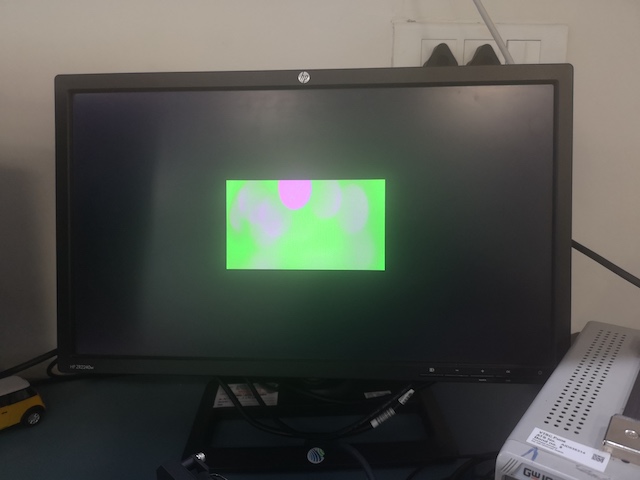
    Thanks to your pointers I've made some progress. I figured the camera output is 640x480 YUYV image. I also added vxColorConvertNode() to output RGB since display does not support YUYV. I'm getting following output now. Also, first call to vxGraphParameterDequeueDoneRef() returns but second call is blocked now. What do you suggest I look into?

    Thanks,

    Vibhor

  • Hi Vibhor,

    That's great new.

    How many buffers are allocating and enqueueing to the capture node? Could you please use atleast 3 to 4 buffer for the capture output? 

    Also please allocate 3 min buffers for color convert node output.. Display holds one buffer in itself, so 2 buffer will be tight between color convert and display node.

    Btw, display does support YUYV format, may be node does not support. With the slight change in the node, we could add YUYV format.. Do you want to try it out?

    Regards,

    Brijesh

  • Hi Brijesh,

    How do Front Porch, Back Porch, Sync Width for both Horizontal and vertical, impact the issue of "Received frame is either truncated/elongated". 640*480 is the active pixels but ISP is also sending all these extra porch and sync, do we need to configure these extra parameters as well any where else in the CSIRX ?

  • Hi Mahipal,

    Typically these extra blanking portion is removed by CSI, unless it is specifically marked as embedded data/lines with specific datatype. 

    So no additional config required for blanking area.

    Rgds,

    Brijesh 

  • Hi Brijesh,

    Thank You, So what exactly is the issue of "Received frame is either truncated/elongated" related to, we use the same camera on some other SoC with 640*480 pixels configured in SoC, and we don't see any such issue.

  • Hi Brijesh,

    Another update on my board is that I don't get "Received frame is either truncated/elongated" part hit, it hits the breakpoint multiple times(4 or 5 times) at /* Received frame has no error */ and after that it hits always the path of /* increment frame drop count */.

    What is the trigger for frame drop ?

  • Hi Mahipal,

    Well in CSI Rx, if the received size does not match with the programmed size, it gives this error. Not sure about other SoC.

    In earlier TDA devices, it would just crop the programmed frame size..

    Regards,

    Brijesh

  • Hi Mahipal,

    What happens is, on every interrupt, driver posts the descriptor to the DMA engine. Now if we put breakpoint, there could be few frames dropped, due to not able to submit/post the descriptor. This is why it goes to descriptor drop path.

    Does it continuously go into this path? I mean does it ever recover?

    Rgds,

    Brijesh 

  • Hi Brijesh,

    Here's the latest update. I finally got the continuous frames going through the pipeline and showing up on display. As you suggested, it started working after using 4 to 5 buffers at each stage. I also got issue with the colors resolved. It turns out the ISP sends YVYU frames, I used vxChannelExtractNode() and vxChannelCombineNode() to convert it to UYVY and send to display. I didn't find enum for YVYU in vx_df_image_e therefore I manually swapped the order of channels in vxChannelCombineNode().

    Here's the current flow:

    YVYU from ISP ---> tivxCaptureNode() ---> VX_DF_IMAGE_YUYV ---> vxChannelExtractNode() for each channel --> Y, U, V each is VX_DF_IMAGE_U8 ---> vxChannelCombineNode(Y, V, U, NULL) Note the V and U order is swapped here ---> VX_DF_IMAGE_UYVY ---> display

    Is it possible to support YVYU in capture node and display node so that I can remove my work-around?

    Thanks,
    Vibhor

  • Hi Vibhor,

    Display supports YUYV and UYVY formats for YUV422 interleaved data. Other YUV422 formats are not supported.

    I think we could swap the color component in the CSIRx. But the current node requires some changes. 

    Could you please try changing data format values to 

    FVID2_DF_YUV422I_UYVY

    FVID2_DF_YUV422I_YUYV

    FVID2_DF_YUV422I_YVYU

    FVID2_DF_YUV422I_VYUY

    in the API tivxCaptureExtractDataFormat in the file tiovx\kernels_j7\hwa\capture\vx_capture_target.c?

    I think the default value is UYVY, so please other three values and see if it helps.

    Regards,

    Brijesh

  • Hi Brijesh,

    Thanks for the input, setting data format to FVID2_DF_YUV422I_UYVY in tiovx\kernels_j7\hwa\capture\vx_capture_target.c and VX_DF_IMAGE_UYVY in application side worked for me. I directly sent the frames to display node without any intermediate conversion. What is the impact of this change? How will this work when we have some other camera?

    Thanks,

    Vibhor

  • Hi Vibhor,

    Typically this component ordering is important for the YUV422 format only. In fact, i checked the driver and this variable dataFormat is primarily used for YUV422 format to know component ordering. 

    I think the ISP you are using is probably not sending the YUV in matching format, we could use this functionality in CSIRx to swap the bytes. So you could keep this change when you use this ISP.

    Regards,

    Brijesh