This thread has been locked.

If you have a related question, please click the "Ask a related question" button in the top right corner. The newly created question will be automatically linked to this question.

TMS320C6748: NOT ABLE TO LOAD CSL-FL EXAMPLES

Part Number: TMS320C6748
Other Parts Discussed in Thread: TMDSLCDK6748, OMAPL138

Dear All,

First of all, I am new to CCS and software development in this enviroment.

I have bought a TMDSLCDK6748, LCDK for TMS320C6487 and I would like to test some pheriferals as UART, GPIOS, etc.

I have installed CCS version 10.2.0.00009 and download and installed "ti-processor-sdk-rtos-omapl138-lcdk-06.03.00.106-Windows-x86-Install.exe".

I have read "Processor SDK RTOS Getting Started Guide" and "Processor SDK RTOS Software Developer’s Guide" and have a minimal idea of the whole platform.

I have been able to build a run the baremetal "hello world" example and the TIRTOS "Hello World" example.

But now I am not able to load other CSL-FL examples (see chapter 6 of the User Guide, CSL-FL, uart, gpios, etc). I have tried several things but without success. (For example, CCS>"Import Wizard” does not seems to work for C6748)

Could someone help me to load, built and run these examples?

If you need any further information, I would be very happy to supply it.

Thanks in advance,

Joaquín.

  • Hello again,

    Just to give you more information, I add here other thing that I have tried:

    following chapter 6.1 2. CSL-Examples of the user guide I have tried following:

    • Navigate to pdk_[soc]_[version]\packages

    In my case, ona a CMD windows comand promt to c:/ti/pdk_omapl138_1_0_11/packages

    • Run pdksetupenv.bat (windows) OR pdksetupenv.sh (linux).

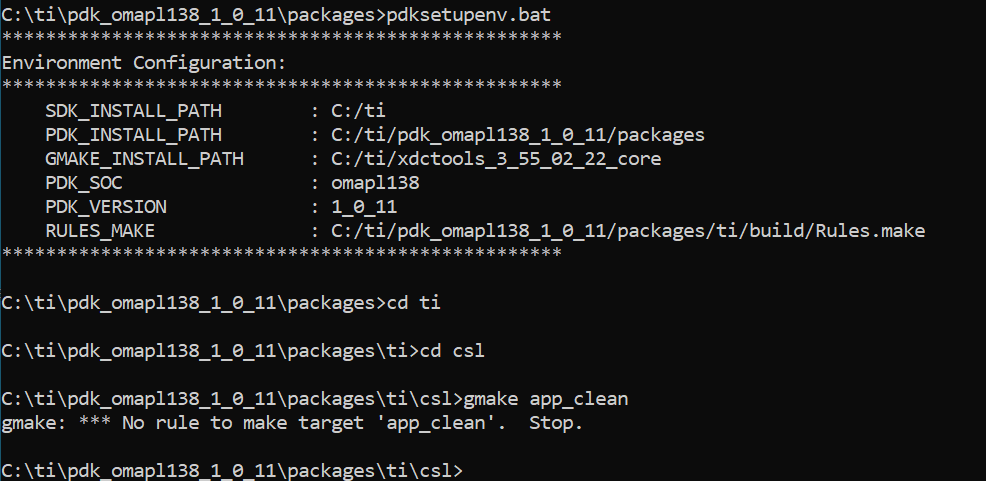
    this fig. shows results

    • Navigate to pdk_[soc]_[version]\packages\ti\csl

    then I have tried:

    C:\ti\pdk_[soc]_[version]\packages\ti\csl>gmake app_clean
    C:\ti\pdk_[soc]_[version]\packages\ti\csl>gmake apps

    this is what I get:


    Any idea? What am I missing?
    Thanks in advance,
    Joaquin.

  • Here at the results that I mention above...

  • Just more information in case make thing clearer...

    I have redo almost everything to setup de enviroment:

    - C:\ti\processor_sdk_rtos_[soc]_[version]> setupenv.bat;  No problem with this

    - Build all, C:\ti\processor_sdk_rtos_[soc]_[version]> gmake -j4;  No problem with this

    - C:\ti\pdk_[soc]_[version]\packages> pdksetupenv.bat ;  No problem with this

    - C:\ti\pdk_[soc]_[version]\packages>gmake clean ;  No problem with this

    - C:\ti\pdk_[soc]_[version]\packages>gmake all;  No problem with this

    - Navigate to pdk_[soc]_[version]/packages and 

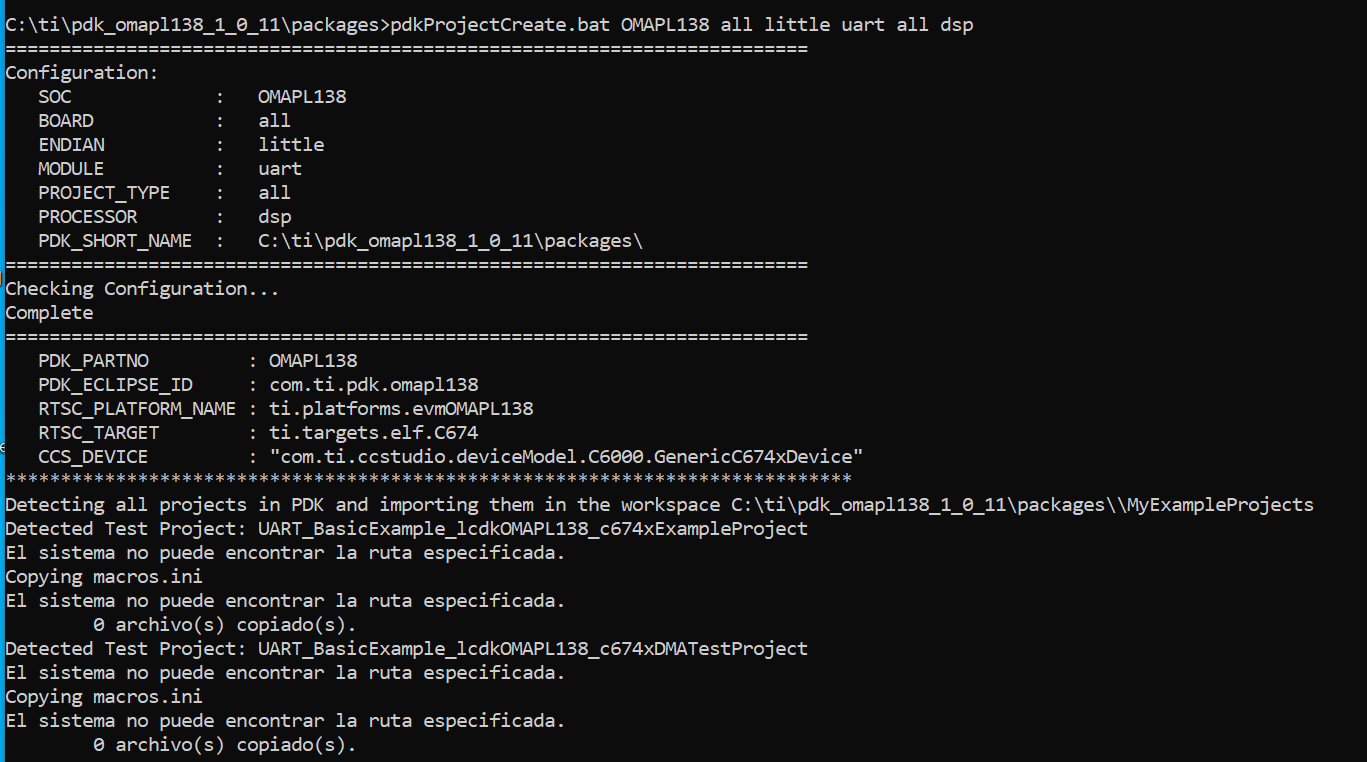
    pdkProjectCreate.bat OMAPL138 all little uart all dsp

    Path is not found, see image below

    Please, any help will be appreciated.

    Regards,

    Joaquin.

  • Hi Joaquin,

    The CSL-FL examples are only available for the AM57xx and AM65x devices. I see this is not clearly stated in the documentation and I apologize for any confusion this may have caused. 

    The error you are seeing is most likely due to the wrong CCS path being specified in the pdkProjectCreate script. If using a different version than what is specified in the Processor SDK release notes then you will need to update the path in the script to match your directory.

    This is also explained here now: [FAQ] OMAP-L13x/C674x Resources and FAQ

    Regards,
    Sahin

  • Hi Sahin,

    Thanks very much.

    I have changed to the actual version of the CCS and this is what I have now...

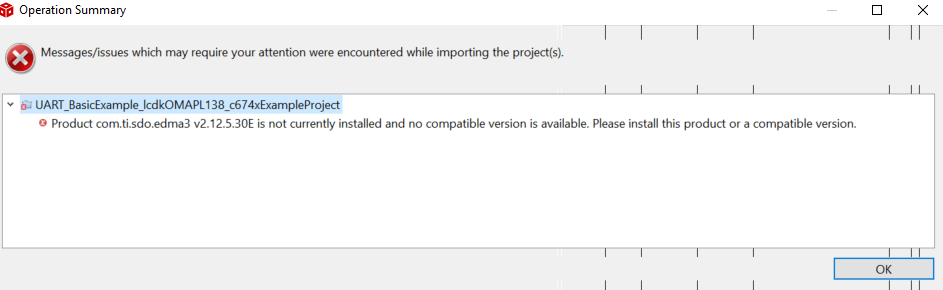
    If I try to load example form CCS that is what I have:

    In my intallation I have edma3_lld_2_12_05_30E.

    Any idea what is now the problem?

    Thanks in advance,

    Joaquin.

  • Hi,

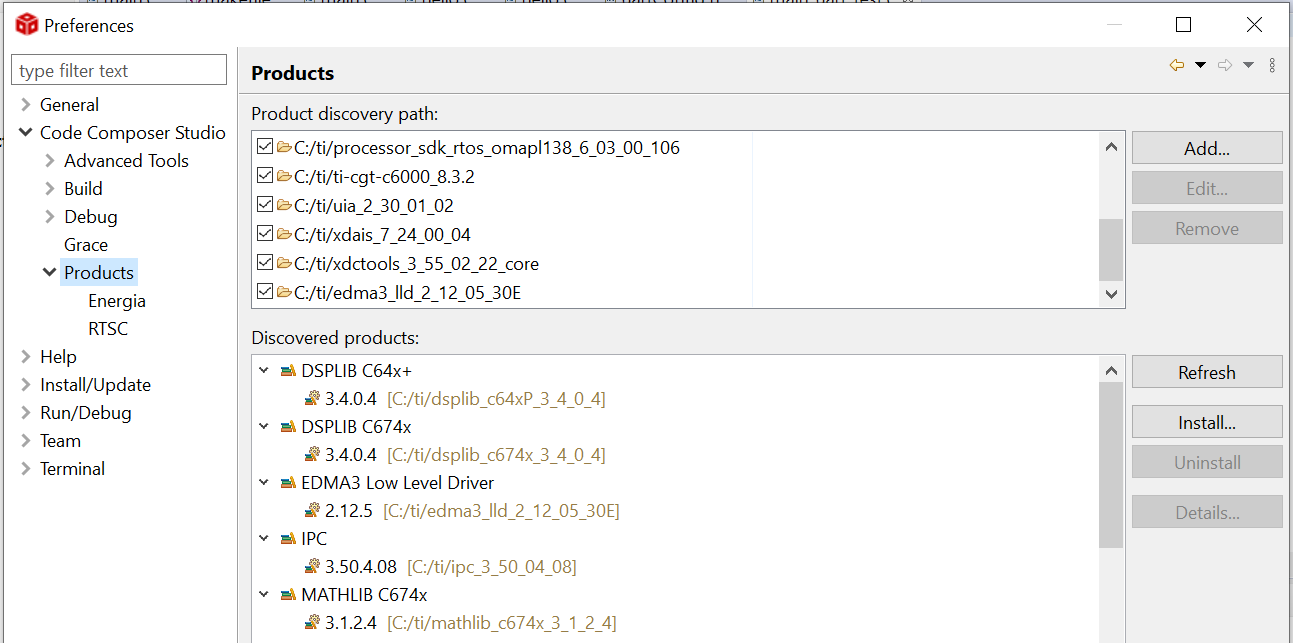
    I finally, reading looking at the foreo question  have solved the problem with the EDMA.

    Just add to CCS the EDMA products. See figure, below.

    Thank you all for your help.

    A somewhat curvy road but I got the end.

    Regards,

    Joaquin