This thread has been locked.

If you have a related question, please click the "Ask a related question" button in the top right corner. The newly created question will be automatically linked to this question.

TMS320C6748: GPIOs CONTROL

Part Number: TMS320C6748
Other Parts Discussed in Thread: OMAPL138

Dear all,

We have purchased a LCDK6487 to work with it.

I have installed CCS and SDK and all examples.

I have just started to work with “GPIO_LedBlink_lcdkOMAPL138_c674xTestProject.” I am able to Build, debug and run.

As an exercise, I would like also move another led in the board. LCDK6487 board has 4 leds:

D4 on pin GPIO6[13],

D5 on pin GPIO6[12]

D6, on pin GPIO2-12

D7 on pin GPIO0-9.

The example is moving D4 and D5, which are equivalent in the main.c file to USER_LED0 and USER_LED1:

/* Toggle LED1 */

 GPIO_toggle(USER_LED1);

On file board_cfg.h lines 70-74, there are the following declaration:

/* GPIO pin and port numbers for on-board LED */

#define GPIO_LED0_PIN_NUM       (108U)

#define GPIO_LED0_PORT_NUM       (0U)  

#define GPIO_LED1_PIN_NUM       (109U)

#define GPIO_LED1_PORT_NUM       (0U)

I dont see in any file the relation between the above declaration and USER_LED1 and USER_LED0.

My questions are very simple:

How can I control other leds (D6 and D7) in the board?

Which are the steps to follow? Which files should I modified?

Is there any document which explain the process and all the things to do?

Sorry if the questions are so simple but I have just starting to work with DSPs and I get lost in the gap oHW/software.

Thanks in advance,

Joaquin.

  • Hello Joaquin,

    Thank you for your question, my name is Andrew and I would be more than happy to assist you with this.  Allow me to research this subject further and consult with my colleagues familiar with this device. I will also make sure you are updated within the next 24-48 hours on our progress.

    Best regards,

    Andrew  

  • Dear Andrew,

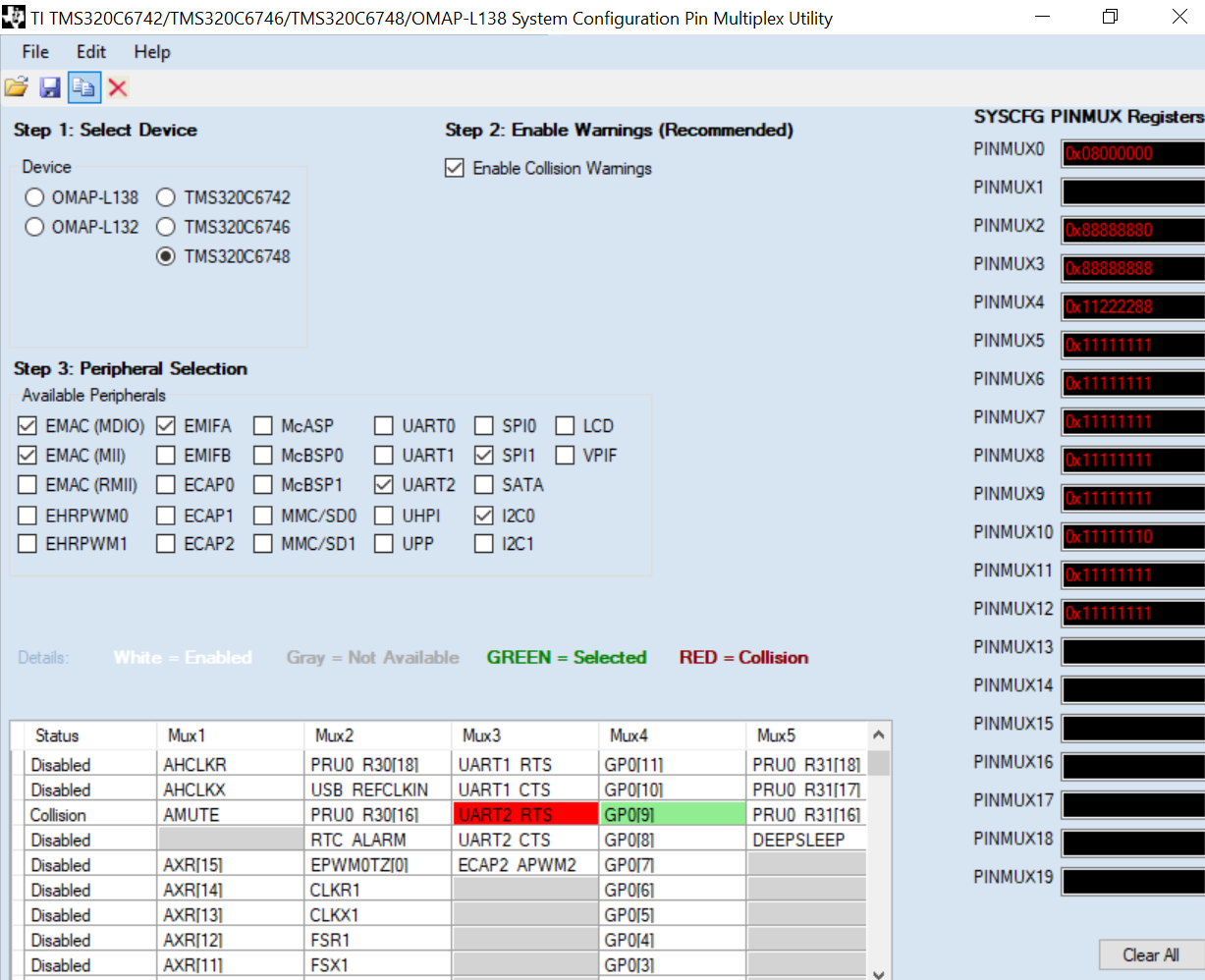
    As I have not any feedback from you and I need to advaced in this topic, I have retaken the issue. After reading in many some posts, I have realized that there is a a tool called "TI Pin Multiplex Utility.exe" use dto define the pins needed for the application.

    In my case I need to control:

    D6, on pin GPIO2-12

    D7 on pin GPIO0-9

    So in Pin multiplex tool I have chossen GP0[9] and GP2[12]. (In figure below you can see how I have defined GP0[9])

    Whit this tool I also can save this file as a .h header file.

    Then:

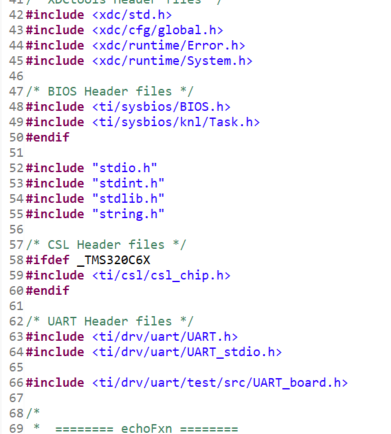
    What should I do with this file? Shoud I replace this new .h file for a .h file in the “GPIO_LedBlink_lcdkOMAPL138_c674xTestProject.”?  next figure shown includes of the project.

    Once that I have this done, what other part of the code should I modified/add to define the GPIO2-12 and GPIO0-9?

    Thanks in advance,

    Joaquin.

  • Dear all,
    Finally after many tries I got to toggle the led D6 and D7, on pin GPIO2-12 and D7 on pin GPIO0-9.

    These are the steps I have followed on "GPIO_LedBlink_lcdkOMAPL138_c674xTestProject":
    (1) Look which GPIO pin number are GPIO0-9 and GPIO2-12  on document SPRUFL8B, “TMS320C674x/OMAP-L1x Processor General-Purpose Input/Output (GPIO)” Table 1.
    So for GPIO0-9 is number 10 and GPIO2-12 is number 45.
    (2) Modify file: "C:\ti\pdk_omapl138_1_0_11\packages\ti\board\src\lcdkOMAPL138\include\ board_cfg.h"  to add two new GPIO definition, GPIO_LED2 and GPIO_LED3
    Please note, that pin numbers are -1.


    (3) Modify file: "C:\ti\pdk_omapl138_1_0_11\packages\ti\drv\gpio\test\led_blink\omapl138\GPIO_board.c. " to defne the new GPIOs as outputs


    (4) Modify: "C:\ti\pdk_omapl138_1_0_11\packages\ti\drv\gpio\test\led_blink\src\GPIO_Board.h " two add two new lines defining USER_LED2 and USER_LED3


    This is the part more confussing for me, because in my understanding, in this function, names are associated sequentially with the above definitions. Maybe someone can explain this a little bit better.


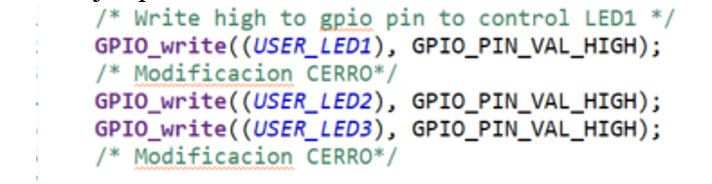
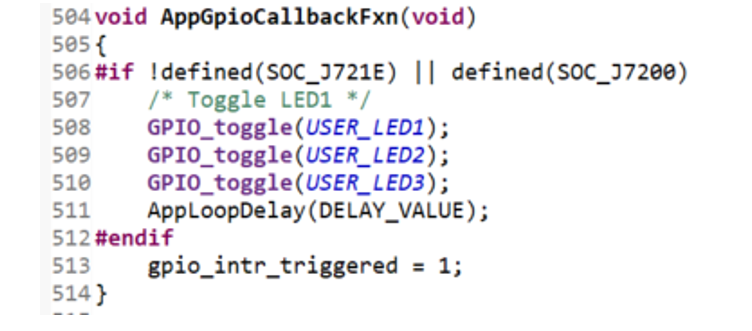
    (5) finally I can modify the main-c file to fix a initial value for the new pins and then toggle them on the callback.

    An togle on the callback

    Hope this can help someone.

    If someone has any comment or use a better method to to this, please, add here so all can learn.

    Regards,

    Joaquin.