This thread has been locked.

If you have a related question, please click the "Ask a related question" button in the top right corner. The newly created question will be automatically linked to this question.

IWRL6432AOPEVM: IWRL6432AOPEVM: Error message when running common_device_setup.lua file in mmWave Studio GUI

Part Number: IWRL6432AOPEVM
Other Parts Discussed in Thread: DCA1000EVM, , IWRL6432

Hello,


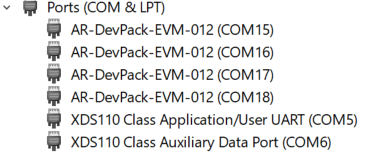
I am trying to set up the DCA1000EVM to work with the IWRL6432AOPEVM. I have been following along to this link: https://dev.ti.com/tirex/explore/node?a=1AslXXD__1.00.00.26&node=A__AZpB296-3QEz48rsFnFiOw__radar_toolbox__1AslXXD__LATEST. I have gotten everything to work. Now I am onto the subsection "DCA1000EVM mmWave Studio xWRLx432". 


I have the pins and plug ins set up as in the image below in the instructions.
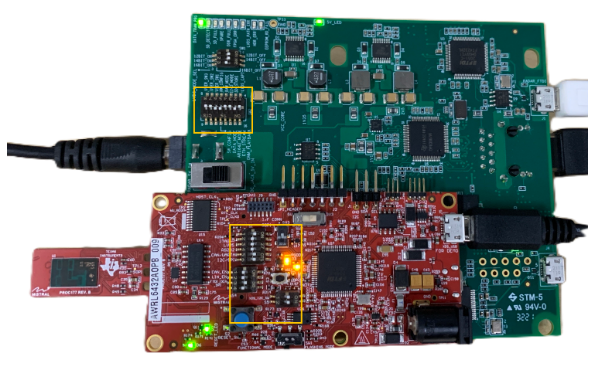
image.png

I have adjusted the setup lua file. Below are snips of my adjusted file.

image.png

image.png

image.png


I am now at the part where I am trying to run the mmWave Studio GUI with the 60Ghz lua file setup. Below is a snip of my GUI and the error message I am receiving.
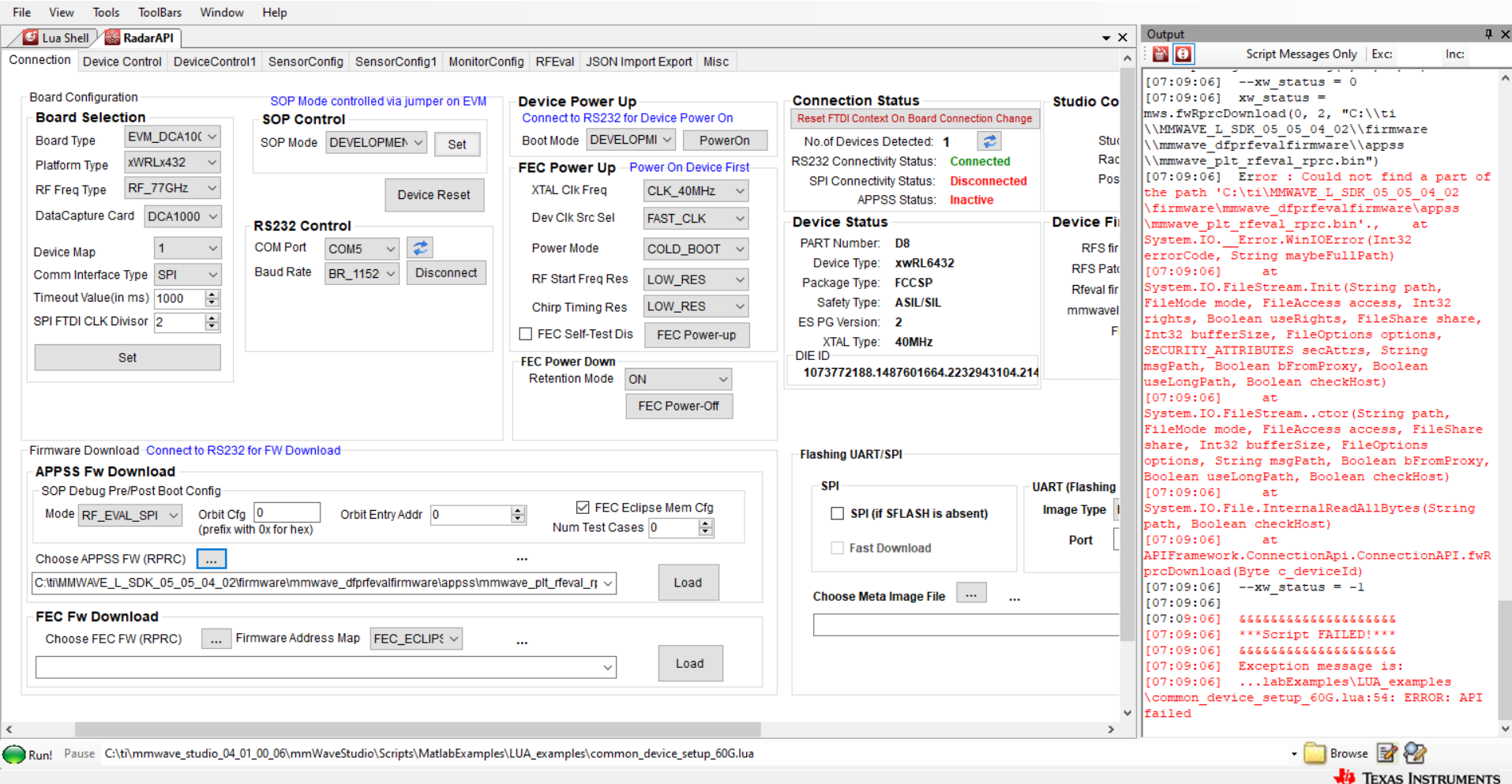
image.png

I have tried going through the troubleshooting handbook for the DCA1000EVM. I have only installed the matlab runtime 8.5.1 version. The path defintion is defined as in the image below.
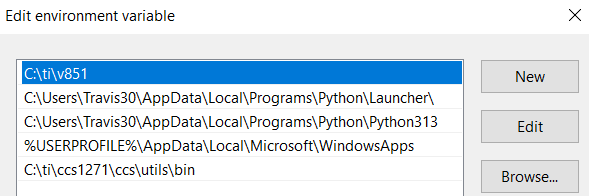
image.png

I have noticed that the link under the APPSS subsection in the GUI changes when I run the GUI. Here is what it shows currently after running it.

image.png

The link is supposed to be "C:\ti\MMWAVE_L_SDK_05_05_04_02\firmware\mmwave_dfp\rfevalfirmware\appss", but I am unsure if that is the actual problem.


Any and all help is greatly appreciated.


Thanks,

Travis

  • I have also noticed that every time I run the GUI, it switches the RF freq type to 77GHz, versus the expected 60Ghz. See image below for before and after.

    Before:

    After: 

  • I also noticed that in the instructions it shows an image of the lua file, see below.

    I am able to follow the paths for the first 3 commands. However when I try to follow along to the atecal_firmware path it does not exist. I do not have any atecal bin files. This is as far as I go before the path does not exist anymore for me. See image below.

  • Hello Travis.

    Our DCA expert is out of office, and will provide an update once he is back.  Thank you for your patience.

    Sincerely,

    Santosh

  • Hello,

    If you notice in the LUA script, the atecal_firmware and rfs_firmware variables are never called/used in the default device setup script found in

    <RADAR_TOOLBOX_DIR>\tools\scripts\mmWaveStudio_lua_examples\xWRLx432

    These two variables are refering to legacy firmware files needed for earlier silicon revisions of the xWRL6432. You very likely have a newer version and do not need those two files and thus can run the script as is.

    Best Regards,

    Pedrhom 

  • Hi Pedrhom,

    Thank you for the information.

    If this is not the issue, then based on the information I have sent, do you have a solution to resolve the error message I am receiving? I am unable to run the script currently.

    Thanks,

    Travis

  • Hi Pedrhom,

    I deleted the two lines like you suggested and that got me farther. I now receive an error message while running the lua file at the mws.sopDebugFwPostBootCfg command line. The error message reads

    mws.sopDebugFwPostBootCfg(0, 0, 0, 0, 0, 0)
    --xw_status = 0

    &&&&&&&&&&&&&&&&&&&&
    ***Script FAILED!***
    &&&&&&&&&&&&&&&&&&&&
    Exception message is:
    Object reference not set to an instance of an object.

    Do you have any suggestions on troubleshooting this error message?

    Thanks,

    Travis

  • Hello Travis,

    Have you changed the paths to ensure it is pointing to the AOP version of the firmware?

    Such as:

    C:\ti\MMWAVE_L_SDK_05_05_04_02\firmware\mmwave_dfp\rfsfirmware\xWRL6432_AOP

    Best Regards,

    Pedrhom

  • Hi Pedrhom,

    I deleted line 6/7 like you recommended above, so I do not believe there is a dependency on choosing the device IWRL6432_AOP vs IWRL6432. The only lines I have for that section are lines 3-5.

    Thanks,

    Travis

  • Solved offline. User needed to use the device specific LUA script found within the Radar Toolbox at <RADAR_TOOLBOX_DIR>\tools\scripts\mmWaveStudio_lua_examples rather than the common generic LUA script found within mmWaveStudio.

    Best Regards,

    Pedrhom