


Other Parts Discussed in Thread: SK-TDA4VM, TDA4VM, UNIFLASH, CC2340R5
Tool/software:
I have a similar problem to ticket:
(+) CCS: New XDS110 unable to update firmware - Code Composer Studio forum - Code Composer Studio ︎ - TI E2E support forums
I have a XDS110 Probe with CMSIS-DAP wich I what to debug a R5 core on SK-TDA4VM.
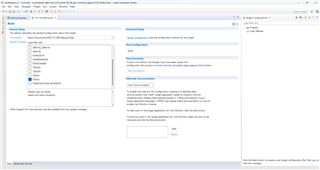
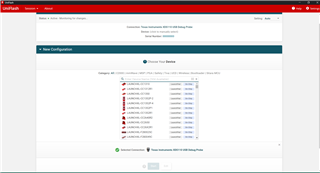
CCS version 8, 9, 10, 11, 12 was not able to update my board.
And manualy it shows the same erros.
I tried everithink on Windows as recomended.
Here are my logs from manual update with windows console
Microsoft Windows [Version 10.0.22621.2283]
(c) Microsoft Corporation. All rights reserved.

C:\Windows\System32>cd C:\ti\ccs1280\ccs\ccs_base\common\uscif\xds110

C:\ti\ccs1280\ccs\ccs_base\common\uscif\xds110>dir
 Volume in drive C has no label.
 Volume Serial Number is 1E32-D189

 Directory of C:\ti\ccs1280\ccs\ccs_base\common\uscif\xds110

13.08.2024  23:15    <DIR>          .
13.08.2024  23:16    <DIR>          ..
25.07.2024  02:45            74 900 boot_loader.axf
25.07.2024  02:45             6 202 boot_loader.bin
25.07.2024  02:45             3 227 eZ_FetDcdcController.txt
25.07.2024  02:45           337 281 firmware_3.0.0.31.bin
25.07.2024  02:45           173 056 xds110reset.exe
25.07.2024  02:45           176 023 XDS110SupportReadMe.pdf
25.07.2024  02:45           214 016 xdsdfu.exe
               7 File(s)        984 705 bytes
               2 Dir(s)  124 880 371 712 bytes free

C:\ti\ccs1280\ccs\ccs_base\common\uscif\xds110>xdsdfu.exe -e

USB Device Firmware Upgrade Utility
Copyright (c) 2008-2019 Texas Instruments Incorporated.  All rights reserved.

Scanning USB buses for supported XDS110 devices...


<<<< Device 0 >>>>

VID: 0x0451    PID: 0xbef3
Device Name:   XDS110 Probe with CMSIS-DAP
Version:       2.3.0.5
Manufacturer:  Texas Instruments
Serial Num:    00000000
Mode:          Runtime
Configuration: Standard

Found 1 device.

C:\ti\ccs1280\ccs\ccs_base\common\uscif\xds110>xdsdfu.exe -m

USB Device Firmware Upgrade Utility
Copyright (c) 2008-2019 Texas Instruments Incorporated.  All rights reserved.

Scanning USB buses for supported XDS110 devices...


<<<< Device 0 >>>>

VID: 0x0451    PID: 0xbef3
Device Name:   XDS110 Probe with CMSIS-DAP
Version:       2.3.0.5
Manufacturer:  Texas Instruments
Serial Num:    00000000
Mode:          Runtime
Configuration: Standard

Switching device into DFU mode.

C:\ti\ccs1280\ccs\ccs_base\common\uscif\xds110>xdsdfu.exe -f firmware_3.0.0.31.bin -r

USB Device Firmware Upgrade Utility
Copyright (c) 2008-2019 Texas Instruments Incorporated.  All rights reserved.

Scanning USB buses for supported XDS110 devices...

The requested device was not found on the bus.

C:\ti\ccs1280\ccs\ccs_base\common\uscif\xds110>xdsdfu.exe -e

USB Device Firmware Upgrade Utility
Copyright (c) 2008-2019 Texas Instruments Incorporated.  All rights reserved.

Scanning USB buses for supported XDS110 devices...


<<<< Device 0 >>>>

VID: 0x0451    PID: 0xbef3
Device Name:   XDS110 Probe with CMSIS-DAP
Version:       2.3.0.5
Manufacturer:  Texas Instruments
Serial Num:    00000000
Mode:          Runtime
Configuration: Standard

Found 1 device.

C:\ti\ccs1280\ccs\ccs_base\common\uscif\xds110>xdsdfu.exe -m

USB Device Firmware Upgrade Utility
Copyright (c) 2008-2019 Texas Instruments Incorporated.  All rights reserved.

Scanning USB buses for supported XDS110 devices...


<<<< Device 0 >>>>

VID: 0x0451    PID: 0xbef3
Device Name:   XDS110 Probe with CMSIS-DAP
Version:       2.3.0.5
Manufacturer:  Texas Instruments
Serial Num:    00000000
Mode:          Runtime
Configuration: Standard

Switching device into DFU mode.
I also installed CCS 7 but it does not support SK_TDA4VM
How should I use the XDS110?
Photos:





 Connector should go here
