This thread has been locked.

If you have a related question, please click the "Ask a related question" button in the top right corner. The newly created question will be automatically linked to this question.

MSP430-FLASHER: Code composer issue with MSp430G2553

Part Number: MSP430-FLASHER
Other Parts Discussed in Thread: CCSTUDIO, MSP430G2553, MSP430FR2476

Hi,

Following the suggestion from my previous request, I have downloaded and installed the latest version of Code Composer Studio. Here are the version details:

  • Version: 20.5.0.28__1.11.0

  • Default VS Code API: 1.102.3

  • Extensions: Includes @ccs/ccstudio 20.5.0, @theia/ai-anthropic, and others (full list provided below).

Using this version (as well as previous ones) with the MSP430G2553, I am experiencing an issue during the debug phase: whenever the processor hits a breakpoint, it resets. To prevent this, I am currently forced to disable the Watchdog Timer (WDT) during emulation. This is very inconvenient and prevents me from performing a comprehensive debug of the application.

I previously used the Eclipse-based Code Composer Studio (up to version 10) without any issues. I have also used this device for many years with IAR Embedded Workbench and never encountered this problem; it has only started appearing with the recent versions of CCS.

Please note that my program is developed entirely in Assembly. I have also experienced the same issue with the MSP430FR2476.

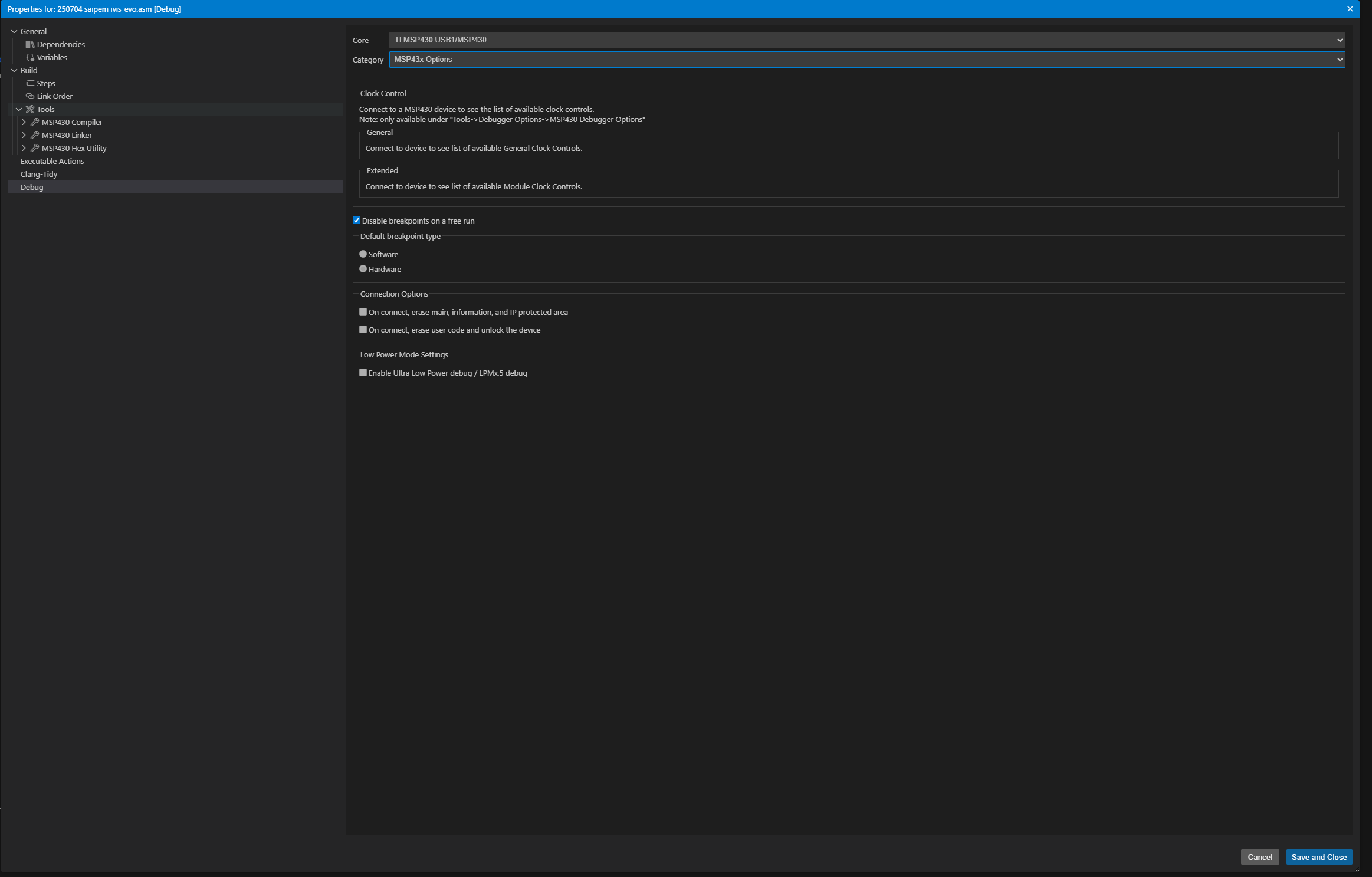
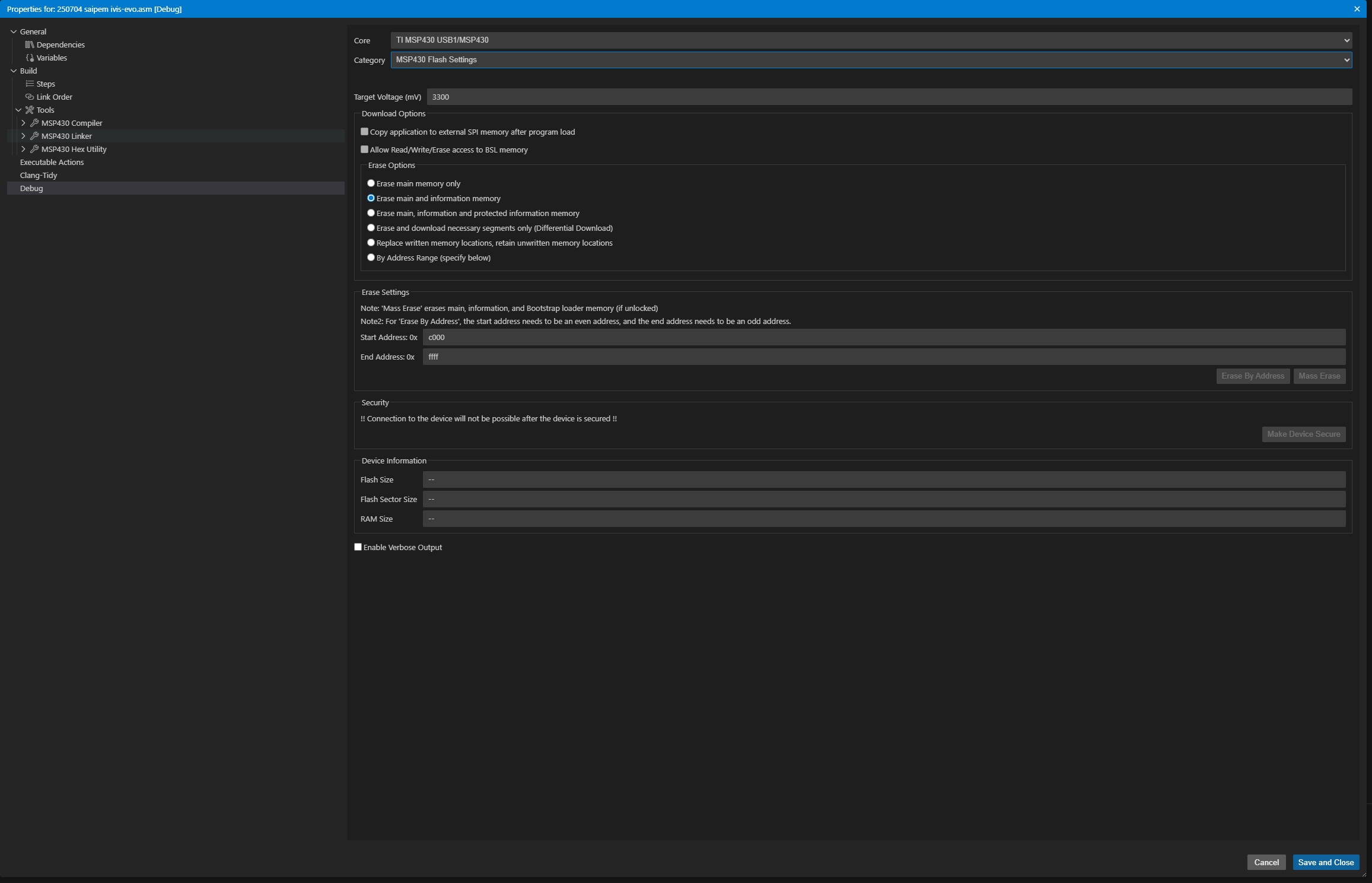
I am attaching the debug configuration file from my current CCS setup. Is there a specific setting I can use to prevent the Watchdog from resetting the device during a breakpoint without having to manually disable it in the code?

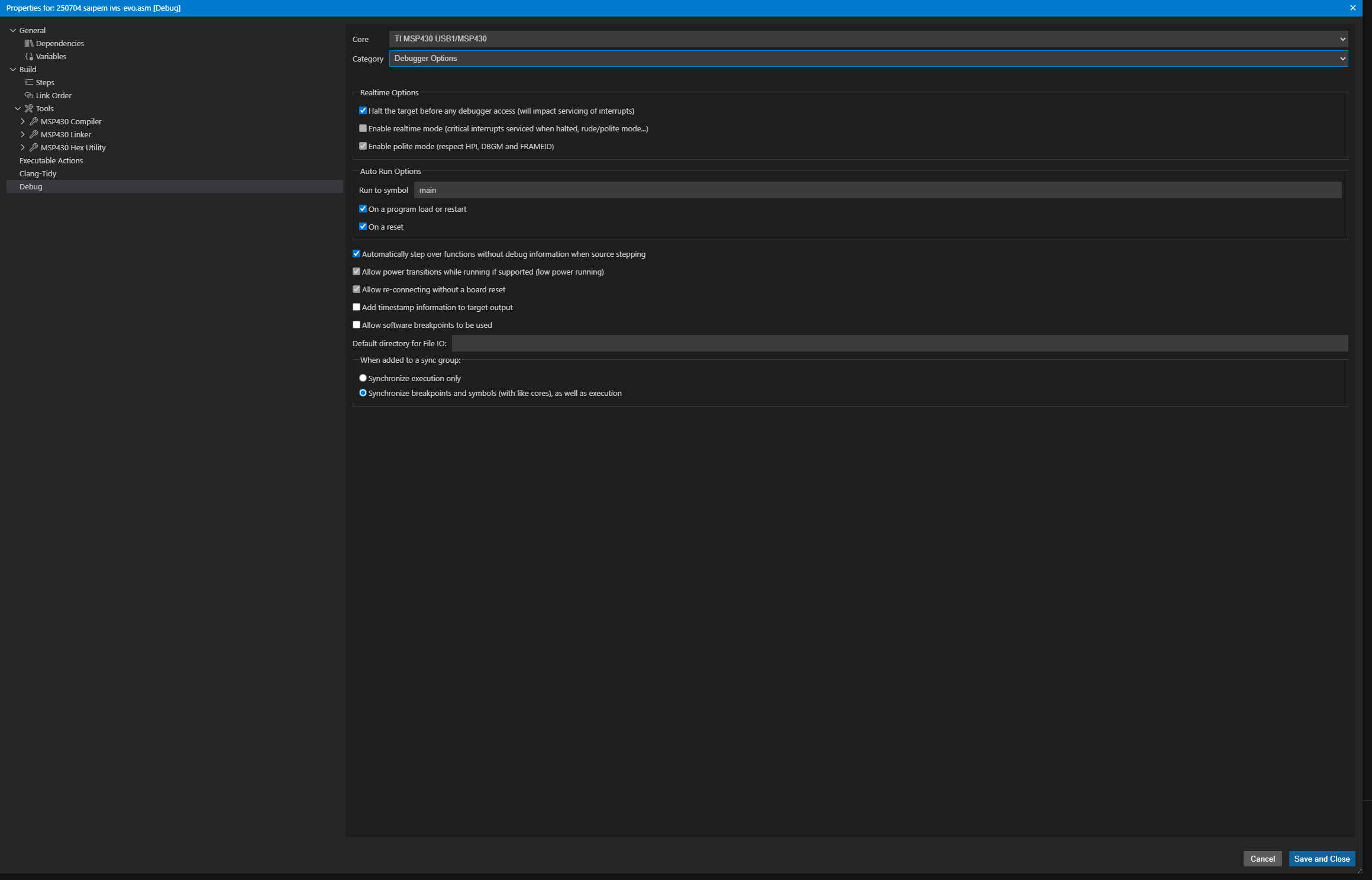
image.png

image.png

image.png


image.png

Best Regards 

Luigi 

  • Hi Luigi,

    I am experiencing an issue during the debug phase: whenever the processor hits a breakpoint, it resets

    To clarify, it hits the breakpoint first then it resets?

    I previously used the Eclipse-based Code Composer Studio (up to version 10) without any issues.

    I wouldn't expect much of a discrepancy regarding this behavior between CCS Eclipse and CCS Theia.

    Can you provide the project that you are using? Or at least a test case that can reproduce the issue?

    You can provide via private E2E conversation if you do not wish to post publicly.

    Thanks

    ki

  • Hi Ki

    thank you for your reply 

    about this :To clarify, it hits the breakpoint first then it resets?

    I think yes but not sure, the system stop when meet the breakpoint but immediately go to main.

    about this: 

    Can you provide the project that you are using? Or at least a test case that can reproduce the issue?

    You can provide via private E2E conversation if you do not wish to post publicly.

    I can share on private no problem but my project is totally in assembler is ok for you? 

    I see on some web site that the MSP430G2553 is not perfect compatible with new version, because is old item, this is true ? 

    The breakpoint work properly only if is disable the whatchdog. 

    Best Regards 

    Luigi 


  • I think yes but not sure, the system stop when meet the breakpoint but immediately go to main.

    The WDT should pause when the target is halted so I'm not sure how it would trigger after the program hits a breakpoint.

    I can share on private no problem but my project is totally in assembler is ok for you? 

    Yes that is totally fine. I was also experimenting with an asm only MSP430G2553 project in CCS 20.5.0 but it works as expected. When a breakpoint is hit before the WDT is triggered, it stays on the breakpoint and then I can asm step on without it resetting. Based on your description it sounds like that is not working for CCS 20.5.0 but it did with CCS 10? 

  • Hi Ki 

    Yes, exactly. To be honest, debugging worked properly in a previous release of CCS 20—though I don't remember which one—but it stopped working after the update. I don't use CCS every day. I think the issue lies in the debug system settings; I had similar problems with CCS 10 and older versions too, but I was always able to fix them by adjusting the settings. I even printed out all the settings screens so I could manually reload them whenever I install a new version. However, with this specific version, that doesn't seem to work."

  • I think the issue lies in the debug system settings;

    Please provide the launch configuration that is being used for the project:

    https://software-dl.ti.com/ccs/esd/documents/users_guide_ccs/ccs_debug-main.html#launch-configurations

    Thanks

    ki

  • ok

    thank you very much 

  • Hello,

    Can you provide the the launch configuration that is being used for the project so I can take a look at it? Perhaps there is an issue with it.

    Thanks

    ki

    • I have updated the Code Composer settings following the instructions in the link you sent, but the issue persists (see the attached PDF). When I set a breakpoint, the system resets immediately unless I disable the watchdog. I can only see the start of the program at the 'main' line. I have tried several different configurations, but nothing seems to change.setting.pdf
  • Luigi - please copy and paste your specific launch configuration. I do not want a screenshot. I actually want the contents in the launch.json file mentioned in the link I sent. Please send me the json for your launch configuration, not a screenshot of the GUI.

  • Hi Ki 

    this is the lunch.json file 

    {
        "version": "0.2.0",
        "configurations": [
            {
                "name": "myfile.asm",
                "type": "ccs-debug",
                "request": "launch",
                "projectInfo": {
                    "name": "myfile.asm",
                    "resourceId": "/myfile.asm"
                },
                "connections": [
                    {
                        "name": "TI MSP430 USB1",
                        "cores": [
                            {
                                "name": "MSP430",
                                "debuggerSettings": {
                                    "data": "<?xml version=\"1.0\" encoding=\"UTF-8\" standalone=\"no\" ?>\n<PropertyValues>\n\n  <property id=\"AddCEXITbreakpointAfterLoad\">\n    <curValue>1</curValue>\n  </property>\n\n  <property id=\"AddCIOBreakpointAfterLoad\">\n    <curValue>1</curValue>\n  </property>\n\n  <property id=\"ResetOnRestart\">\n    <curValue>0</curValue>\n  </property>\n\n  <property id=\"RestartOnSymbolLoad\">\n    <curValue>0</curValue>\n  </property>\n\n  <property id=\"EnableSoftwareBreakpoints\">\n    <curValue>1</curValue>\n  </property>\n\n  <property id=\"VerifyAfterProgramLoad\">\n    <curValue>Full verification</curValue>\n  </property>\n\n  <property id=\"UseLegacyStopMode\">\n    <curValue>0</curValue>\n  </property>\n\n  <property id=\"AutoRunToLabelOnRestart\">\n    <curValue>0</curValue>\n  </property>\n\n  <property id=\"AutoRunToLabelOnReset\">\n    <curValue>0</curValue>\n  </property>\n\n  <property id=\"HaltOnConnect\">\n    <curValue>1</curValue>\n  </property>\n\n  <property id=\"AutoResetOnConnect\">\n    <curValue>0</curValue>\n  </property>\n\n  <property id=\"DefaultBreakpointType\">\n    <curValue>Hardware</curValue>\n  </property>\n\n  <property id=\"GeneralClockControl1\">\n    <curValue>1</curValue>\n  </property>\n\n  <property id=\"GeneralClockControl2\">\n    <curValue>1</curValue>\n  </property>\n\n  <property id=\"GeneralClockControl5\">\n    <curValue>1</curValue>\n  </property>\n\n  <property id=\"DisableIntWhileAsmStepping\">\n    <curValue>1</curValue>\n  </property>\n\n  <property id=\"DisableIntWhileSrcStepping\">\n    <curValue>0</curValue>\n  </property>\n\n  <property id=\"MSP430DownloadOptions\">\n    <curValue>Erase main and information memory</curValue>\n  </property>\n\n  <property id=\"MSP430EraseStartAddress\">\n    <curValue>c000</curValue>\n  </property>\n\n  <property id=\"MSP430EraseEndAddress\">\n    <curValue>ffff</curValue>\n  </property>\n\n  <property id=\"FlashFiles\">\n    <curValue></curValue>\n  </property>\n\n</PropertyValues>\n"
                                }
                            }
                        ]
                    }
                ]
            },
            {
                "name": "msp430g2x12_ca_01.asm",
                "type": "ccs-debug",
                "request": "launch",
                "projectInfo": {
                    "name": "msp430g2x12_ca_01.asm",
                    "resourceId": "/msp430g2x12_ca_01.asm"
                }
            }
        ]
    }
    Best Regards 
    Luigi 
  • Yes, this is what I was looking for. I will give this a try and let you know.

  • Do you have the issue with both myfile.asm and msp430g2x12_ca_01.asm? If it is just myfile.asm, can you remove all the whole connections object so that it looks like:

    {
        "version": "0.2.0",
        "configurations": [
            {
                "name": "myfile.asm",
                "type": "ccs-debug",
                "request": "launch",
                "projectInfo": {
                    "name": "myfile.asm",
                    "resourceId": "/myfile.asm"
                }
            },
            {
                "name": "msp430g2x12_ca_01.asm",
                "type": "ccs-debug",
                "request": "launch",
                "projectInfo": {
                    "name": "msp430g2x12_ca_01.asm",
                    "resourceId": "/msp430g2x12_ca_01.asm"
                }
            }
        ]
    }

  • Hi KI

    don't have the msp430g2x12_ca_01.asm project. I’m not sure why it’s appearing; it might be a remnant from an old project. I am trying to create a new project for the MSP430G2553, but I am unable to select that specific device in Code Composer Studio. Anyway I have problem with myfile.asm

  • Anyway I have problem with myfile.asm

    Ok, if you clean up the configuration of myfile.asm as I suggest above, does it work?

  • yes, nothing change, is the same  

  • Can you send me your whole project? You can send via private E2E message if you wish.

  • yes sure, but I don't know how I can do it.

  • Please see the last FAQ at the bottom of this post:

     PLEASE READ FIRST: CCS Forum Usage Guidelines