This thread has been locked.

If you have a related question, please click the "Ask a related question" button in the top right corner. The newly created question will be automatically linked to this question.

cc2650 wireless MCU target error in Flash2 and CCS v6.2

Other Parts Discussed in Thread: CC2650

I'm trying to make some small changes to the cc2650 wireless MCU firmware (decrease the reading/advertising rate to 2x per hour and disable sleep mode).  

I'm running virtualbox Windows 10 image on a mac to run CCSv6.2 and Flash 2. I've downloaded the RTOS and ARM Compiler required in order to update the default firmware for cc2650. I am using the TI Simplelink SensorTag DevPack for connecting to my computer using a USB cord.

I have two major questions:

1. where do I find the right default firmware to update and/or restore my sensor to factory settings? There are several projects I can download from resource explorer that are labeled cc2650...

2. why does my ccs and flash 2 programs detect that my sensor is connected to my windows environment (Flash 2 and CCS detect the cc2650 sensor), but then when I try to build/debug the code, I get 'cannot find target' errors?

Any help troubleshooting that you can offer would be greatly appreciated.

Thanks!

Rachel


  • Rachel,

    Rachel Vrabec said:
    1. where do I find the right default firmware to update and/or restore my sensor to factory settings? There are several projects I can download from resource explorer that are labeled cc2650...

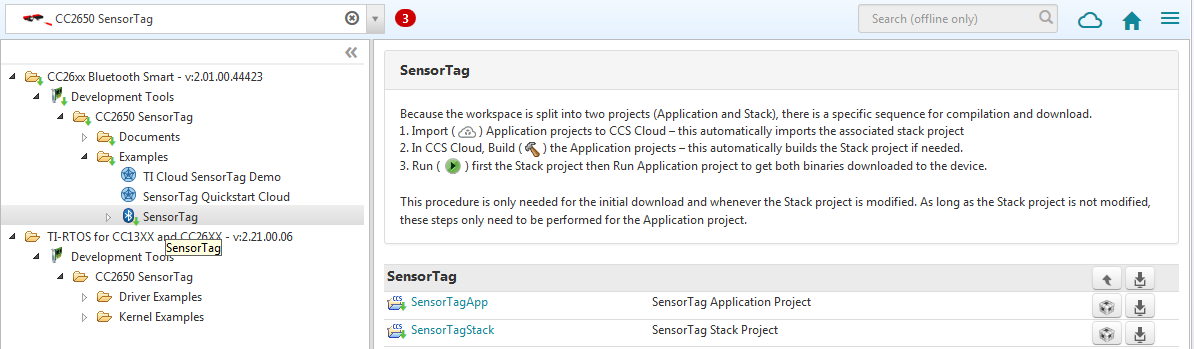
    From inside the Resource Explorer you can search for the specific board (Sensortag):

    Then you can look for the Sensortag demo application:

    Rachel Vrabec said:
    2. why does my ccs and flash 2 programs detect that my sensor is connected to my windows environment (Flash 2 and CCS detect the cc2650 sensor), but then when I try to build/debug the code, I get 'cannot find target' errors?

    The operation of JTAG debug probes across Virtual machines is not officially supported. In certain cases it works very well but for certain models its functionality is severely impaired.

    I personally haven't used a XDS110 across a Virtual machine therefore I can't precisely tell if the issue is related to that. Can you send the error message? 

    Hope this helps,

    Rafael

  • Thank you Rafael, 

    So I will work exclusively from those files.

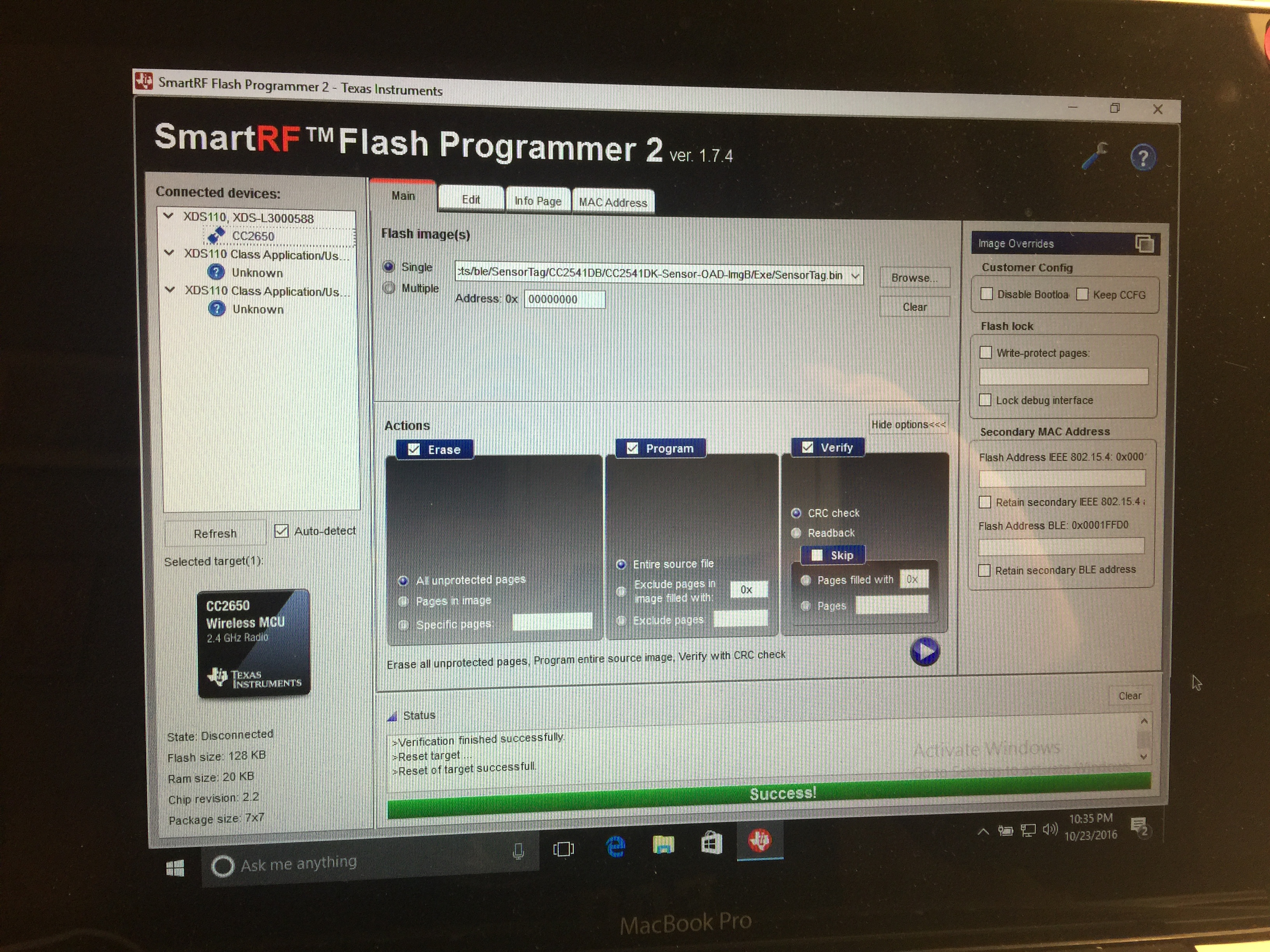
    For the target error,  after trying it a few different ways I've been able to load the .bin file from image B onto my sensor using flash 2, virtual box, a usb, and debugger. The load ran successfully, (see image below), but now my sensor is frozen and the red light is stuck on unless I remove the battery. I try to reset by pressing and holding both buttons for 6 seconds, but it doesn't reset.  Do you know why this might be? 

    Also for my other approach, when I add the sensortag .bin file to my TI app via itunes, and try to load over the air using the firmware update options on the app, I get the error similar to this thread - "did not disconnect properly"...   https://e2e.ti.com/support/wireless_connectivity/bluetooth_low_energy/f/538/t/325044 

    Thanks so much for your help! 

  • I should also mention that when I try to restore the tag by flashing the example image back on to the sensor tag, it fails. Any recommendations for getting my sensortag back working would be much appreciated

  • Rachel,

    Please apologize for the delay.

    >>The load ran successfully, (see image below), but now my sensor is frozen and the red light is stuck on unless I remove the battery. I try to reset by pressing and holding both buttons for 6 seconds, but it doesn't reset. Do you know why this might be?

    I did not have any issues running this version of the BLE Stack. However, I used CCS instead of the SmartRF programmer - I first flashed the SensorTagStack project by clicking on the green bug button, then I closed the debug session and flashed the SensorTag project using the same button. I also closely followed the instructions to connect the DevPack to the Sensortag and power it.

    processors.wiki.ti.com/.../CC2650_SensorTag_User's_Guide

    I then downloaded and installed the newer version of the BLE stack (unfortunately the version available on the online Resource Explorer is not the latest) from the link below:

    www.ti.com/.../ble-stack

    This version worked as well, but you need to change the settings of two files as mentioned in the post below:
    e2e.ti.com/.../1998587

    >> Also for my other approach, when I add the sensortag .bin file to my TI app via itunes, and try to load over the air using the firmware update options on the app, I get the error similar to this thread - "did not disconnect properly"... e2e.ti.com/.../325044

    Perhaps the newer version of the BLE stack may work better in the usage scenario above? Unfortunately I am not very experienced in this example code to provide an informed opinion. The experts in the Bluetooth low energy forum (as shown in the thread you linked) may have more insightful suggestions.

    Hope this helps,
    Rafael