This thread has been locked.

If you have a related question, please click the "Ask a related question" button in the top right corner. The newly created question will be automatically linked to this question.

CCS/LAUNCHXL-CC2640R2: Problem uploading ready made example into CCS Cloud

Part Number: LAUNCHXL-CC2640R2


Tool/software: Code Composer Studio

I was working on modifying a ready-made TI Resource Explorer project example on CCS Cloud and deleted the TI_RTOS folder by mistake and was not able to undo (as this was done yesterday). So I decided to upload a fresh copy from the TI Resource Explorer and start again.

So, I copied my modified files into a temporary folder in my CCS Cloud Workspace. I then deleted the original project example from my CCS Cloud Workspace in order to upload a fresh copy from TI Resource Explorer. However, it would not let me do that. See image.
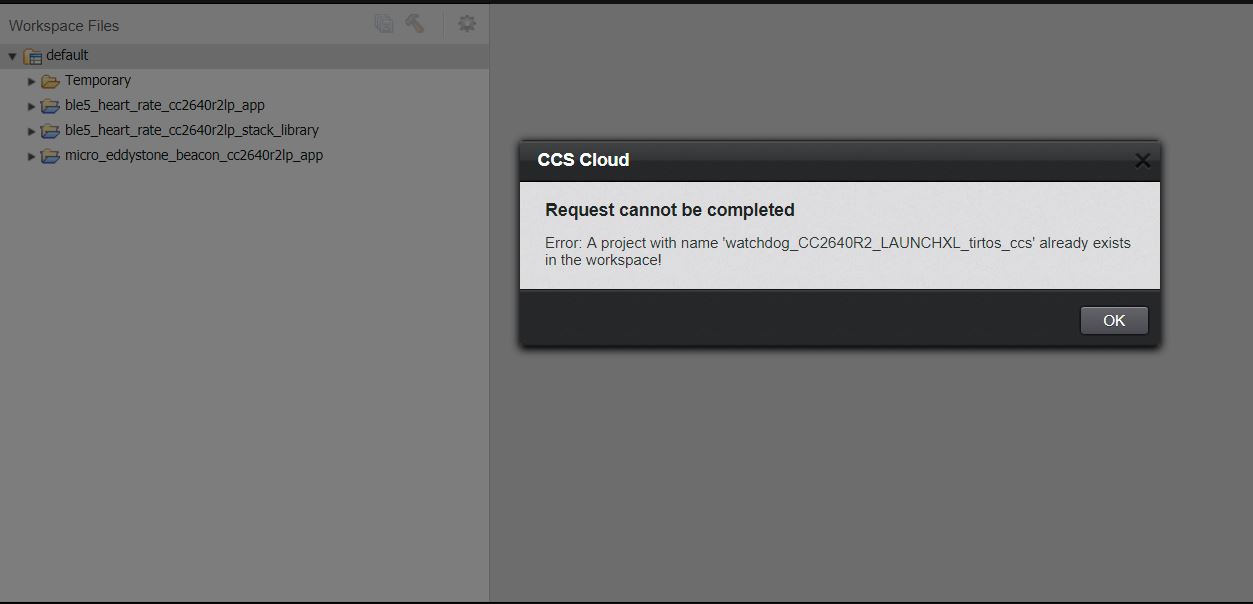
The only way I could complete my task was to close both CCS Cloud AND TI Resource Explorer and start again. If I just closed CCS Cloud it still prevented me from copying the new project back into my workspace.

  • Gerriko,

    Were you able to get this cleaned up. In the other thread you mentioned that you cleaned out your workspace and things were working ok.

    I am seeing some odd behaviour as well. I started by cleaning up my workspace as I already had a tirtos_builds project. My first import went fine but I didn't see the tirtos_builds project. So I did an import of another one and then I got the same error as you about the project already exiting in my workspace. Refreshing the project list and even closing and opening CCS Cloud & Resource Explorer won't get it to show the titres_builds project for me.

    For the first error you get I believe you are getting this as the project already exists in the temporary folder. I don't believe it matters that it is in a folder, it wants the name to be unique.

    There are definitely some issues here that I will file defects for but I am curious how you got things cleared up.

    Regards,
    John
  • Here is what I see with a clean workspace.

    1) Import an example that also imports the tirtos_builds project. Imports both fine.
    2) import a second example that also uses that project. Just the example gets imported as the rtos project is already present. No error.
    3) I then created a temp folder. I copied the rtos project and put it in the temp folder. I then deleted the original rtos project.
    4) import a third example. both the app project and rtos project are added to the workspace. no error
    5) import a forth example. just the app project is added to the workspace

    Next I tried deleting both the backup and original rtos projects. I backed up one of the example apps by putting in my temp folder and deleted the original.

    6) import the example again. Both the app and rtos projects were added to my workspace.


    The first time I played around with this I was able to get that message you saw. Now I can't get it to show up at all.
  • I did clear up the problem, but I think it triggered this new error which required a complete rebuild of my workspace. I believe this new error was a result of uploading that project again. This new error is what triggered a complete clear out and reload of my workspace as nothing would compile.

    e2e.ti.com/.../639622