This thread has been locked.

If you have a related question, please click the "Ask a related question" button in the top right corner. The newly created question will be automatically linked to this question.

CCS/MSP430F5438A: Execution state prevent access during debugging

Part Number: MSP430F5438A


Tool/software: Code Composer Studio

Hello.

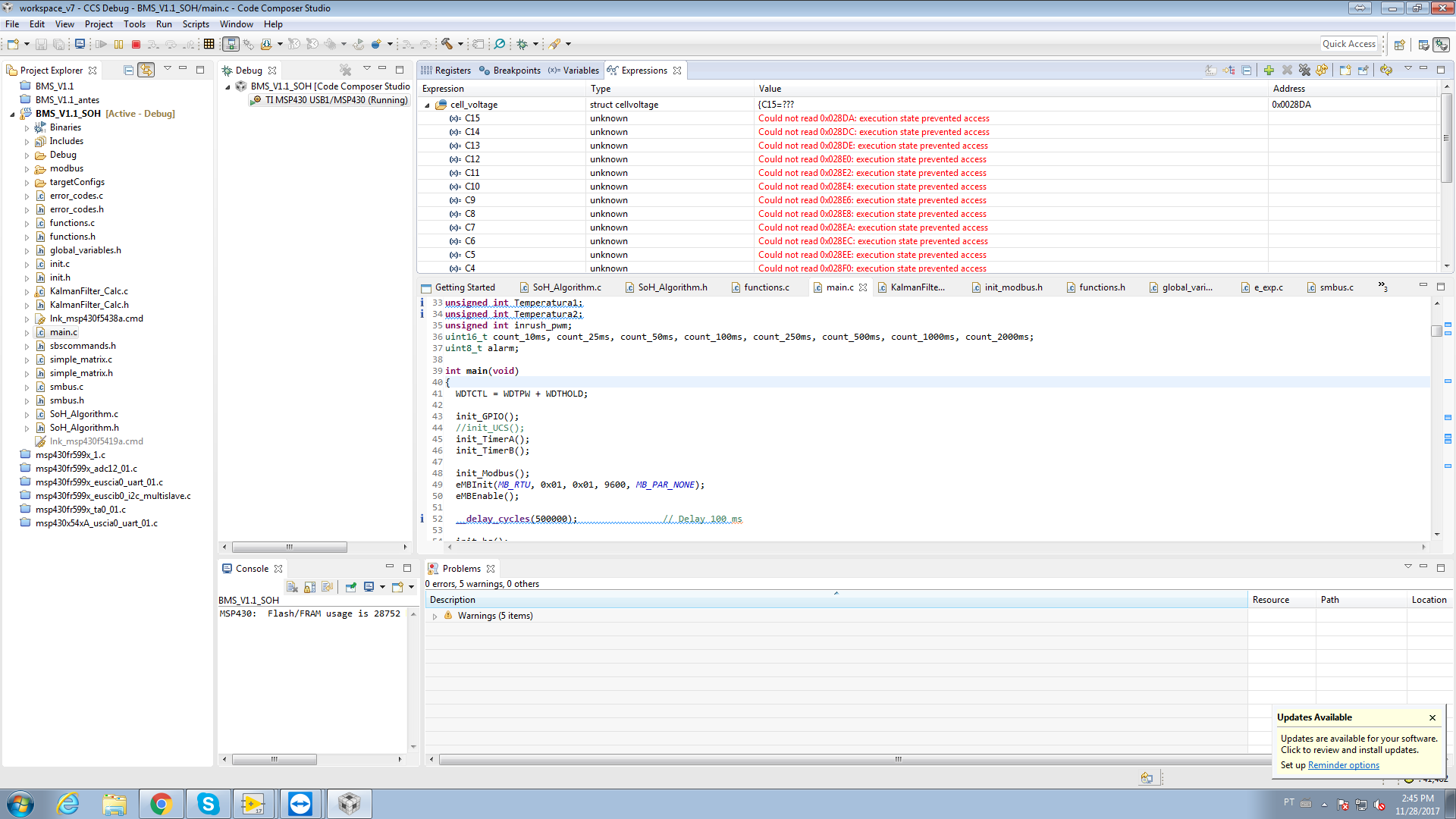
We have been debugging our project on CCSv7.3.0.00019 employing our custom board. During some time, we were able to debug and, at same time, visualize all the variables we wanted "in real time", using the "Expressions" window, as the figure below shows. But now, we are facing this issue: we are not able to visualize our variables in "real time", making the debuging more dificult. Could you help on this issue?

Thank you in advance.

Best regards,

Felipe Marques.


  • Felipe,

    I suspect you had the button "Continuous Refresh" on, but this only works with the target halted or during stepping.

    Are you sure this view was updated during the target execution? I find this strange as MSP430s lack the realtime support that other device families such as C2800 and C6000 have.

    e2e.ti.com/.../382114

    Regards,
    Rafael
  • Rafael,

    Thank you for the reply.

    I am sure some weeks ago we were able, as soon as the "Continuous Refresh" was pressed, to visualize the variables change every 2-3 seconds.

    So, it means there is no way to debug in real time? I found the thread you sent, but, as it iwasd from 2014, I thought there was an update for this feature.

    Regards,
    Felipe Marques.
  • Felipe,

    I confirmed with the MSP team before I hit "submit". ☺

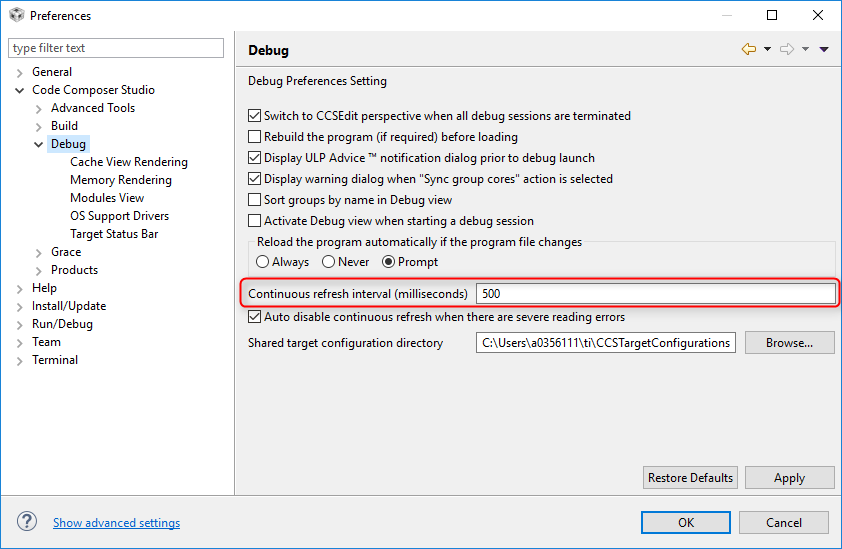
    What is interesting is that the default continuous refresh usually takes somewhere between 0,5 and 1 second to refresh the view and is set by accessing the menu Windows → Preferences

    Your mention of a longer time suggests you may have used the EEM - a more featured breakpoint/watchpoint manager embedded in specific MSP430 devices. 

    Sorry for doubting your recollection, but I really couldn't find any evidence there is a "real time" monitor on MSP430 devices. 

    Regards,

    Rafael 

  • Felipe Marques said:
    I am sure some weeks ago we were able, as soon as the "Continuous Refresh" was pressed, to visualize the variables change every 2-3 seconds.

    As far as I am aware there is no real time mode for MSP430 devices.

    However, if the "Halt the target before any debugger access (will impact servicing of interrupts)" setting in the Auto Run and Launch Options is enabled I think the "continuous refresh" will be able to visualize changes to the variables, but by halting and then resuming the target which will impact the operation of the target.

  • Thank you Rafael and Chester.

    In "Auto Run and Launch Options" I was able to visualize changes to the variables as stated before.

    Greetings,

    Felipe.