This thread has been locked.

If you have a related question, please click the "Ask a related question" button in the top right corner. The newly created question will be automatically linked to this question.

CCS/UNIFLASH: Uniflash Forced Mass Erase

Part Number: UNIFLASH
Other Parts Discussed in Thread: CC1310,

Tool/software: Code Composer Studio

I am using the cc1310 and I am getting the same error as this thread, I dont think it was ever fixed.

https://e2e.ti.com/support/development_tools/code_composer_studio/f/81/p/682150/2512822 

I can do a mass erase in flash programmer 2 but not with the Erase button.  I can do a mass erase when i click on the memory tab, it does a pop up and asks if I want erase it.

  • Hello,
    Pressing the "Erase Entire Flash" in UniFlash will issue a Mass Erase command. Pressing this button is causing the error you see?

    Thanks
    ki
  • Yes, "erase entire flash" does not work when its locked. Its not the equivalent to the "force mass erase" in flash programmer 2.
  • Hello, sorry for the delayed response. Apparently this is a known issue and one potential workaround is using the UniFlash CLI (command line interface). I will try to get someone more knowledgeable to comment.

    Thanks
    ki
  • What is the version of Uniflash you are using?

    I am getting the following while using "Erase Entire Flash" on 4.4 and dev.ti.com and they both seem to work fine.

  • Hello,
    I haven’t heard back from you, hence this issue is being closed. If you wish to continue the discussion, please post a reply with an update below (or create a new thread).

    Thanks,
    ki
  • I am using the latest 4.4

  • Could you try using the online version?

    https://dev.ti.com/uniflash

  • same error, the weird thing is that when check "erase specific sectors" it pops up the mass erase unlock dialog.

  • Are you using a custom board or the cc1310 launchpad?
  • this happens both on the launchpad and custom board.

  • Could you please generate a log following this instruction?

    Since we can't reproduce the issue here, in the mean time, could you try on a different PC or clean install? This can help narrow down things a bit

  • Hi, glad to hear this thread is up and running since I never got the issue working and still have devices I can't unlock (I started the OP linked thread). I have a repeatable test case and debug output to offer.

    In our develop/build environment, we default to configure the CCFG to full lock-down to avoid an ELM327-like situation accidentally. Ie, we follow the procedure in the TRM to disable bootloader and JTAG interfaces, yet keep the setting to allow full chip erase.  The drawback is that a "forced mass erase" has to be done, which isn't that much of a nuisance really.

    For this purpose, the situation is as follows: I have two binaries (and can provide you them if you give me an email address) that only differ in the CCFG setting (DAP0 PRCM/PWRPROF TAP, DAP0 CPU DAP). One has them set to 0xc5 and I can reflash the device etc. The other sets them to 0 and is completely locked now and I can't erase them. The binaries are for a xcc1352r1 LP.

    Find below
      output from a tool that checks the CCFG
      hexdump output of the two binaries

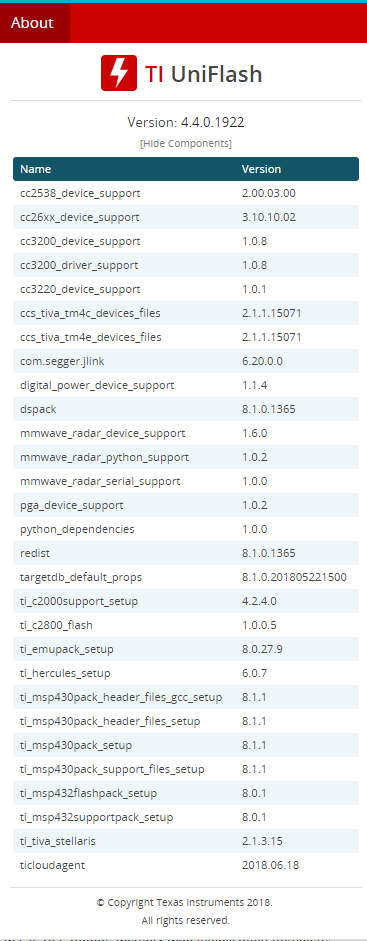
    Uniflash is the latest, Version: 4.4.0.1922 running on Win10, latest and updated. With the unsecured setting, I can erase and flash just fine.

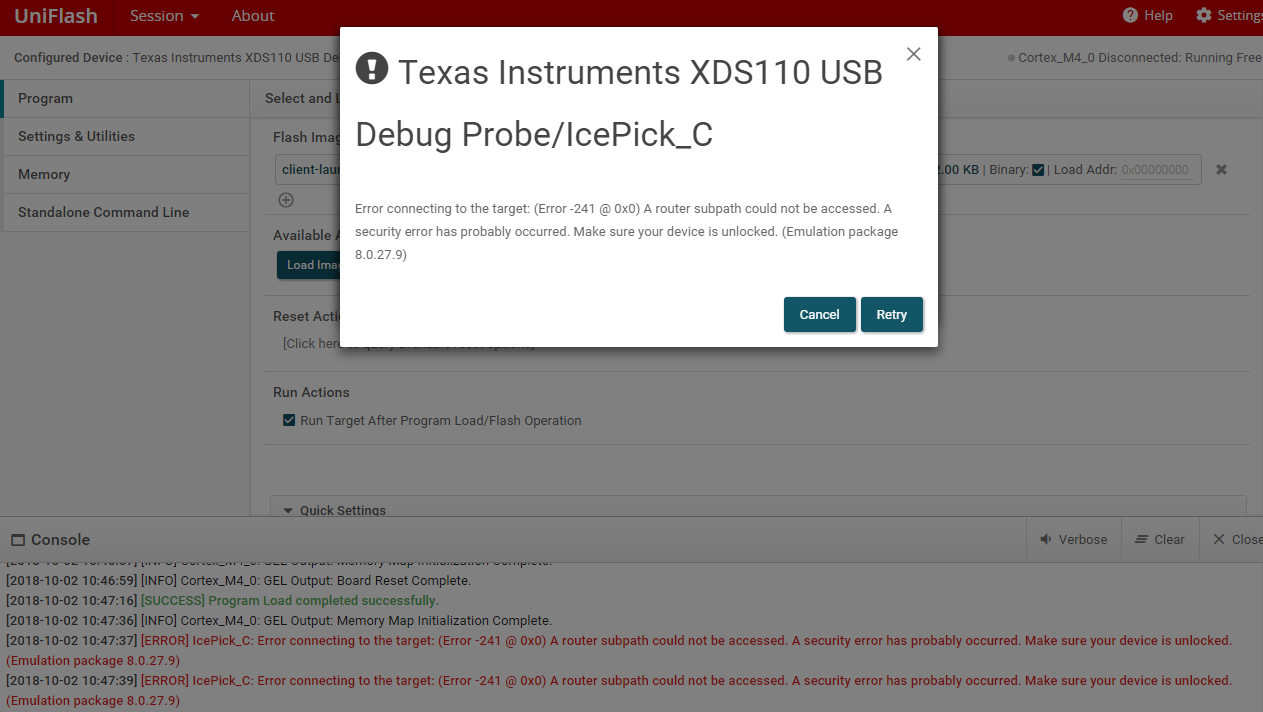
    Uniflash error dialog states,
      Error connecting to the target: (Error -241 @ 0x0) A router subpath could not be accessed. A security error has probably occurred. Make sure your device is unlocked. (Emulation package 8.0.27.9)

    Uniflash debug log states,
      11:09:57:595 log - NWAgentAPI: dinfraConfigue resolved successfully.
      11:09:58:068 error - {}
      11:10:03:853 debug - ufDS, session.configured, partnum of current session = cc1352r1f3
      11:10:03:982 debug - addTargetStateListener on Cortex_M4_0
      11:10:06:403 debug - returning new configure
      11:10:07:202 debug - configured
      11:10:08:970 debug - connect err to IcePick_C
      11:10:08:970 error - {"message":"Cannot connect to IcePick."}
      11:10:08:970 debug - cores disconnected: {}
      11:10:09:280 debug - deconfigured
      11:10:09:281 error - Cannot connect to IcePick.

    --------------------------------------------------------------------------------
    opening (cc13x2/cc26x2) client-launchpad-x2-secured.bin
    Serial backdoor: disabled (GOOD)
    Serial backdoor (if 'Image valid' is non-zero): disabled (GOOD)
    Chip erase over JTAG enabled (GOOD)
    TI failure analysis: disabled (GOOD)
    DAP0 Test TAP: disabled (GOOD)
    DAP0 PRCM/PWRPROF TAP: disabled (GOOD)
    DAP0 CPU DAP: disabled (GOOD)
    DAP1 WUC/AON TAP: disabled (GOOD)
    DAP1 PBIST1 TAP: disabled (GOOD)
    DAP1 PBIST2 TAP: disabled (GOOD)
    Image valid [0]: disabled (GOOD)
    Image valid [1]: disabled (GOOD)
    Image valid [2]: disabled (GOOD)
    Image valid [3]: disabled (GOOD)
    firmware is fully locked down
    ---------------------------------
    opening (cc13x2/cc26x2) client-launchpad-x2-unsecured.bin
    Serial backdoor: disabled (GOOD)
    Serial backdoor (if 'Image valid' is non-zero): disabled (GOOD)
    Chip erase over JTAG enabled (GOOD)
    TI failure analysis: disabled (GOOD)
    DAP0 Test TAP: disabled (GOOD)
    ----> DAP0 PRCM/PWRPROF TAP: enabled (UNSECURE)
    ----> DAP0 CPU DAP: enabled (UNSECURE)
    DAP1 WUC/AON TAP: disabled (GOOD)
    DAP1 PBIST1 TAP: disabled (GOOD)
    DAP1 PBIST2 TAP: disabled (GOOD)
    Image valid [0]: disabled (GOOD)
    Image valid [1]: disabled (GOOD)
    Image valid [2]: disabled (GOOD)
    Image valid [3]: disabled (GOOD)
    WARNING: firmware is unlocked and susceptible to reverse engineering
    
    --------------------------------------------------------------------------------
    > hd client-launchpad-x2-unsecured.bin | tail
    
    000263c0  97 ff 25 51 df 2f 60 b7  ff ff ff ff ff ff ff ff  |..%Q./`.........|
    000263d0  ff ff ff ff ff ff ff ff  ff ff ff ff ff ff ff ff  |................|
    *
    00057fa0  ff ff ff ff ff ff ff ff  00 00 80 01 10 00 c4 ff  |................|
    00057fb0  fd ff 58 00 3a ff bb f1  ff ff ff ff ff ff ff ff  |..X.:...........|
    00057fc0  ff ff ff ff ff ff ff ff  ff ff ff ff ff ff ff ff  |................|
    00057fd0  ff ff ff ff ff ff ff ff  ff ff ff 00 ff ff ff ff  |................|
    00057fe0  00 ff ff ff 00 c5 c5 ff  00 00 00 ff 00 00 00 00  |................|
    00057ff0  ff ff ff ff ff ff ff ff  ff ff ff ff ff ff ff ff  |................|
    00058000
    --------------------------------------------------------------------------------
    > hd client-launchpad-x2-secured.bin | tail
    
    000263c0  cc 2e 0c a3 c6 74 f6 bd  ff ff ff ff ff ff ff ff  |.....t..........|
    000263d0  ff ff ff ff ff ff ff ff  ff ff ff ff ff ff ff ff  |................|
    *
    00057fa0  ff ff ff ff ff ff ff ff  00 00 80 01 10 00 c4 ff  |................|
    00057fb0  fd ff 58 00 3a ff bb f1  ff ff ff ff ff ff ff ff  |..X.:...........|
    00057fc0  ff ff ff ff ff ff ff ff  ff ff ff ff ff ff ff ff  |................|
    00057fd0  ff ff ff ff ff ff ff ff  ff ff ff 00 ff ff ff ff  |................|
    00057fe0  00 ff ff ff 00 00 00 ff  00 00 00 ff 00 00 00 00  |................|
    00057ff0  ff ff ff ff ff ff ff ff  ff ff ff ff ff ff ff ff  |................|
    00058000
    --------------------------------------------------------------------------------
    

  • And to be clear, this error message and failure also comes when I try the button for "Erase entire flash" under "Manual erase".
  • Ping , do you have any suggestion? I can provide you with binaries if you'd like?