This thread has been locked.

If you have a related question, please click the "Ask a related question" button in the top right corner. The newly created question will be automatically linked to this question.

CCS/CC3220MODA: Break Point Sets on Wrong Line Number

Part Number: CC3220MODA
Other Parts Discussed in Thread: CC3220SF

Tool/software: Code Composer Studio

I am working on a CC3220 project.  I have some code in a file where off and on today I have been setting and removing break points with no problem.

However, some code when I go to set a Break Point it Sets on Wrong Line Number.

I have cleand the project and no joy.

I have exited from CCS8 and reopened it and the problem remains.

I will try to post screen shot after this initial submission.

No idea what to try next but I do have a worry that the code into which I am trying to set a break point is not getting executed but it is not Ifdef out.

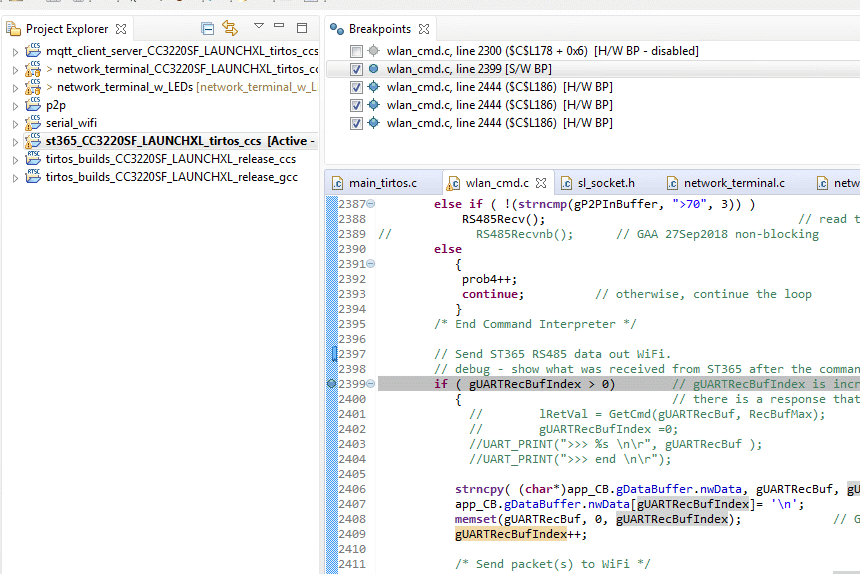
  • Screen shot:

    I tried to set break point on 2399 and it sets on 2444.

  • Hi Lee,

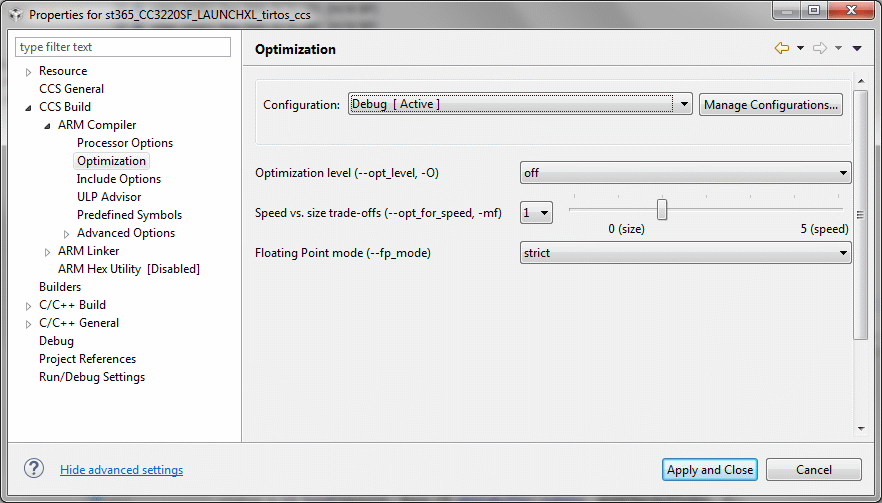
    Please make sure that you have disabled compiler optimizations (project properties -> CCS Build -> ARM Compiler -> Optimization -> Optimization level: off).

    Jan

  • Hello Jan,
    Thanks for the suggestion and the full navigation to the option.

    I checked and optimization is off.

    .

  • While navigating the project and experimenting for making the screen shot of the compiler optimization setting above I right cliecked again on line 2399 and the menu was different. It included an option to add a break point. I chose that option and got an error dialog to the effect that adding the break point was not enabled. I failed to make a screen shot.

    Later I again tried to add a break point and CCS8 let me.
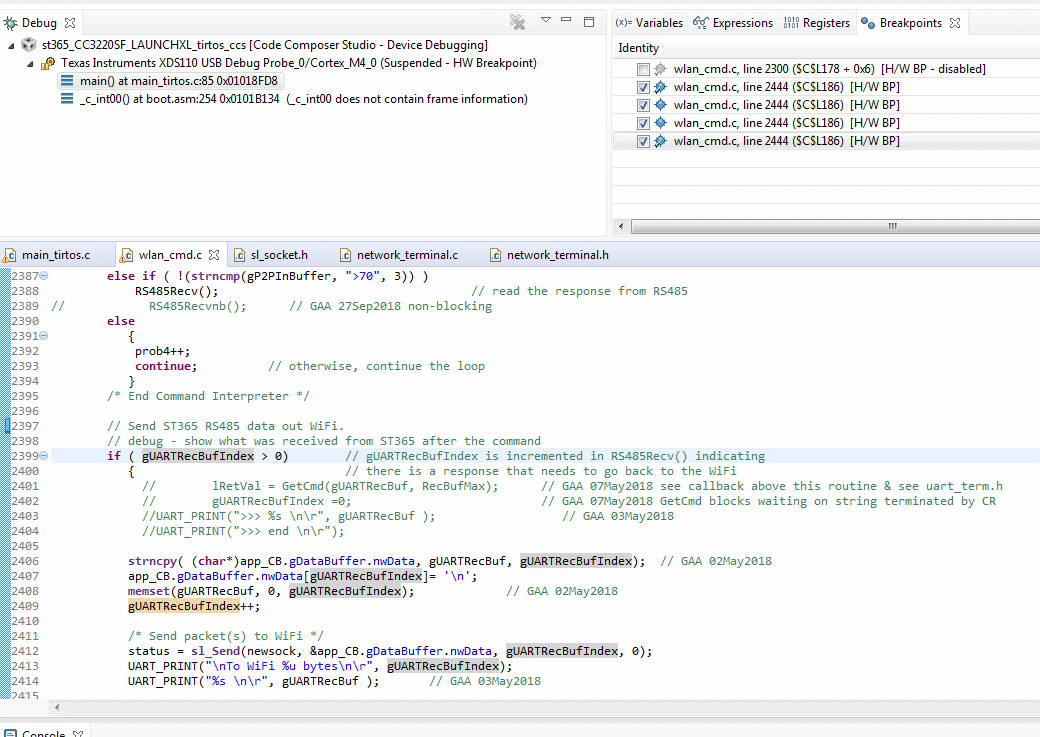
    Screen shot:

    I then pressed Debug to load the code into the target and the break point tab refereshed and my break point on 2399 was gone.


  • Hi,

    How many breakpoints do you want to use? Number of hardware breakpoints at CC3220 is limited. Effectively you will be able to use up to 5 hardware breakpoints simultaneously. I suppose that you are using CC3220SF and code is executed for flash. Aditional comment you find here.

    Jan

  • Forrest Erickson said:
    However, some code when I go to set a Break Point it Sets on Wrong Line Number.

    The two most common causes of this:

    1) As Jan mentioned, code optimization is a common cause. But you have confirmed that optimization is disabled for your project so we can rule this out

    2) The source file you are trying to set the breakpoint in is not the same one used during the compilation of the project. How was this source file opened? By the editor? Or did you manually open it yourself? Try using the Modules view to see the location of the file according to the debug symbols. Open the file from the Modules view.

    Thanks

    ki

  • Hello,
    I haven’t heard back from you, hence this issue is being closed. If you wish to continue the discussion, please post a reply with an update below (or create a new thread).

    Thanks,
    ki

  • Just wanted to follow up. I was not able to set the break point because I had some unreachable code due to an If condition.

    My bad.

    Thanks for all the help everyone.