This thread has been locked.

If you have a related question, please click the "Ask a related question" button in the top right corner. The newly created question will be automatically linked to this question.

Compiler/TM4C1294NCPDT: Errors during Compilation after Fresh install of CCS6.2

Part Number: TM4C1294NCPDT

Tool/software: TI C/C++ Compiler

Dear All, 

We migrated from CCS V5.x to CCS6.2. I mention this because I don't know yet if this has any bearing on the errors I am getting during compilation. 

Resolved most of the errors except one: It appears to be a Linker error and most likely due to a missing search path. 

The compiler is unable to locate a macro definition in the Fatfs library in the Dual Disk Driver that was modified from the sample library available on TI web site. 

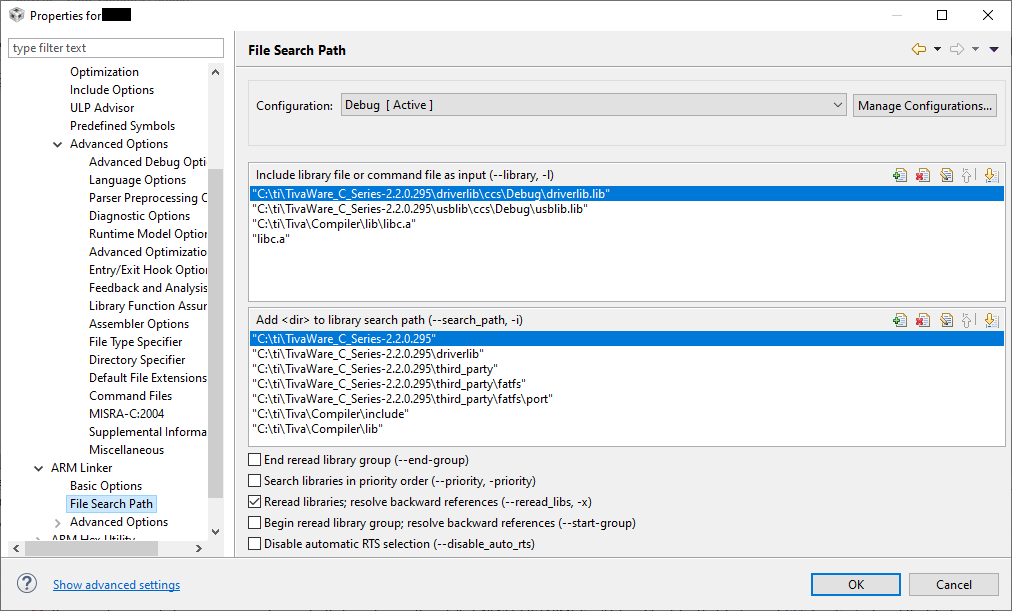
I am attaching the screen shots of the errors encountered during compilation... as well as some of my settings. 

Any help would be highly appreciated. 

Best regards

Aniruddha
  • Hi,

      Do you have rom.h header file included? Please include it in the file that calls the ROM_SysCtlClockGet(). 

  • Charles Tsai said:

    Hi,

      Do you have rom.h header file included? Please include it in the file that calls the ROM_SysCtlClockGet(). 

    Hi Charles, 

    Thank you for your reply. 

    Finally some progress. I did as you suggested. But still the error remains. 

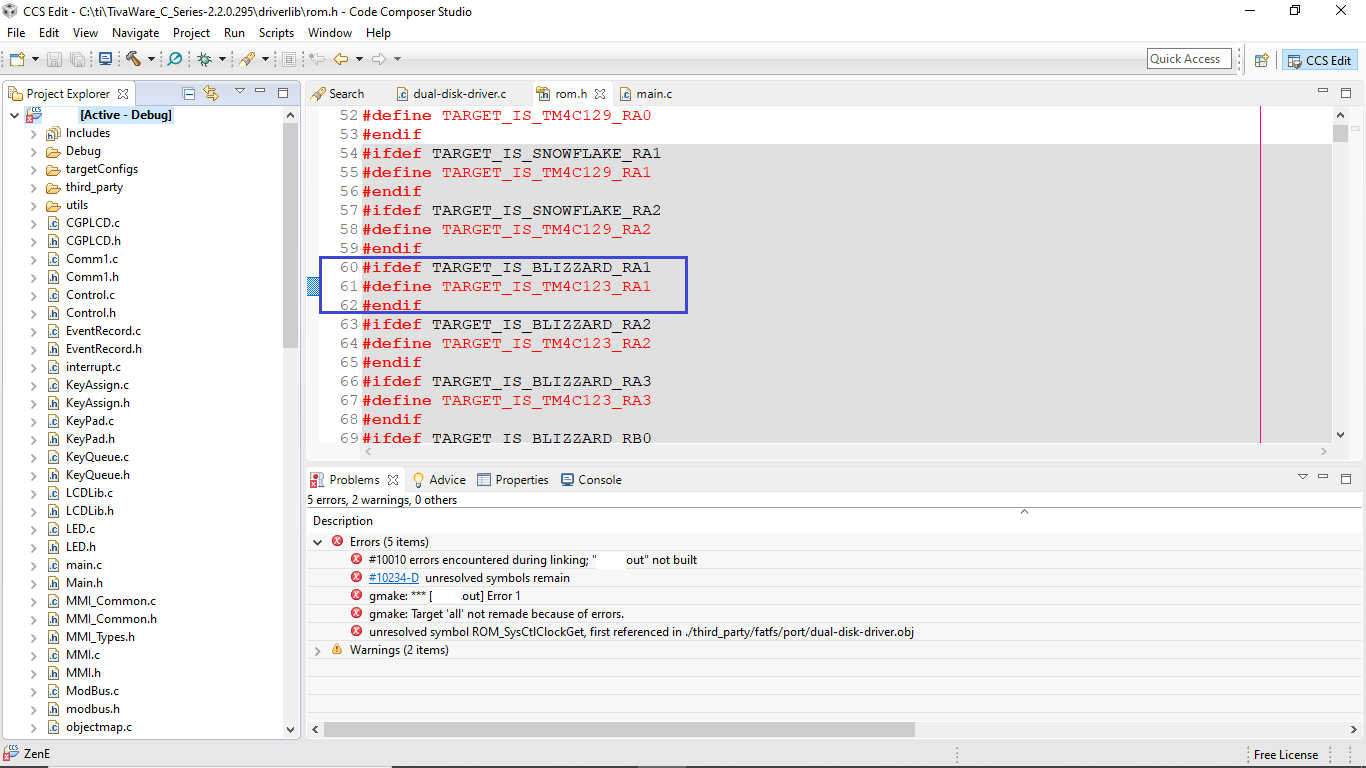
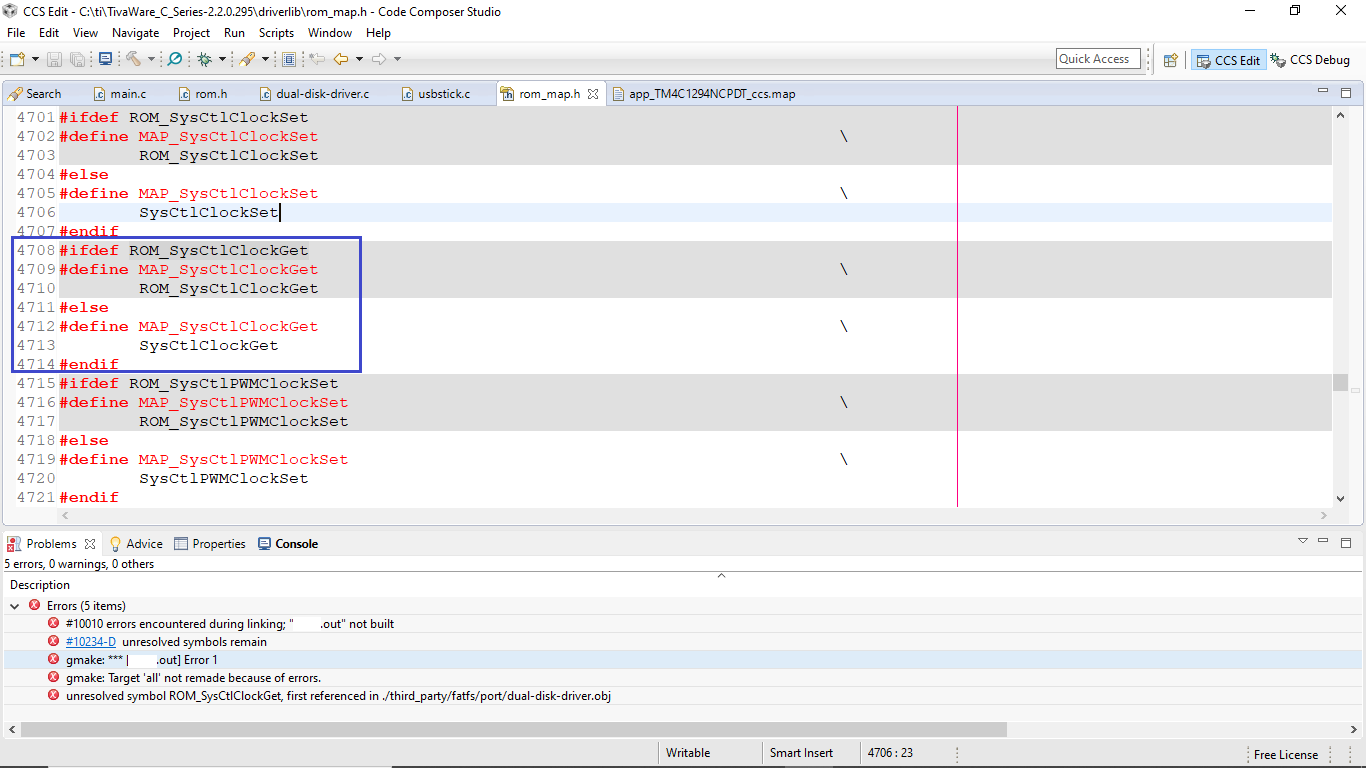
    Then I checked the rom.h File itself to see if the ROM_SysCtlClockGet macro has been defined. 

    And there it was some instructions about backward compatibility. We did go from Tivaware 2.0.1 to TivaWare 2.2.095, which is what is probably causing the problem

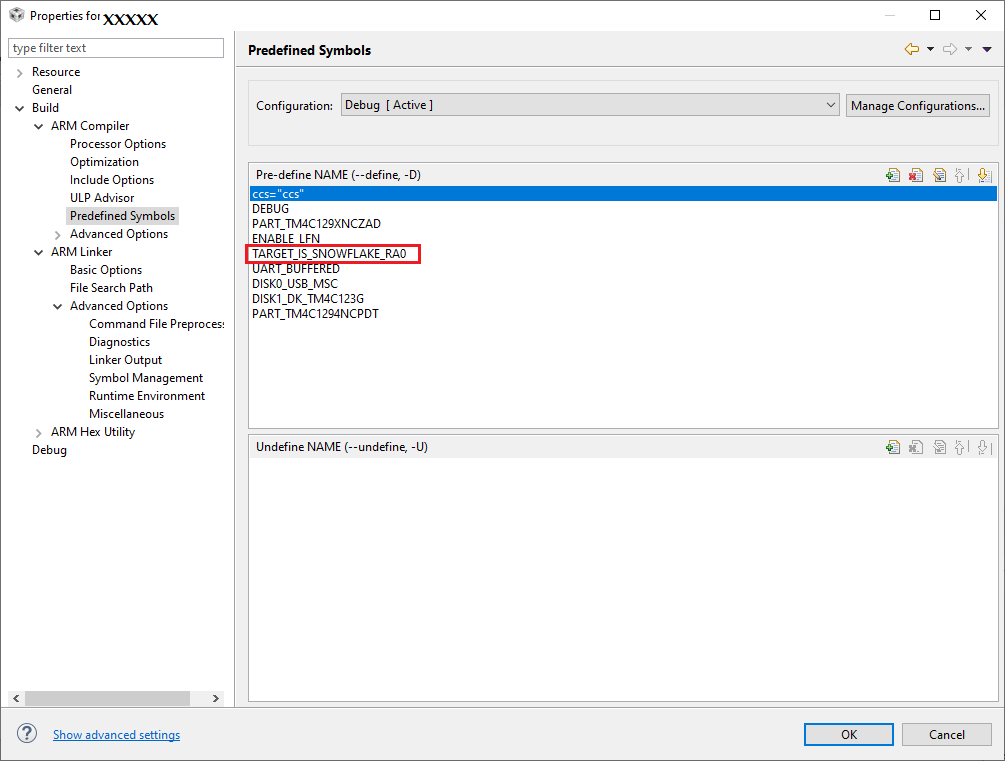
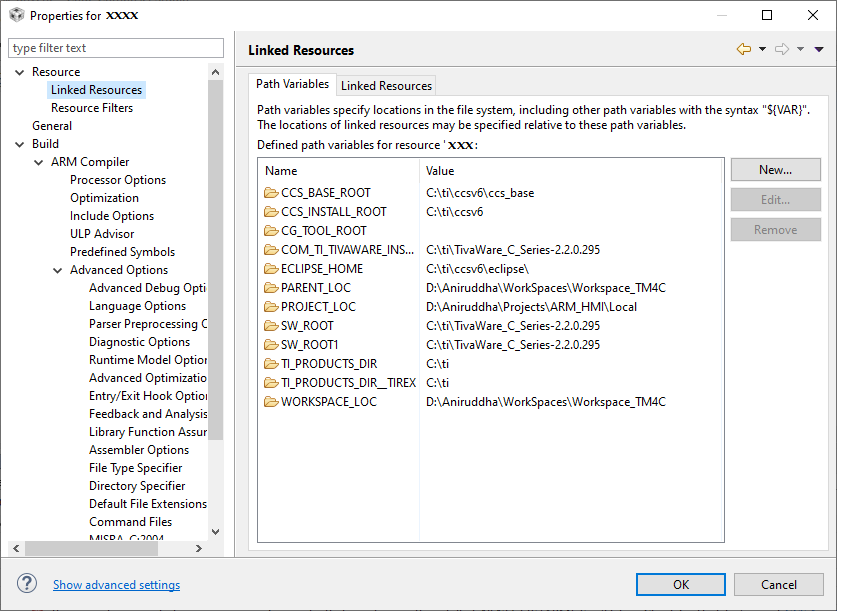
    What I found was that, in the Project properties the symbol that is defined is "TARGET_IS_SNOWFLAKE_RA0", However what we really need is for it to be defined as "TARGET IS BLIZZARD_RA1" other wise the ROM_SysCtlClockGet does not get resolved.

    Please advise about the next step. I am attaching the relevant image files. Thank you for your help.

    Best Regards

    Aniruddha  

  • Hi,

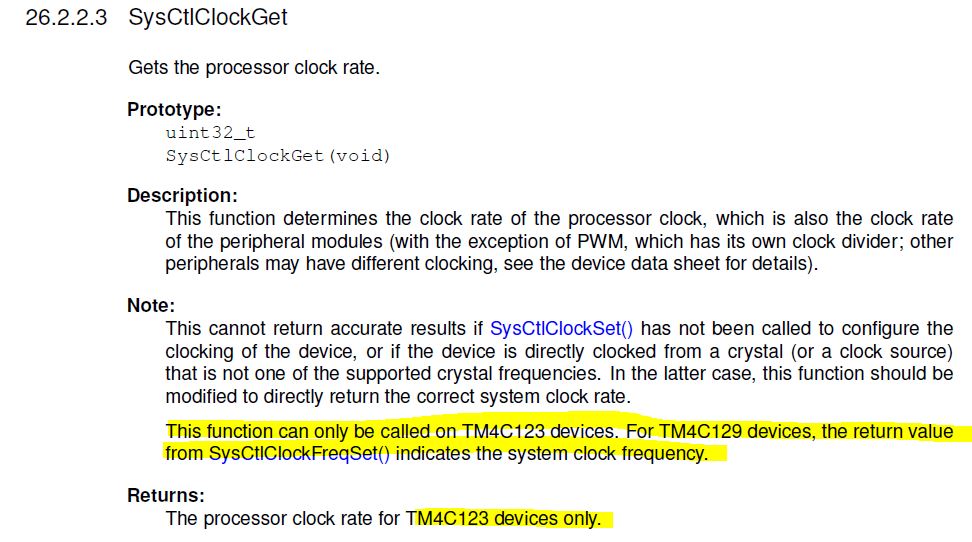
      The reason is that the SysCtlClockSet() and SysCtlClockGet() are API only for the TM4C123 devices, not for TM4C129. You cannot use these two API for the Snowflake device. See below from excerpt. You will need to use the returned value of the SysCtlClcokFreqSet() to obtain the current processor frequency. 

  • Hi Charles, 

    Thanks for your help.

    However the error still remains... and I am no closer to solving the issue than before. . 

    There is a macro by the name MAP_SysCtlClockGet which is called in the dual_disk_driver.c file. This macro is the only reference to ROM_SysCtlClockGet.

    This macro gets set to ROM_SysCtlClockGet macro if the processor is TM4C123x whereas it gets set to the SysCtlClockGet macro if the processor is TM4C129x. The Snowflake directive sets it to the correct processor.  Everything seems as it should be... and yet I keep getting the error. 

    What else do I need to look for? or rather where do I look for the source of the error. 

    Regards

    Aniruddha 

  • Hi,

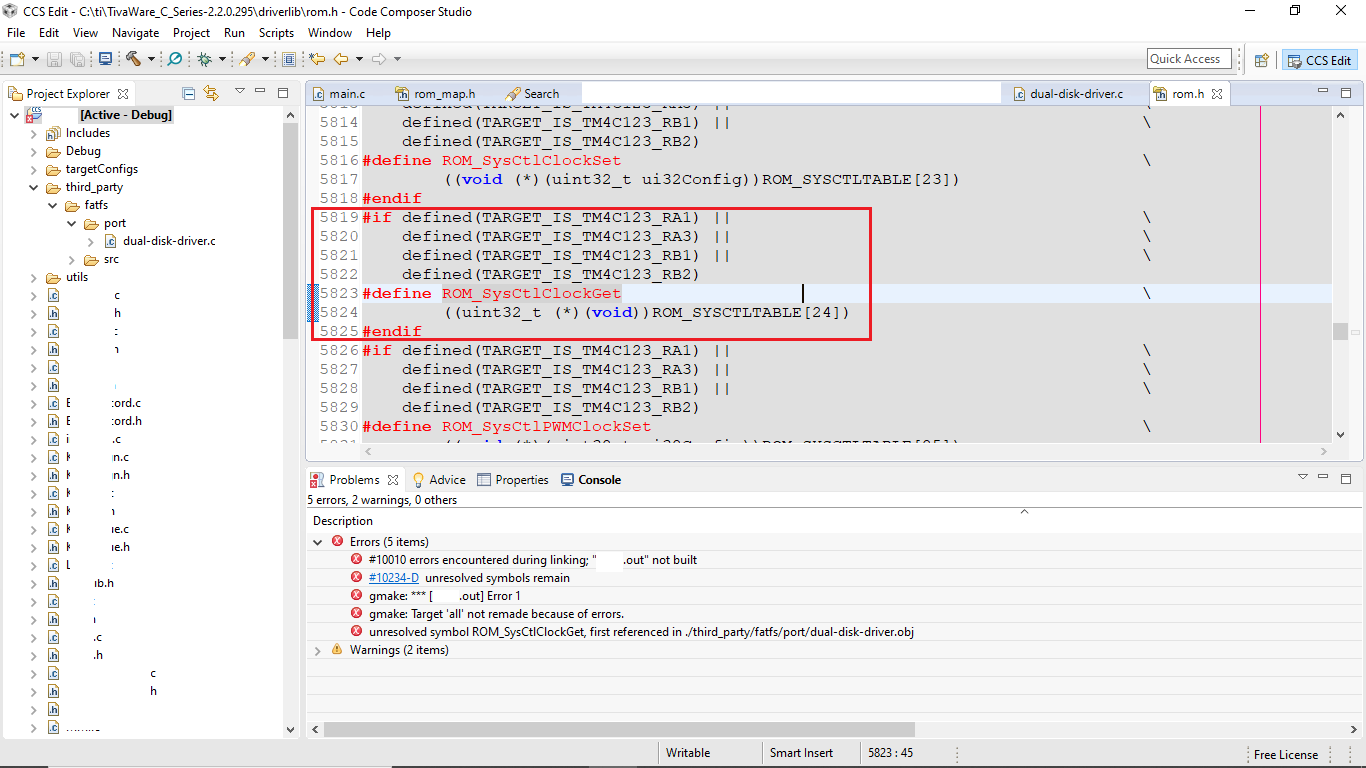
      As I explained in my previous reply, you cannot call MAP_SysCtlClockGet, ROM_SysCtlClockGet or SysCtlClockGet for a TM4C123 MCU. Please refer to the below MACRO defined in the rom.h file. As you can see the ROM_SysCtlClockGet is only a API that can be called if the device is TM4C123.                                            

    #if defined(TARGET_IS_TM4C123_RA1) ||                                         \
        defined(TARGET_IS_TM4C123_RA3) ||                                         \
        defined(TARGET_IS_TM4C123_RB1) ||                                         \
        defined(TARGET_IS_TM4C123_RB2)
    #define ROM_SysCtlClockGet                                                    \
            ((uint32_t (*)(void))ROM_SYSCTLTABLE[24])
    #endif

    For TM4C129 MCU you need to do something like below example. So please replace everywhere where you have SysCtlClockGet() by the ui32SysClock  returned value after you configure the clock with the SysCtlClockFreqSet().

    //
    // Run from the PLL at 120 MHz.
    //
    ui32SysClock = SysCtlClockFreqSet((SYSCTL_XTAL_25MHZ |
    SYSCTL_OSC_MAIN |
    SYSCTL_USE_PLL |
    SYSCTL_CFG_VCO_480), 120000000);

    MAP_SysCtlDelay(ui32SysClock/3);

  • Hi Charles, 

    Thanks a million!! It worked!

    Regards

    Aniruddha