Tool/software: Code Composer Studio
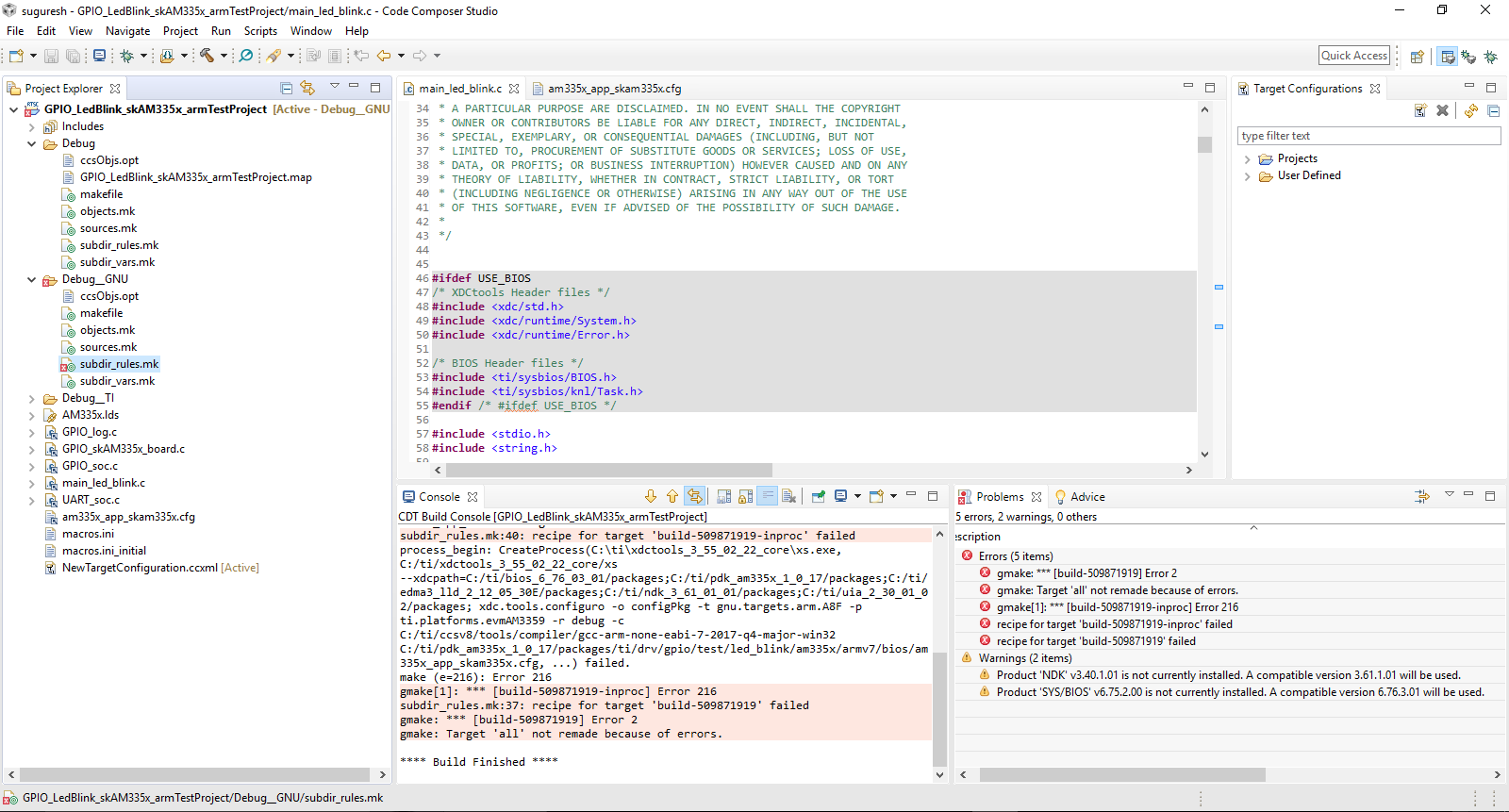
Hi I'm facing this problem can i get reason why i cant run the code ?
thank you.
This thread has been locked.
If you have a related question, please click the "Ask a related question" button in the top right corner. The newly created question will be automatically linked to this question.
Tool/software: Code Composer Studio
Hi I'm facing this problem can i get reason why i cant run the code ?
thank you.
Suguresh,
The build is failing when xdctools run. xdc is used building software components like SYS/BIOS and the NDK. These are part of the processor SDK. I see that there are warnings in the problems view regarding the versions of these components. This makes me think that this project was designed to use a different version of the Processor SDK than what is installed on your computer. I am going to loop in the Sitara team as they should be able to determien which verison of the Processor SDK is required.
Regards,
John
Hi Suguresh,
From the build log you provided, I cannot tell which version of Processor-SDK you were using. Can you please download the latest release from Processor-SDK RTOS for AM335x? Please also follow instructions here to create and build PDK example projects.
Regards,
Jianzhong
Looking at the link that Jianzhong sent the latest version of the processor SDK RTOS for AM335x is validated with CCSv9.3. If you are on a 32bit Windows machine the latest CCS that you can run is CCSv8.3.1. I am not sure what dependencies the SDK has on CCSv9. Looking at the manifest is says it uses XDCTools 3.55 which I believe is still a 32bit package so you should be able to use that on your machine
Another option would be to use a version of the SDK that was released for CCSv8.3.0: https://software-dl.ti.com/processor-sdk-rtos/esd/AM335X/05_03_00_07/index_FDS.html
When I look at the manifest for that version it says NDK 3.40 and SYS/BIOS 6.75.2 which is what your project is set to use.
John