This thread has been locked.

If you have a related question, please click the "Ask a related question" button in the top right corner. The newly created question will be automatically linked to this question.

CCS/CC2650: CC2650 Timestamp in milliseconds with Seconds_getTime()

Part Number: CC2650


Tool/software: Code Composer Studio

Hello, 

I'm trying to add the UNIX/Epoch timestamp in milliseconds to my accelerometer and gyroscope data from the sensortag_cc2650_app project. 

I'm using the Seconds module, and the Seconds_getTime() function on the sensortag_mov.c 


First I'm calling Seconds_set, and then Seconds_getTime() as follows: 

SensorTagMov_init()
{
...
Seconds_set(1536329381); //Set time to Current Unix Timestamp (05/09/2018 @2:32 pm UTC)

... }


SensorTagMov_processSensorEvent(){
     ...

     Seconds_getTime(&time_s);  //time_s was declared as: ti_sysbios_interfaces_ISeconds_Time time_s;

     uint64_t unix_millis = (time_s.secs*1000) + (time_s.nsecs/1000000); 
... }

My problem is that my time_s.secs has a value of zero, so I cannot get the complete UNIX Timestamp. 

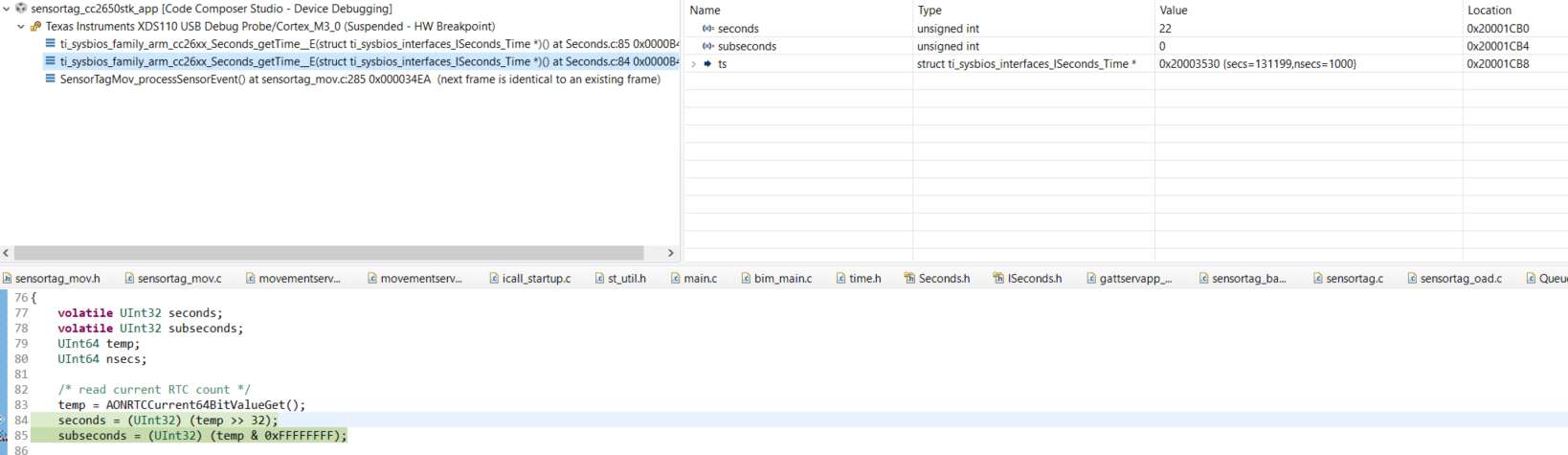
Attached is an image of what I get using the debugger. 

Any idea on how to fix this? Maybe there is something I'm not doing right? 

Thanks in advance, 
Alejandra :)

  • Hi Alejandra,

    I'm not sure I'm seeing the issue here. Your "ts" struct seconds is a non-zero value, while the local "seconds" variable is zero. The later seems to make sense based on the fact that the program seemed to be paused before assigning any value to seconds.

    What happens if you set the break point on "subseconds"?
  • Hi M-W,

    Thanks for answering.

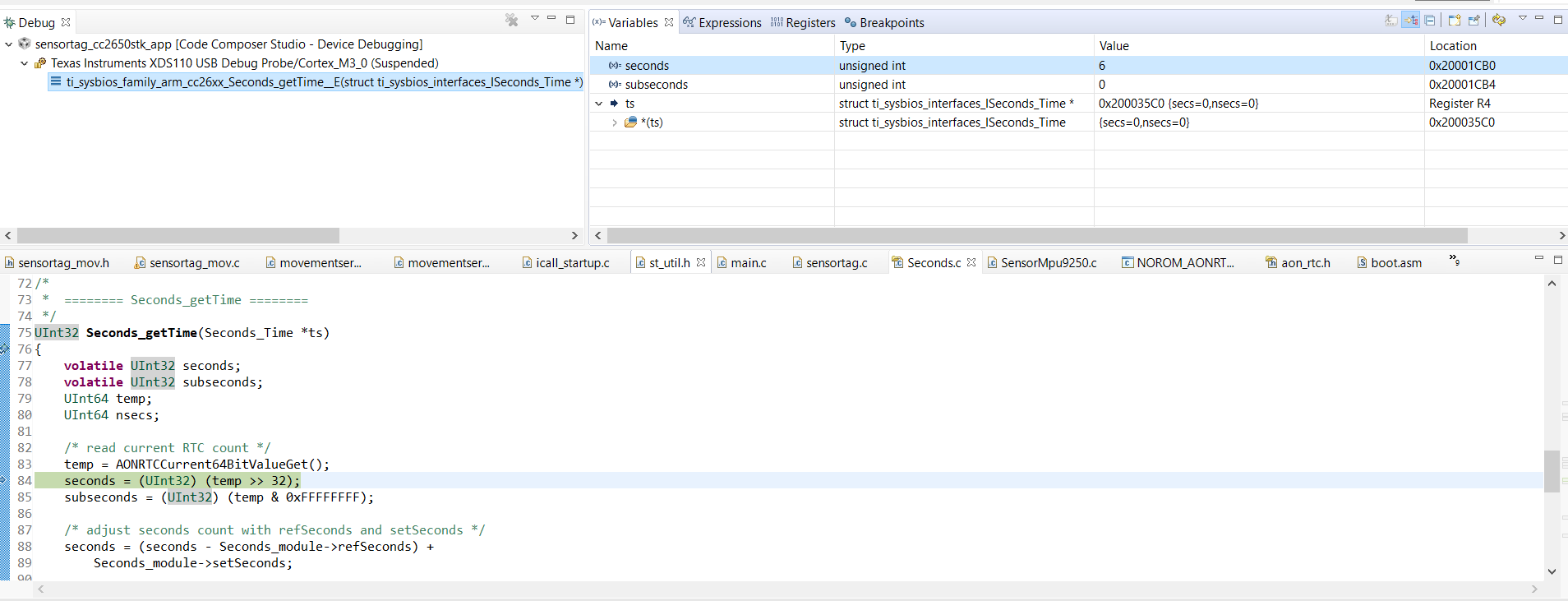
    This is what happens when I set the break point on "subseconds" 


    Here again my "ts" struct is a non-zero value, and the seconds variable is zero.

    As you mentioned this might make sense, and the program indeed pauses during the debugging, since I'm using the SensorTag app and it quickly disconnects after. 


    But I'm still getting some zeros, where I expect to get something different. 

    After doing this:   

    uint64_t unix_millis = (time_s.secs*1000) + (time_s.nsecs/1000000);
    
    //Here I expect a 13 digit timestamp in milliseconds, but I might be wrong

    If I split my unix_millis, as follows:

    uint32_t unix_millis_hi = unix_millis >> 32;
    uint32_t unix_millis_low = unix_millis &0xFFFFFFFF; 

    I get some bytes that make sense when converted to decimal, a 10 digit timestamp, from my unix_millis_low but I get only zeros in my unix_millis_hi. 

    Best,

    Alejandra

  • Hi Alejandra,

    In your picture, "seconds" is not zero, it is 22. "subseconds" is zero but again, the debugger has stopped before populating this value so that is expected.

    In your example, is "unix_nano" = = "unix_millis" or is this another conversion you do, in this case, can you share that as well?
    I would look closer on how you put together "unix_nano" as you are dividing this with 4294967296 to create "unix_millis_hi", this implies you are sure that there is data in the top 32 bits of a 64-bit variable.
  • Hi M-W,

    I'm sorry, I made a mistake with the names when pasting it here.

    "unix_nano" is actually "unix_millis" I'm not doing any other conversion.

    Since what I expect from unix_millis is a 13-digit timestamp, I assume that there should be data in the top 32 bits of my 64-bit variable.
  • Hi Alejandra,

    Some quick math on the numbers I can see in the screen shot suggest you might need to re-think the structuring :)

    ts->secs = 131199, as you scale this by 1000 in your case, you would get a value that is within the lowest 28-bits of your variable:
    131199 * 1000 = 131199000 == 0x7D1 F018 < 0xFFFF FFFF.
  • Hi M-W,

    I think you are right and I might be a bit confused.

    Since in the documentation it says that SecondsClock_getTime() fills in a Seconds_Time structure with seconds and nanoseconds elapsed since 1970 (Unix Epoch) I was expecting to get something similar to: 1544615022562 (current UNIX time in milliseconds) from unix_millis.
    This is where I got the idea of the 13-digits from.

    And what I'm actually getting is:

    3027500063
    3027500073
    3027500083
    3027500093

    Before, I was using the Seconds_get() that according to the documentation returns the number of seconds since 1970 (Unix Epoch) and I was getting what I expected : 1536157974 ..., so I assumed this new function was gonna work in a similar way.

    But maybe I'm making a mistake or my interpretation of the documentation is incorrect.
    But doesn't ts-> secs should be something different than 131199? Maybe something that is related to what was setted when calling Seconds.Set()?

    Please correct me if I'm wrong.

    Best,
    Alejandra
  • Hi Alejandra,

    The Seconds module do not have any way to know when now is, which mean you always have to call Seconds_set(), passing the actual numbers of seconds elapsed since 1970.

    I guess a clearer way to document it would be to say that get() and getTime() gives you the time since boot, with the offset set by set(). To be compatible with Unix epoch, you would like to use set() to set the number of seconds since 1970. If you don't, then you simply get the time since the device starts when calling get(). However, as getTime() tries to scale the time, this require that you have called set() before this to initialize the scaling values.

    In a BLE application for example, this would mean you would have to sync the device with your system clock to get a notion of when "now" is and then update using set() accordingly.

  • Hi M-W,

    Thanks for clarifying this.

    But according to what you said, If I use Seconds_Set() to X, shoudn't I get something similar to X when calling Seconds_getTime() on the seconds component?

  • Hi Alejandra,

    You would get something similar to this:

    ts->secs = <RTC seconds now> - <RTC seconds when calling Seconds_set(X)> + X
  • Thanks for your reply M-W,

    Then why is (going back to the picture) ts->secs 131199 when "X" was set to: 1536329381?

    That is why I expect more digits (bytes) than what I'm getting.

    But I could be wrong, is just a bit confusing.


    Best,

    Alejandra
  • Hi Alejandra,

    In that case, seconds * 1000 should be something larger then 32-bit you are right. Could you add the "Seconds_module" to your watched variables so that the value of X is clear when you are debugging and poast a picture of that?

    Also, where in your code do you do the "Set()" part?
  • Hi M-W, 

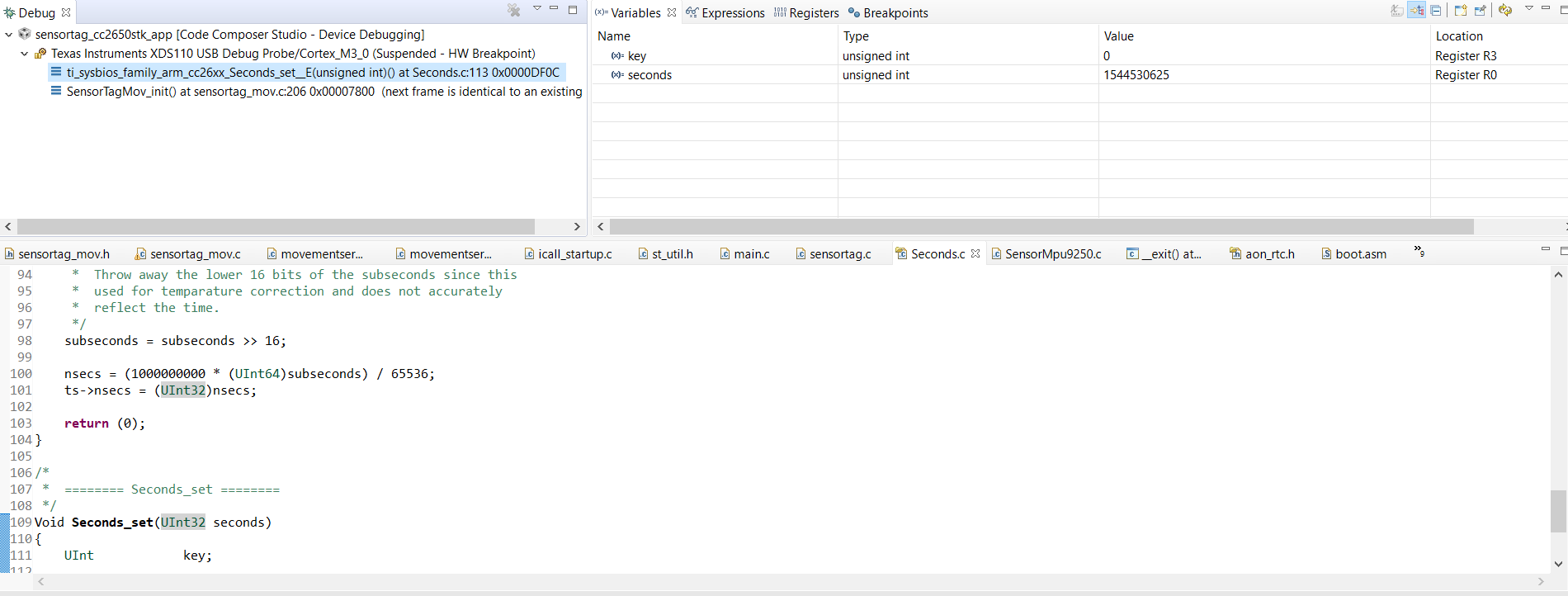
    This is a breakpoint in the Seconds_set(); that I do inside the SensorTagMov_init()

    Then this is what I'm getting in Seconds_getTime(): 

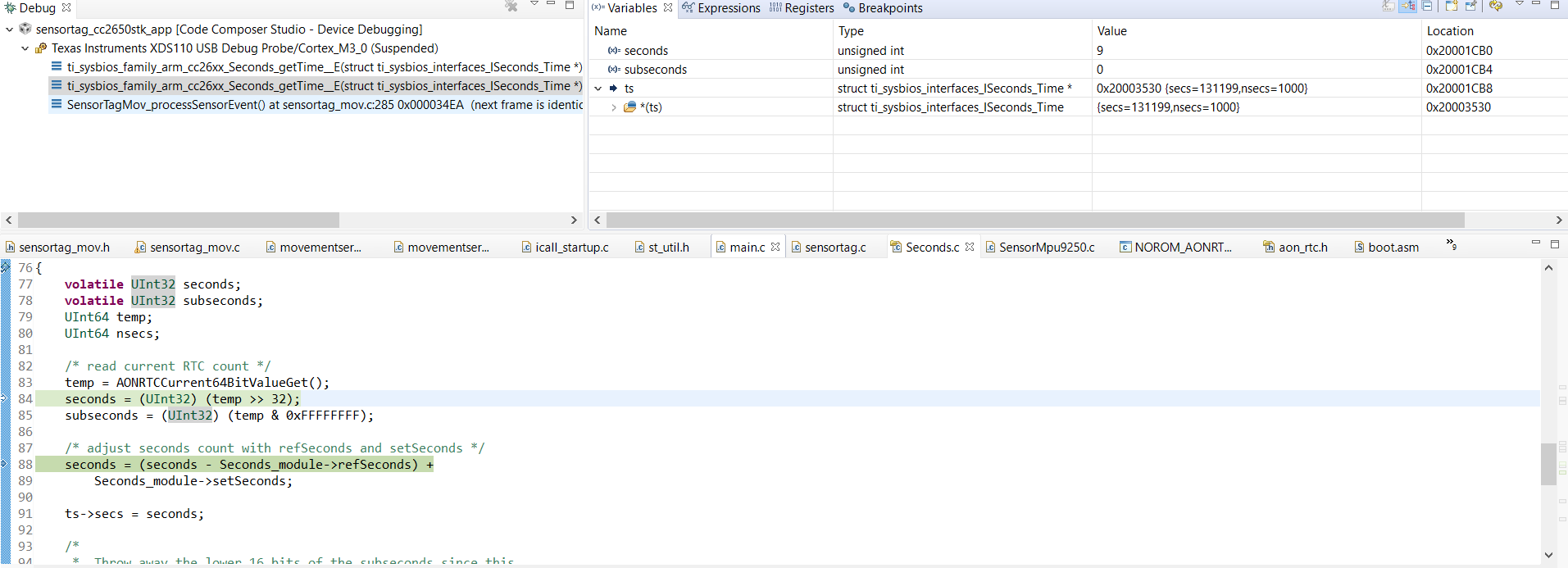
    Then If I step into... 

    Again stepping into...


    That is what I expected to get. And with those secs and nsecs my unix_millis is what I was expecting. (13-Digits: 1544530634751) and therefore it should be larger than 32-bit.

    So I expect to have something different than zero in my unix_millis_hi. But I'm not, I get only zeros. 


    Thanks, 

    Alejandra 

  • Hi Alejandra,

    Looking at your screen shots, ts->secs seems to be set to the correct value (secs = 1544530634 ).

    This itself does not require more then 32-bits to represent, however, scaling it with 1000 should yield a number larger then 2^32. I would verify the equation following getTime to narrow down where you are going wrong.
    Try to perform the calculation in unix_milis in three seperate steps:

    unix_millis = time->seconds
    unix_millis *= 1000;
    unix_millis += nano time

    This should help you narrow down what is going wrong with your expectations.
  • Hi M-W,

    I did the calculation for unix_millis in separated steps and in things are working now! Thanks for the suggestion.


    Just out of curiosity, why does this happens? 

    Moreover, is there a better place to call Seconds_Set() inside the sensortag project?


    Best,

    Alejandra

  • Hi Alejandra,

    This is most likely due to how the C compiler puts your expression together. Assuming it resolves to the smallest reasonable type, it would perform the first and second parentheses as 32-bit operations, and then adding them together as a 64-bit operation. This means you would have a overflow in the one of the "sub operations" which means you loose data.

    When you split it up, it would have to use 64-bit math for each step and thus, it works :)