This thread has been locked.

If you have a related question, please click the "Ask a related question" button in the top right corner. The newly created question will be automatically linked to this question.

CC-DEVPACK-DEBUG: Uniflash recognizes devpack in Windows, not in Linux or MacOS

Part Number: CC-DEVPACK-DEBUG
Other Parts Discussed in Thread: UNIFLASH, CC2650

I have a new order of Devpack Debuggers that I can use to flash CC2650 Sensortags in Windows (via SmartRF FP2 or Uniflash cloud version). However, neither Uniflash or cloud Uniflash will recognize them in Linux or MacOS. I've tried three of them. Weirdly, I have an older devpack that is the same firmware version (2.03.00.14) and it works fine on all platforms. The sticker on the new devpacks says 1.3.0, 1638. The sticker on the old one says 1.3.0, 1551.

The problem seems to be with Uniflash/TICloudAgent recognizing the debugger. dmesg in Linux shows the same entry when I plug in the old one that works and the new ones that don't work. So it seems like the OS is recognizing the debugger just fine. It's just not showing up in Uniflash or the cloud dashboard.

  • Hi,

    Just like you, I have a very old version of the DevPack which works well on Linux and/or macOS.

    However, what exactly do you mean by "recognize"? When launching the session, do they fail to talk to the DevPack?

    I may have to get a newer DevPack to see if I can reproduce this here and identify if there is something intrinsic with a newer version.

    Regards,
    Rafael
  • Thanks for the response. The software (Uniflash or TI Cloud Tools) doesn't detect the DevPack at all - so I can't get as far as trying to launch a session. For instance, when I go to dev.ti.com on Windows, the new DevPack shows up in the Device Detector on the left-hand popup. On MacOS, I get "No Device Detected."

    Two other pieces of info:

    1) On Windows with TI Cloud Tools, the new DevPack device shows up as an "unknown board," but if I open UniFlash Cloud and manually choose CC2650 for the device before starting a session, it still works. For the same scenario with the old DevPack, the device shows up with ID CC-DEVPACK-DEBUG and I don't have to manually choose the device type.

    2) I installed a Windows VM on MacOS today and tried it there - same results as Windows on bare metal.

    Thanks again.
  • Hi,

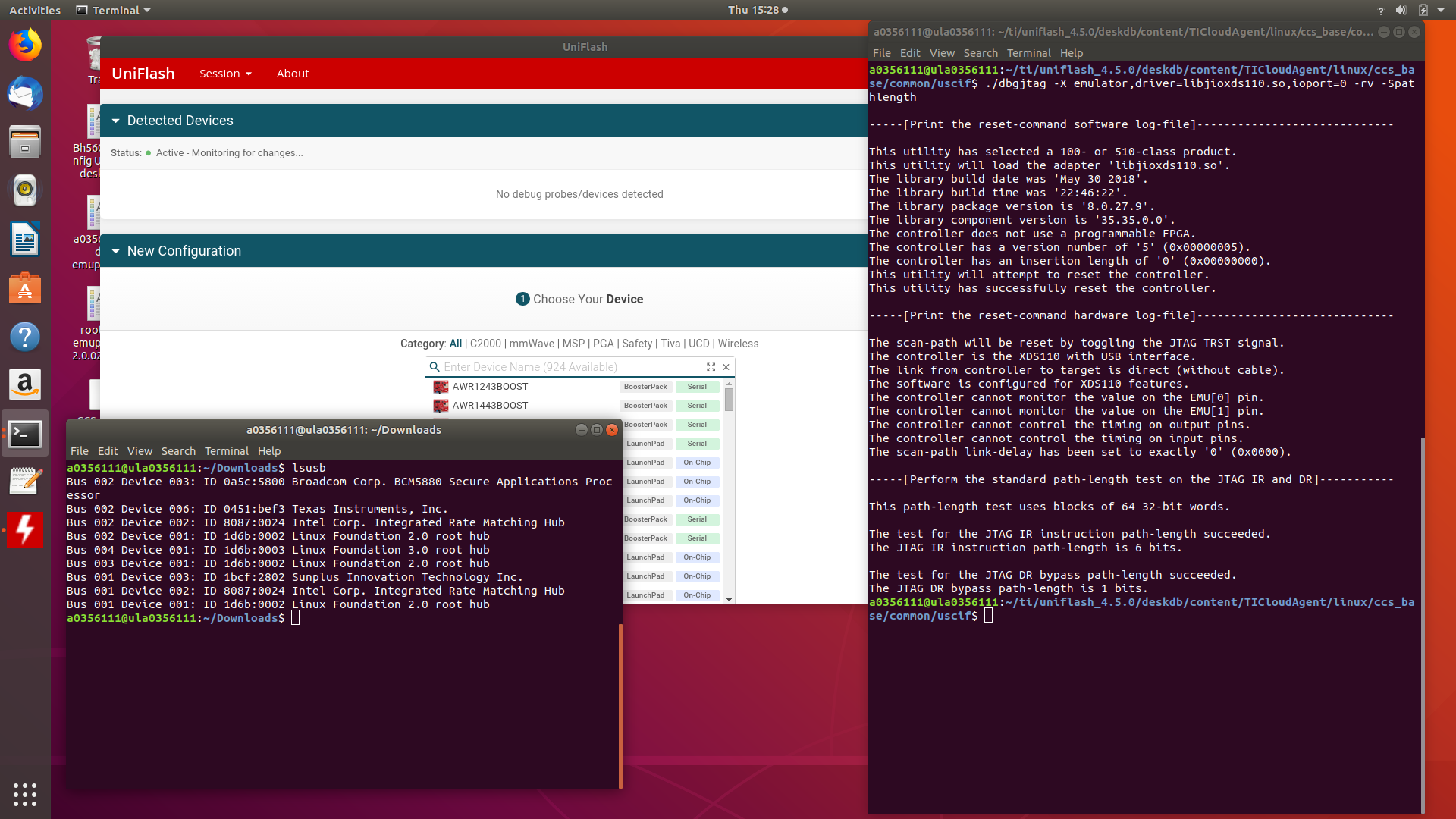
    I just received a brand new DevPack here (version 1.3.0) and I can see the exact same thing as you: Uniflash does not auto detect it at all, despite of what lsusb and dbgjtag report.

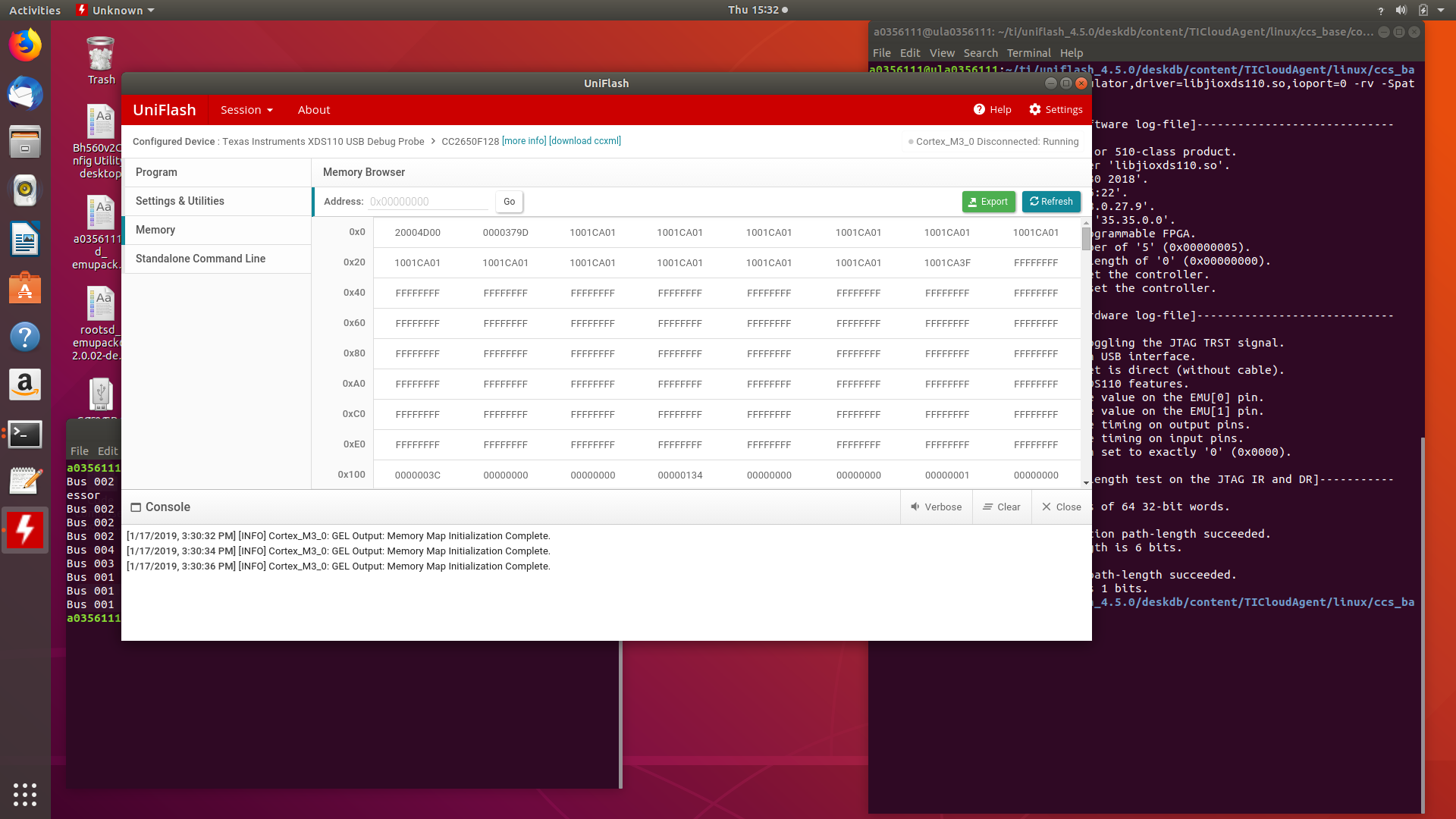
    However, if I simply configure it using the CC2650 Launchpad configuration (which in practice is the exact same thing as the DevPack + CC2650 Sensortag) it works very well. The option below shows a simple read of the device's memory.

    Therefore, I am not entirely sure what may be happening with your DevPacks. 

    My DevPack is 1.3.0 1844. I think the last number is the datecode: 44th week of 2018. This makes yours as 38th week of 2016 and 51st week of 2015. 

    I can't necessarily pinpoint why this is happening, especially because I am able to make them work here. 

    If you are interested, you can do a low-level testing of your DevPack by doing the following:

    comand line said:

    cd ~/ti/uniflash_4.5.0/deskdb/content/TICloudAgent/linux/ccs_base/common/uscif
    ./dbgjtag -X emulator,driver=libjioxds110.so,ioport=0 -rv -Spathlength,integrity

    Hope this helps,

    Rafael

  • Aha, I didn't realize that you can start a Uniflash session for an arbitrary device even if nothing shows up in Detected Devices. I can flash on both MacOS and a Linux VM by manually picking the CC2650 Launchpad configuration as you suggested. Thank you much!