Part Number: CC2640R2F
Tool/software: TI-RTOS
SDK: simplelink_cc2640r2_sdk_2_40_00_32
IDE: ccsv8
Hi,
I followed the steps in the off-chip OAD Docs out of box example and facing an issue (All done in ccsv8). Below is what I did.
TARGET SIDE::
1. Imported "simple_peripheral_cc2640r2lp_oad_offchip_app" from the SDK which automatically pulls in the "simple_peripheral_cc2640r2lp_oad_offchip_stack" and "bim_oad_offchip_cc2640r2lp_app".
2. Build squence as follows: "bim_oad_offchip_cc2640r2lp_app" --> "simple_peripheral_cc2640r2lp_oad_offchip_stack" --> "simple_peripheral_cc2640r2lp_oad_offchip_app".
3. Selected "bim_oad_offchip_cc2640r2lp_app" in ccs and loaded it onto the cc2640r2lp using the flash icon.
4. Flashed the: simple_peripheral_cc2640r2lp_oad_offchip_app-->FlashROM-->simple_peripheral_cc2640r2lp_oad_offchip_app_FlashROM_oad_merged.bin. The was done using the Uniflash tool.
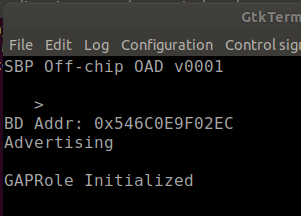
5. Power cycled the cc2640r2lp and it started advertising with scan response as "SBP OAD APP v0001".
DOWNLOADER SIDE::
1. Flashed the host_tool project onto another cc2640r2lp.
2. Opened bTool, did a scan and was able to detect the target cc2640 and connected with it.
3. Now, I moved to the OAD tab in the btool and selected the simple_peripheral_cc2640r2lp_oad_offchip_app-->FlashROM- ->simple_peripheral_cc2640r2lp_oad_offchip_app_FlashROM_oad.bin.
After doing the above, I get an invalid Image Metadata as shown in the snap shown below.

Then I clicked Add Metadata and got below response but image type is still unknown.

----------Tried a couple of more things without much luck--------------
After some researching online, I noticed that the post-build configuration for "bim_oad_offchip_cc2640r2lp_app" to use the oad_image_tool was missing as shown below:

Then I included the following line in the post-build steps:
/home/vinaydivakar/ti/simplelink_cc2640r2_sdk_2_40_00_32/tools/blestack/oad/oad_image_tool -h
Then I cleaned and rebuild the "bim_oad_offchip_cc2640r2lp_app" project and got the following output in the console based on which I have a few questions:
/home/vinaydivakar/ti/simplelink_cc2640r2_sdk_2_40_00_32/tools/blestack/oad/oad_image_tool -h
usage: oad_image_tool [-h] [-v] [-verbose] [-hex1 HEXPATH1] [-bdf BDFILEPATH]
[-hex2 [HEXPATH2]] [-k [KEYFILE]] -o OUTPUT
ProjType ProjDir BinaryType
OAD Hex to Binary Converter version
positional arguments:
ProjType Target project Type: (iar/ccs)
ProjDir Target project directory
BinaryType BIM = 0, Application = 1, Stack = 2, Application +
Stack = 3
optional arguments:
-h, --help show this help message and exit
-v, --version show program's version number and exit
-verbose, --verbose
-hex1 HEXPATH1, --HexPath1 HEXPATH1
First .hex file path (app/stack)
-bdf BDFILEPATH, --bdFilePath BDFILEPATH
Boundary file path
-hex2 [HEXPATH2], --HexPath2 [HEXPATH2]
Second .hex file name (app/stack)
-k [KEYFILE], --keyFile [KEYFILE]
Provide the location of the file containing your
private key
-o OUTPUT, --output OUTPUT
Path and filename of output file(s) without extension
**** Build Finished ****
My questions are:
1. For [-hex1 HEXPATH1] arguement, which hex file should I include, is it "bim_oad_offchip_cc2640r2lp_app.hex" generated in the /bim_oad_offchip_cc2640r2lp_app/FlashOnly directory?
2. Where can I find files for [-hex2 HEXPATH2] and [-k [KEYFILE]?
/home/vinaydivakar/ti/simplelink_cc2640r2_sdk_2_40_00_32/tools/blestack/oad/oad_image_tool /home/vinaydivakar/Desktop/OAD/bim_oad_offchip_cc2640r2lp_app/FlashOnly/bim_oad_offchip_cc2640r2lp_app.hex -o /home/vinaydivakar/Desktop/OAD/bim_oad_offchip_cc2640r2lp_app/FlashOnly/oad_target_application
And when I add the above command in the post config steps, I get the following error after the build.
/home/vinaydivakar/ti/ccsv8/tools/compiler/ti-cgt-arm_18.1.3.LTS/bin/armhex -order MS --memwidth=8 --romwidth=8 --intel -o bim_oad_offchip_cc2640r2lp_app.hex bim_oad_offchip_cc2640r2lp_app
Translating to Intel format...
"bim_oad_offchip_cc2640r2lp_app.out" .intvecs ==> .intvecs
"bim_oad_offchip_cc2640r2lp_app.out" .text ==> .text
"bim_oad_offchip_cc2640r2lp_app.out" .const ==> .const
"bim_oad_offchip_cc2640r2lp_app.out" .cinit ==> .cinit
"bim_oad_offchip_cc2640r2lp_app.out" .cert_element ==> .cert_element
"bim_oad_offchip_cc2640r2lp_app.out" .ccfg ==> .ccfg
/home/vinaydivakar/ti/simplelink_cc2640r2_sdk_2_40_00_32/tools/blestack/oad/oad_image_tool /home/vinaydivakar/Desktop/OAD/bim_oad_offchip_cc2640r2lp_app/FlashOnly/bim_oad_offchip_cc2640r2lp_app.hex -o /home/vinaydivakar/Desktop/OAD/bim_oad_offchip_cc2640r2lp_app/FlashOnly/oad_target_application
makefile:181: recipe for target 'post-build' failed
usage: oad_image_tool [-h] [-v] [-verbose] [-hex1 HEXPATH1] [-bdf BDFILEPATH]
[-hex2 [HEXPATH2]] [-k [KEYFILE]] -o OUTPUT
ProjType ProjDir BinaryType
oad_image_tool: error: the following arguments are required: ProjDir, BinaryType
gmake[2]: [post-build] Error 2 (ignored)
**** Build Finished ****
Is there any example of exisiting project running the post build command?
I am pretty much stuck here and need some help to getting this out of the box example working.
Cheers
Vinay