This thread has been locked.

If you have a related question, please click the "Ask a related question" button in the top right corner. The newly created question will be automatically linked to this question.

FTDI EEPROM Flash issue

Other Parts Discussed in Thread: UNIFLASH, CC3100MODBOOST, CC3100, CC3200

Hi, 

I have problem with FTDI after flash. I have a same result with this topic:

e2e.ti.com/.../353891

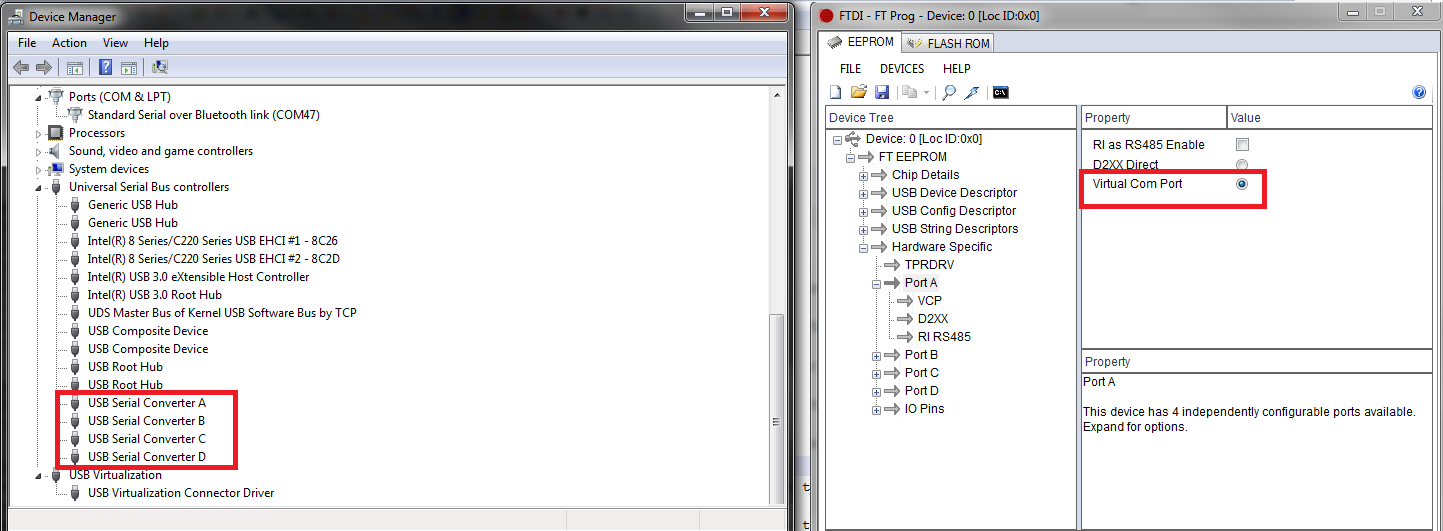
the device manager detect multiple, USB Serial Converter & USB serial Port , USB Serial port detected if i change the port A from Hardware spesific FTDI Prog to D2xxx Direct.. same with topic above, i follow the instruction from

processors.wiki.ti.com/.../CC31xx_&_CC32xx_FTDI_Flashing

before this, my device manager detect same with this pict:

e2e.ti.com/.../image.jpg

I dont know why, because after im format using uniflash the driver not change to UART so i  read this topic:

e2e.ti.com/.../355183

this topic say to flash the FTDI if the device manager detect 4 COM.

how i resolve this problem? where i can find the template FTDI for rollback driver CC31xxBOOST to normal.?

  • Hi,

    Especially with CC3100BP, seeing 4 COM ports is not an issue.

    You need to use the 3rd COM port out of the 4 ports when flashing with Uniflash.

    Even if you erase the FTDI chipset, it should still work since Uniflash is using the VCP and not 2Dxx when programming.

    The only missing capability would be the automatic reset that uses the 2Dxx.

    If you still want to flash FTDI with a template, please use this link: http://processors.wiki.ti.com/index.php/CC31xx_%26_CC32xx_FTDI_Flashing

    Use CC3100BP QUAD.

    Shlomi

  • Thanks for reply Shlomi,

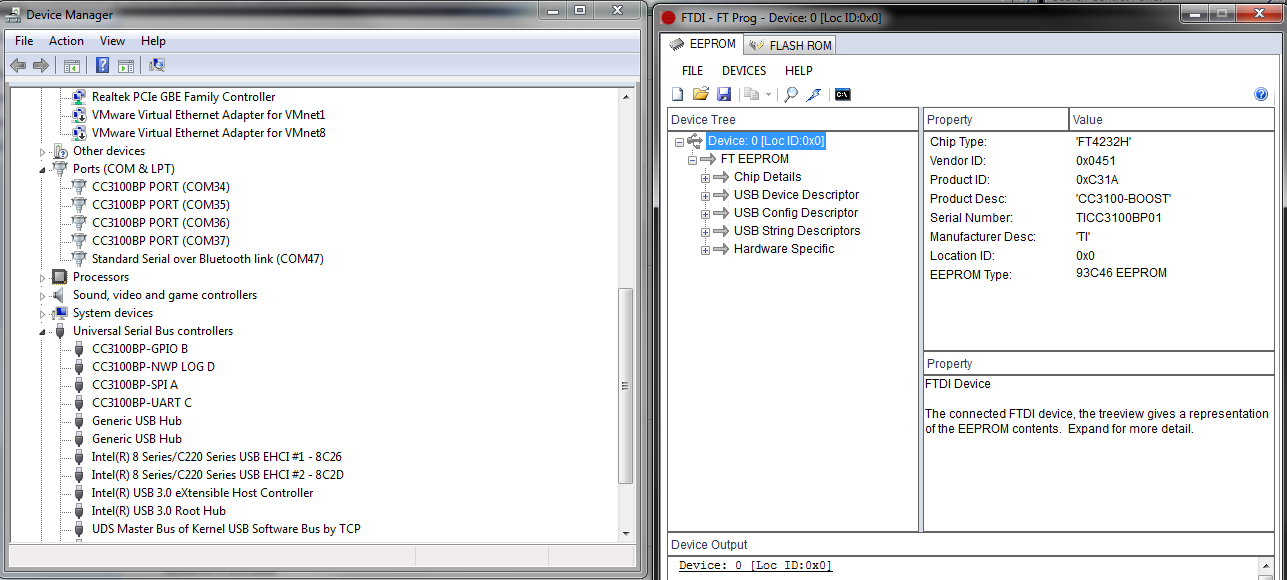
    Im attach the result after using template  , the driver detect USB Serial Converter, not CC3100BP PORT, this problem ? because i can,t format with uniflash with this driver.

    Arief,

  • Few things I would like you to try:

    1. Can you send a picture of the FT Prog when you click on the Device: 0? I want to see the right side.
    2. please make sure this is the only device connected (no other FTDI device), click the Erase Device, click on the Device: 0 and attach the picture.

    Shlomi

  • I using CC31XXEMUBOSST with CC3100MODBOOST plug on the top side. i remove CC3100MODBOOST and try again and the driver CC3100BP PORT succes.  

    I try to re-flash again to make sure the problem. I follow this instruction again:

    processors.wiki.ti.com/.../CC31xx_&_CC32xx_FTDI_Flashing

    and I have a different result if I make reset board using re-plug USB after program the result is driver USB Serial Converter, but if I reset board using Scan & parse (icon in FT Prog) after program, the result is CC3100BP succes to install.

    I try using uniflash, I using connection CC3x Serial (UART) Interface and try format & Service Pack Programming with COM36, this the result:

    [22:00:12] Begin Format operation.

    [22:00:12] INFO: > Executing Operation: Connect

    [22:00:14] INFO: setting break signal

    [22:00:15] INFO: detecting FTDI for device reset

    [22:00:16] INFO: connection succeeded

    [22:00:16] INFO: getting storage list

    [22:00:16] INFO: > Executing Operation: Init

    [22:00:16] INFO: reading version info

    [22:00:16] INFO: DEVICE CC3100 ES1.33

    [22:00:16] INFO: reading version info

    [22:00:18] INFO: > Executing Operation: Format

    [22:00:18] INFO: Erase storage SFLASH

    [22:00:19] INFO: erase storage succeeded

    [22:00:19] INFO: erase storage completed

    [22:00:19] INFO: > Executing Operation: Disconnect

    [22:00:19] Operation Format returned.                            <----------- problem??

    [22:00:23] Begin ServicePackProgramming operation.

    [22:00:24] INFO: > Executing Operation: Connect

    [22:00:26] INFO: setting break signal

    [22:00:27] INFO: detecting FTDI for device reset

    [22:00:28] INFO: connection succeeded

    [22:00:28] INFO: getting storage list

    [22:00:28] INFO: > Executing Operation: ServicePackProgramming

    [22:00:28] INFO: Path to the service pack file: C:/ti/CC3100_CC3200_ServicePack_1.0.1.6-2.6.0.5/servicepack_1.0.1.6-2.6.0.5.bin

    [22:00:28] INFO: reading version info

    [22:00:28] INFO: CC3100R Device detected.

    [22:00:28] INFO: NWP/MAC/PHY Version from Service Pack:

    [22:00:28] INFO:  NWP Patch version: 2.6.0.5

    [22:00:28] INFO:  MAC Patch version: 1.4.0.1

    [22:00:28] INFO:  PHY Patch version: 1.0.3.34

    [22:00:28] INFO: reading version info

    [22:00:28] INFO: DEVICE CC3100 ES1.33

    [22:00:28] INFO: reading version info

    [22:00:30] INFO: Downloading file "/sys/servicepack.ucf" with size 25820

    [22:00:32] INFO:

    New Token is 0x2EBE8599

    [22:00:32] INFO: Download complete

    [22:00:32] INFO: > Executing Operation: Disconnect

    [22:00:32] Operation ServicePackProgramming returned.    <----------- problem??

    I mark the result, i think this problem because my driver not change to UART or etc?

    Arief

  • it looks OK now.

    You have managed to format and program service pack.

    Shlomi