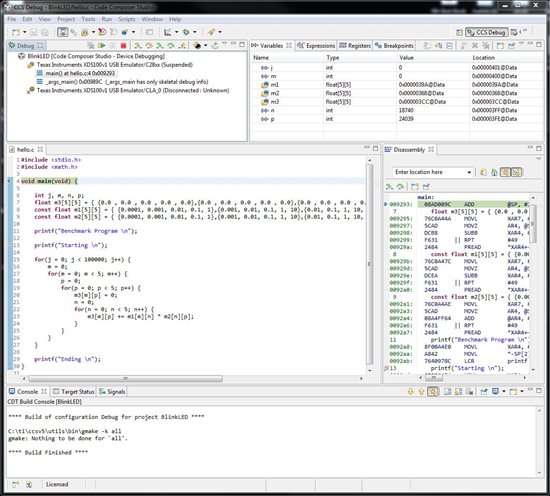
I want to benchmark the F28069 Piccolo with this simple floating-point [5x5] matrix multiplication. This code is copied from the TI benchmark sample and modified for [5x5] matrix size.
The code apparently runs for 100 iterations, but freezes at 1000 iterations and over. I would like to perform 100,000 loops.
#include <stdio.h>
#include <math.h>
void main(void) {
int j, m, n, p;
float m3[5][5] = { {0.0 , 0.0 , 0.0 , 0.0 , 0.0},{0.0 , 0.0 , 0.0 , 0.0 , 0.0},{0.0 , 0.0 , 0.0 , 0.0 , 0.0},{0.0 , 0.0 , 0.0 , 0.0 , 0.0},{0.0 , 0.0 , 0.0 , 0.0 , 0.0} };
const float m1[5][5] = { {0.0001, 0.001, 0.01, 0.1, 1},{0.001, 0.01, 0.1, 1, 10},{0.01, 0.1, 1, 10, 100},{0.1, 1.0, 10, 100, 1000},{1, 10, 100, 1000, 10000} };
const float m2[5][5] = { {0.0001, 0.001, 0.01, 0.1, 1},{0.001, 0.01, 0.1, 1, 10},{0.01, 0.1, 1, 10, 100},{0.1, 1.0, 10, 100, 1000},{1, 10, 100, 1000, 10000} };
printf("Benchmark Program \n");
printf("Starting \n");
for(j = 0; j < 100000; j++) {
for(m = 0; m < 5; m++) {
for(p = 0; p < 5; p++) {
m3[m][p] = 0;
for(n = 0; n < 5; n++) {
m3[m][p] += m1[m][n] * m2[n][p];
}
printf("Ending \n");
Screenshot attached. Any comments?
Hi Stephen,
I'm curious what happens when the code crashes?
I have two guesses:
1) the watchdog is enabled and isn't being kicked which is causing your program to reset after a while
2) you are overflowing the stack
Trying bumping the stack up in size and disabling the watchdog manually in your code and I bet the issue goes away.
Regards,
Trey
Trey German
C2000 Applications
The benchmark is running now. On the Piccolo F28069, it runs the 100,000 iterations of the [5x5] matrix multiplication in 57.3 seconds, resulting in 1.75kops (matrix multiplications per second). This seems slow for an MCU with integrated FPU.
Does running the benchmark from Code Composer Studio 5 in debugger slow the code execution?
Stephen,
Curious what you did to get it working...
If you are running the exact code you posted, the issue is that you are not setting up the PLL. Try running the InitSysCtl() function which should setup the PLL to run the CPU at 80MHz. Also, if you are running this code out of flash you will want to setup the flash wait states to improve performance. Finally, execution performance can also be increased by running the code from RAM. Take a look in controlSUITE for examples of how to do all of the above.
Trey GermanCurious what you did to get it working...
I loaded the example program BlinkLED, killed the interrupt that blinked the LED, and put my matrix routine in the code body. I also added "fpu.h" and <math.h> include files.
I combed through the BlinkLED includes, does it already have the InitSysCtl() function call?
If you left the call to DeviceInit() in there it is in fact setting up the PLL for 80MHz. The examples in that folder are developed by a different team and have some different naming conventions for the functions. This example also sets up the flash for the correct number of waitstates assuming you have left the call to FlashInit() in.
I confirmed the MCU is operating at the correct frequency. Moving the code from FLASH to RAM and a few other optimizations resulted in 43.7 seconds, still a bit too slow for my requirements.
Some of the biggest problems were coming from the printf statement. Once those were removed, the compile and run process went much more smoothly. I used the LED to signal when the benchmark was running and resetting.
I am concerned the configuration was incorrect for the benchmark. Some comparisons running the identical 100,000 iterations of [5x5] single-precision floating-point matrix multiplication routine:
STM32F4 (168MHz and FPU) 8.6 secondsNXP mbed LPC1768 (96MHz) 16.2 secondsLCPXpresso LPC1769 (120MHz) 19.4 secondsPiccolo F28069 (80MHz and FPU) 43.7 seconds
Any comments?
The build configuration you are using appears to be correct, but I overlooked one small issue with your benchmark code. On our architecture an int is 16 bits. Since this is a signed int the problem is even worse...you can only count up to 32k or so, so your outer most for loop should never complete. I'm suprised that you code ever did complete because technically it should have sat in that for loop forever. After changing the count variables to longs, I was able to achieve a time of around 14 seconds on the matrix multiply.
Thank you for the reply.
Indeed, when I made the other changes, I also spotted the int and changed to long. As my program stands, it runs at about 40 seconds. I suspect the difference is between running debug vs. release code. Are there settings in CCS5 that can specify which build? You obviously have an architectural difference that is resulting in 14 seconds.
Once you run your program, will it execute when disconnected from the computer and powered with an external power supply?
There really aren't any differences between debug and release code. Those build configurations are created by default when a project is created and they have the same build properties initially. I don't think optimizations are the cause cause I was able to hit 14 seconds with optimization level 0 (no opts). My advice would be to make sure the FPU is enabled in the build properties and that the PLL is setup as we believe it is. I would also make sure that my code gen tools were up to date. Finally, I linked this program to RAM, so it is executing with 0 waitstates which also improve performance. I can't run this project standalone because it is linked to RAM, BUT you can use a #pragma to define a code section for this benchmark and copy it from flash to RAM at runtime which will allow you to run standalone.
If you're still having trouble I'd be happy to post my project for you.
43 seconds
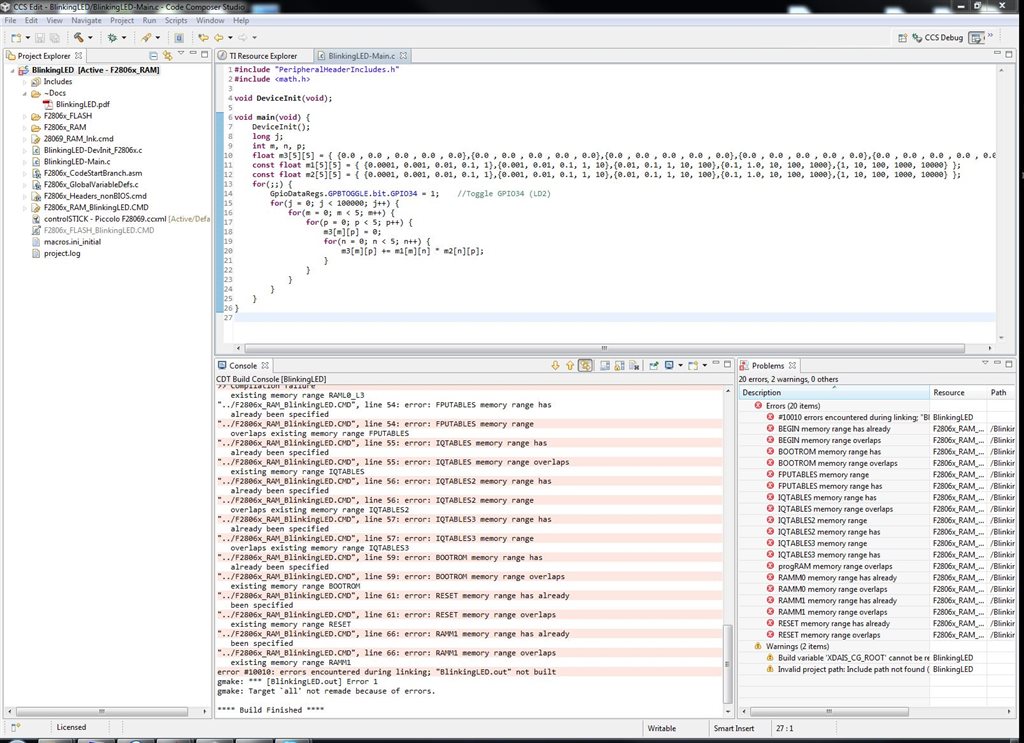
[code]#include "PeripheralHeaderIncludes.h"#include "fpu.h" void DeviceInit(void);void main(void) { DeviceInit(); long j; int m, n, p; float m3[5][5] = { {0.0 , 0.0 , 0.0 , 0.0 , 0.0},{0.0 , 0.0 , 0.0 , 0.0 , 0.0},{0.0 , 0.0 , 0.0 , 0.0 , 0.0},{0.0 , 0.0 , 0.0 , 0.0 , 0.0},{0.0 , 0.0 , 0.0 , 0.0 , 0.0} }; const float m1[5][5] = { {0.0001, 0.001, 0.01, 0.1, 1},{0.001, 0.01, 0.1, 1, 10},{0.01, 0.1, 1, 10, 100},{0.1, 1.0, 10, 100, 1000},{1, 10, 100, 1000, 10000} }; const float m2[5][5] = { {0.0001, 0.001, 0.01, 0.1, 1},{0.001, 0.01, 0.1, 1, 10},{0.01, 0.1, 1, 10, 100},{0.1, 1.0, 10, 100, 1000},{1, 10, 100, 1000, 10000} }; for(;;) { GpioDataRegs.GPBTOGGLE.bit.GPIO34 = 1; //Toggle GPIO34 (LD2) for(j = 0; j < 100000; j++) { for(m = 0; m < 5; m++) { for(p = 0; p < 5; p++) { m3[m][p] = 0; for(n = 0; n < 5; n++) { m3[m][p] += m1[m][n] * m2[n][p]; } } } } }}[/code]
I don't buy it :-P
Ok, I've attached the project I'm using. Its either the PLL or something in the build configuration, but I'm starting to suspect the PLL. 43 seconds is wayyyyy too slow. Give this project a shot. If you copy the timed_led_blink folder into your f2806x_examples directory the project should import and build without issue.
5001.timed_led_blink.zip
I thank you for your help, however, the TI CCS software has proven - by far - to be the most difficult IDE of those we have evaluated. We have spent more time on CCS than CodeRed, Freescale, and Keil IDE combined, and have failed to have a single competitive run. I'm past my deadline to select the production MCU, and without any success with the Piccolo, there's no reason to consider it.
The example project you posted - is it using CCS4 or CCS5?
Unfortunately, I can't get any of the example programs in TI ControlSUITE to successfully run using CCS4 because it wants C2000 Compiler v5.2.2. CCS5 gives similar incompatibilities attributed to C2000v5.2.2. It was only by piecing together fragments of files did I finally get the benchmark to run, although not competitively (>40seconds).
I googled for the C2000 compiler v5.2.2 with no results. Either the ControlSUITE is incompatible with CCS, or the CCS installation is missing critical files for success.
As last-ditch measures:
Again, thanks for your efforts.
I made a fresh TI setup_CCS_4.2.4.00033 installation and imported the example project directory from C:/ti/controlSUITE/development kits/F28069/
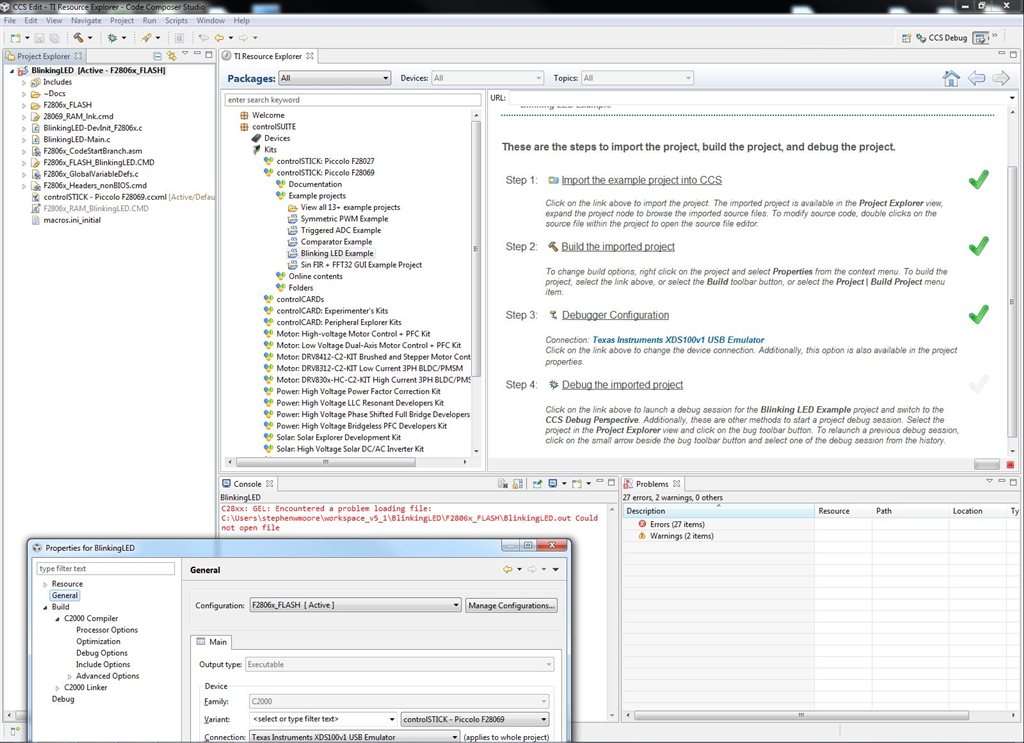
Please see attached screenshot of fresh installation and fresh import. None of the example projects loaded properly.
When you import projects and don't have the correct compiler installed for that example you will get errors like in the above post. Its annoying and CCS shouldn't generate errors just because you have a different version of the compiler, but I'm afraid thats how it works for now.
You can however change the compiler version a project is using. After you import and get the error, the project should still appear in your project navigator. Right click the project and go to Source, Upgrade Code-Generation Tools Version. Change the version in the dialog box to one of the other version listed (in your case there should only be one other choice...the compiler that you actually have installed). After clicking ok, you ought to be able to compile and run the project.
Sorry you've had so much trouble with CCS.