This thread has been locked.

If you have a related question, please click the "Ask a related question" button in the top right corner. The newly created question will be automatically linked to this question.

USB2ANY: Firmware Loader Not Working as Expected

Part Number: USB2ANY
Other Parts Discussed in Thread: CODELOADER, , LMK04906

Hello, 

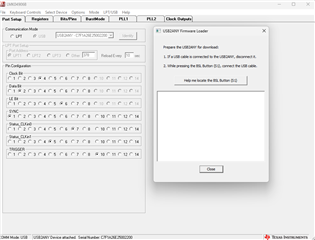
I am trying to perform the required firmware update for the USB2ANY evaluation board for use with Codeloader 4. When the software prompts me, I disconnect the USB cable and plug it in again while holding the BSL button, but nothing happens. I have also tried this with the USB2ANY Explorer software and on another computer. Any idea what might fix this issue?
  • Hey Ryan, 

    What EVM are you using the USB2ANY with? I can move this post to the appropriate support team. 

    Best Regards, 

    Chris Featherstone

  • Hi Chris, thanks for the quick response.

    Sorry for the confusion regarding "EVM", I mean the interface adapter itself. I am intending to use the adapter to communicate with an LMK04906 over a uWire interface configured on a custom board we have designed. 

  • Hey Ryan, 

    Thanks for the clarification. The reason I inquired about the EVM is because the USB2ANY is meant to be paired with an EVM and not as a stand alone product. It helps us direct questions regarding the USB2ANY to the teams who created the EVMs that are paired with the USB2ANY unit for support. 

    Best Regards, 

    Chris Featherstone

  • Ah I see, thanks for the clarification. Even so, would it still be possible to get help regarding this firmware update issue? This seems not to be related to a particular pairing of EVMs.

  • Hey Ryan, 

    Let me consult with my team to see if we can identify the group that would be best equipped to answer questions regarding the device. My team supports precision analog devices. 

    Best Regards, 

    Chris Featherstone

  • Hi Chris, any update on who to contact?

  • I can help with LMK04906, USB2ANY, and related GUI issues.

    Just to make sure: can you unscrew the plastic enclosure on the USB2ANY and ensure that you are holding down the BSL button on the edge of the board while inserting the USB? The enclosure and button alignment should normally be very good, but sometimes things are misaligned and it can be hard to tell without seeing the button depressed yourself.

    If you are trying to perform this action through a USB hub, docking station, etc - try connecting directly to the USB ports on the machine, or try with an externally-powered USB hub. I've occasionally seen issues with power supply limitations or with port addresses changing between removal and insertion.

    If it's still not working, we have a copy of the SDK floating around on E2E (check here), which includes a slightly more robust binary for the firmware loader in the program files directory where it gets installed (I believe it gets installed to C:\Program Files (x86)\TI USB2ANY SDK or something similar). This might allow you to get a modern version of the firmware loaded, after which subsequent reflashes should become easier - the first time firmware programming is not always handled well by the embedded USB2ANY library or DLL.

    Also, note that Codeloader is deprecated software. We recommend all customers to use TICS Pro moving forward. There is a profile in TICS Pro for the LMK04906. The version of the firmware used by Codeloader is probably pretty out of date relative to more modern versions, as modern versions no longer require the use of the BSL button for firmware updates.

  • Hi Derek, thanks for getting back to me.

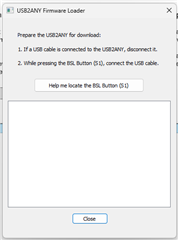
    Unfortunately, I have already tried each of these things -- opening the enclosure and making sure the button is getting pressed (I can feel it click), connecting directly to the USB port of my computer, and using the firmware loader downloaded from the link you provided -- none of these seem to work. Additionally, I've tried updating the firmware in TICS with the same result -- still stuck at this screen when unplugging the USB cable, then re-plugging it while holding the BSL button:

  • Alright, my guess is you got a lemon. Sometimes it happens. I'll get you a tested, working replacement from our stash.

    Can I have you reach out to Eric Szyper (last I checked, this is your account's field apps guy - if not, whoever your current field apps is) to provide shipping info? Link him this E2E thread as well so he has the context.

  • It's suddenly working now, after plugging and unplugging several times during the firmware loader screen of TICS. Codeloader is also working to downgrade the firmware. Not really sure what happened here or why it took 20+ attempts, but it looks like the issue is resolved for now ... 

    I appreciate all your help!

  • Huh, interesting. I'm not sure why it would take that many tries; perhaps there was an issue with contact corrosion on the button, or maybe the USB PLL wasn't locking with some on-board crystal frequency deviation, or something else equally vexing. In any case, I'm glad it's working for you now.

    Let us know if you run into any other trouble with it - my offer for a replacement will stand in case of further headaches.