


Part Number: PGA309EVM-USB
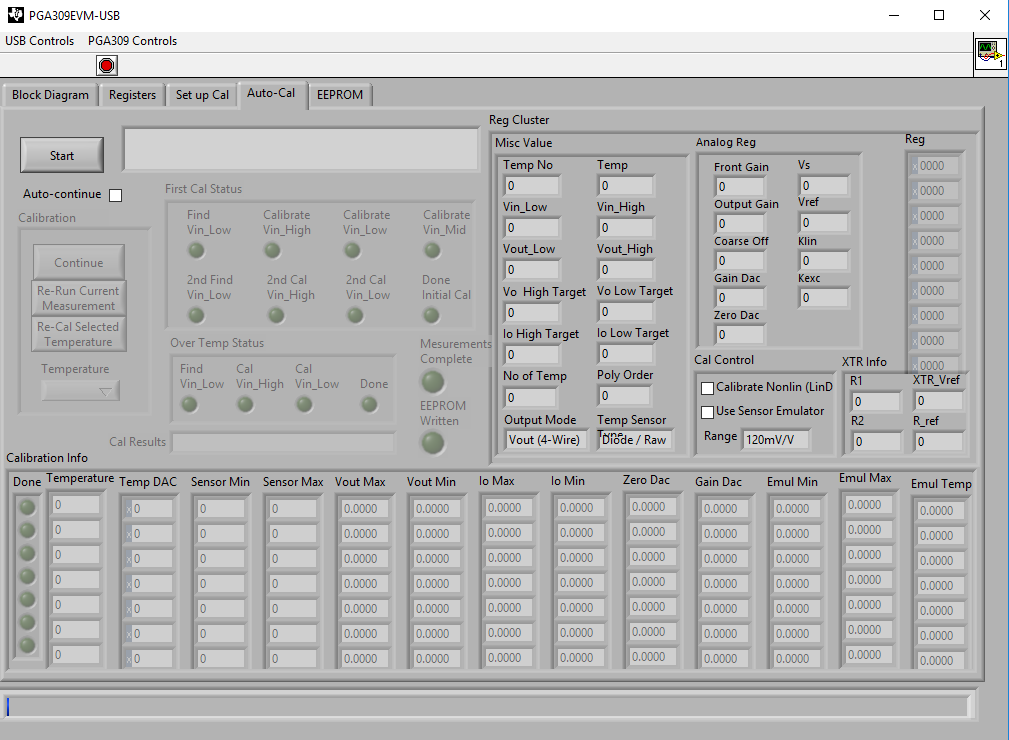
I've been attempting to setup a model file for the calibration of my bridge-type pressure sensor. I need an excitation voltage of 5 V, two temperature measurements (at this point in time) 22 and 38 degrees Celsius, 4 wire output and an output voltage range of 5V to 0V (or 5.5V to 0.5V). When I attempt to create this model file and then load it using the "select model file emulator file" button it takes me through three different file directory screens:
- Choose or enter path of file
- Select Model file
- Choose file to read
What am I meant to be selecting for these options? When I select my created model file, the Auto-Cal screen is empty with none of the required information in it. This even happens when I just modify the temperature values of one the existing model files (4wire_4p096_diode for example). Am I required to create custom files for each of the file directory windows?
Any help will be greatly appreciated.
Cheers,
Alistair
