This thread has been locked.

If you have a related question, please click the "Ask a related question" button in the top right corner. The newly created question will be automatically linked to this question.

LMK05028: TICS - PRO

Part Number: LMK05028


Hi,

We loaded the attached TCS file in TICS Pro. But the IN1 was not driven by any clock.

So the expectation was that LOL_PLL1, LOPL_DPLL1, LOFL_DPLL1, LOL_PLL2, LOPL_DPLL2, and LOFL_DPLL2 will be ticked on the Status&Interrupt page.

But none of them are ticked. So what might be the issue?

working_tcs_v2_4.tcs

  • Hello, 

    The APLL locks to the XO input, so whether reference input (IN0 - IN3) is provided or not, it wouldn't be affected as it is only looking for the XO. The associated flags for the APLL are LOL_PLLx. 

    The DPLL however does require reference input, or it cannot lock. If reference is initially provided and then removed, then DPLL should enter holdover in which case it will maintain frequency lock meaning no LOFL trigger. However, in that situation phase lock would be lost so LOPL should be flagged. 

    • Even in the case a reference is provided and removed, if a soft reset is issued then again obviously both should get flagged as a soft reset is essentially a new startup and calibration. Therefore there is no history for the holdover to revert to in the absence of a reference. 

    I've reviewed the .tcs file and there doesn't seem to be anything necessarily wrong with it... 

    1. Only IN1 made available, other IN_x are put under unused 
    2. In Auto revertive mode, meaning priority option is used. IN1 put under 1st priority with other inputs ignored. 
    3. Manual select under IN1, however please note since you are in "auto" mode (revertive or non-revertive does not affect this) and not "manual" mode, the manual select register is ignored. Only in manual mode would you be specifically forcing a specific reference input selection. 

    The reference still shows as valid and both DPLLs are selecting reference. PPM detector is also enabled, meaning that in the case of no reference it would definilty invalidate via PPM detector. This cannot be if the reference is truly removed. That's why the DPLL is still locked from what I can tell. If you were to change IN1 auto select priority to ignore, do the flags update accordingly? I would expect REF1VALSTAT to disappear and LOPL_DPLL to get flagged (as mentioned, LOFL will not get flagged in holdover). 

    Also, please note we always recommend missing clock to be enabled - this does not hurt any use case. Please enable both missing clock (late detect) and runt pulse (early detect) on the main: start page. 

    Please provide results of these tests:

    1. Manually invalidate IN1 by changing the auto priority and perform a read status 
    2. Click both "Read Status" button on the status and interrupt tab as well as "Read Status Regs" on the top line menu 
    3. Enable missing clock and observe if that changes results 

    Regards,

    Amin 

  • Hi Amin,

    I changed the Input Select Mode to Manual Fallback and Auto Select Priority of IN1 to ignore. Found the same observation. None of the flags are ticked.

    The IN1 clock is driven by the recovered clock of PHY. So we can't directly enable it. Following are some observations:

    After loading the TCS file, I can see that LOS_FDET_TCXO, LOS_TCXO, and REF1VALSTAT are flagged. DPLL1_REFSEL_STAT and DPLL2_REFSEL_STAT are "REF1 selected".

    But if I click "Read Status Regs" or "Read Status", all flags are cleared and DPLL1_REFSEL_STAT and DPLL2_REFSEL_STAT are updated as "Holdover".

    One more observation is there. The OUT7 of the LMK is driving the reference clock of a PLL inside the FPGA and the PLL is configured for 644.3125MHz as the reference clock.

    I disabled the OUT7 of the LMK. But still, I can PLL insided the FPGA is locked.

  • Hello,

    There are a few contradicting statements here which I think has to stem from just not correct way to communicate things..

    You mention none of the flags are ticked yet in the following sentence also mention some flags that are checked and how things change when you perform a read status. So let's clear up a few things.

    1. Viewing or looking at the status tab after you load a .tcs file is pointless information. That is not the current status of the device that is just saved / left over from the time you actually saved the .tcs file. In order to know the current, actual status of the chip you must perform a read status after loading .tcs and issuing a soft reset. A soft reset is always recommended after fully loading all registers.
    2. It's important to identify what exactly is or isn't ticked or checked when it comes to the flags. When considering the IN_x then APLL status flags are completely irrelevant, since there was confusion in the first post about this, I'm still not clear if in the 2nd post it's clear that when we are doing things to the IN_x we're only looking at DPLL related flags (LOFL, LOPL, Holdover, RefVal, DPLL_REF_SELECT)
    3. If you are using a 2 loop configuration, then you are not using TCXO_DPLL. We do not need to consider the status of LOS_TCXO and LOS_FDET_TCXO. They should always be flagged for LOS (loss of signal)

    But if I click "Read Status Regs" or "Read Status", all flags are cleared and DPLL1_REFSEL_STAT and DPLL2_REFSEL_STAT are updated as "Holdover".

    So again here, what the status shows after loading the .tcs is irrelevant. In order to know the true status of the device you need perform a status read. Seems like when you do a status read you see device correctly being in holdover with no reference provided. This is expected behavior. LOPL_DPLL and LOFL_DPLL should also be flagged. 

    With regards to OUT7 I would disable and powerdown the channel although simple disable should work. Make sure to do this on the Advanced Output tab and not the Main Start page tab. The main start page is meant to generate the configuration and not necessarily used for active updates. 

    Furthermore, just to make sure here, a runscript was done after the inputs provided on the main start tab, correct? 

    Lastly, missing clock and late detect should be enabled for all configurations. 

    Regards,

    Amin

  • Hi Amin,

    Yes, a run script is done after the inputs are provided on the main start tab.

    We tried by enabling missing clock and late detection. But the observation is the same.

  • Hello, 

    So what are the observations? From what you've provided, the device responds correctly when read status is actually performed. 

    I'm convinced the reference is not actually being disabled, otherwise there's no reason for it to remain valid. 

    Regards,

    Amin 

  • Hi Amin,

    I will explain what I did to avoid confusion. The IN1 was not driven by any clock while doing the below exercise.

    1. Loaded the TCS file.
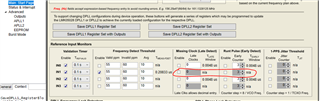
    2. Enabled "Missing Clock(Late Detect)". Below is the screenshot of the Main: Start Page as of now.

       3. Now I clicked "Run Script".

       4. After the registers are updated, I clicked "Read Status" as well as "Read Status Regs".

           Below is the screenshot of the Status&Interrupt page.

        5. Then I clicked "Soft-reset Chip" and read the status. But there was no difference in the

             status.

    Is this the expected behaviour?

    Regards,

    Ranjith

  • Hi Ranjith,

    Thank you for the details and images. It's much easier to follow this way.

    When runscript is run, a soft reset should always be performed. So we will only focus on the results after the soft reset.

    In first step, when you say loaded the .tcs file, this is your own file that you have generated previously, correct? Did this file work accordingly at any point? Please note we always recommend to start with EVM default configuration (found under Default configuration --> EVM default) and then start making changes there. There are registers that runscript doesn't touch and it's important that they were set correctly to begin with. Initial install of TICSpro and load of the device profile may not necessarily do this.

    Even focusing on just your post runscript status read - device behavior does not match.

    1. In0 is not being driven
    2. Device correctly identifies no valid reference and shows holdover selected
    3. However under DPLL/APLL1 and DPLL/APLL2 the expected LOFL, LOPL, and Holdover flags are not triggered
    4. Furthermore the interrupts aren't triggered either and neither are the TCXO LOS signals.. it's almost as if that whole section is not updating

    This is not how it should behave nor how I have seen it behave. Can we go back to default EVM configuration and see if these flags go up? Your physical configuration (EVM setup/connections) is something else so even if IN1 is provided or isn't provided the flags corresponding to no valid reference and DPLL LOL should go up.

    There are 2 other ways to read the status registers just in case there's some kind of GUI interaction that is causing the actual issue. First off you have mentioned that you had done both "Read Status Regs" and "Read Status", I'm just highlighting below to confirm because I know on one of our devices one of these buttons did not work and I'm not certain if this has been fixed yet or not, so here are the buttons:

    You can also try a "Read all registers" - 2 to the left of Read Status Regs.

    The other location that status registers appear in case this is a GUI issue is under the user controls tab - status section (remember after soft reset and read all registers):

    The 2nd place, is to read the raw register. If you hover over the section you'll see in the text context box on the left side you will see register information - this is true of any section within TICSpro. Under Raw Register tab please readback R14 and R15 the corresponding status registers for DPLL/APLL1 and DPLL/APLL2 - the GUI shows a 0h readback when we know the LOPL, LOFL, and Holdover bits should be on. Click anywhere within the register line and then click read register:

    Hopefully with these steps we can get closer to what's happening. To me, it seems like those sections of the status reads just aren't updating which is bizarre.

    Regards,

    Amin

  • Hi Amin,

    The .tcs file that I load was working earlier.

    I have ensured a Soft-reset Chip is performed before checking the status while executing below tests.

    First Test:
    - Clicked Default configuration --> EVM Default
    - Clicked Update Frequency Plan
    - Clicked Run Script
    - Clicked Soft-reset Chip
    - Clicked Read Status/Read Status Regs

    Observation:
    - LOL_PLL1, LOPL_DPLL1, LOFL_DPLL1, LOL_PLL1, LOPL_DPLL1 and LOFL_DPLL1 are not flagged
    - DPLL1_REFSEL_STAT and DPLL2_REFSEL_STAT are Holdover

    Yes, I clicked Read Status/Read Status Regs as you highlighted in the screenshot.

    I tried "Read all registers". The observation is same as above.

    I checked the status under Use Controls tab, STATUS section. None of the flags are ticked.

    Below is the screenshot of the Raw Registers tab.

    I am attaching the register map exported at this point.

    R0	0x000000
    R1	0x000100
    R2	0x000200
    R3	0x000300
    R4	0x000400
    R5	0x000500
    R6	0x000600
    R7	0x000700
    R8	0x000800
    R9	0x000900
    R10	0x000A00
    R11	0x000B00
    R12	0x000C00
    R13	0x000D00
    R14	0x000E00
    R15	0x000F00
    R16	0x001000
    R17	0x001100
    R18	0x001200
    R19	0x001300
    R20	0x001400
    R21	0x001500
    R22	0x001600
    R23	0x001700
    R24	0x001800
    R25	0x001900
    R26	0x001A00
    R27	0x001B00
    R28	0x001C00
    R29	0x001D00
    R30	0x001E00
    R31	0x001F00
    R32	0x002000
    R33	0x002100
    R34	0x002200
    R35	0x002300
    R36	0x002400
    R37	0x002500
    R38	0x002600
    R39	0x002700
    R40	0x002800
    R41	0x002900
    R42	0x002A00
    R43	0x002B00
    R44	0x002C00
    R45	0x002D00
    R46	0x002E00
    R47	0x002F00
    R48	0x003000
    R49	0x003100
    R50	0x003200
    R51	0x003300
    R52	0x003400
    R53	0x003500
    R54	0x003600
    R55	0x003700
    R56	0x003800
    R57	0x003900
    R58	0x003A00
    R59	0x003B00
    R60	0x003C00
    R61	0x003D00
    R62	0x003E00
    R63	0x003F00
    R64	0x004000
    R65	0x004100
    R66	0x004200
    R67	0x004300
    R68	0x004400
    R69	0x004500
    R70	0x004600
    R71	0x004700
    R72	0x004800
    R73	0x004900
    R74	0x004A00
    R75	0x004B00
    R76	0x004C00
    R77	0x004D00
    R78	0x004E00
    R79	0x004F00
    R80	0x005000
    R81	0x005100
    R82	0x005200
    R83	0x005300
    R84	0x005400
    R85	0x005500
    R86	0x005600
    R87	0x005700
    R88	0x005800
    R89	0x005900
    R90	0x005A00
    R91	0x005B00
    R92	0x005C00
    R93	0x005D00
    R94	0x005E00
    R95	0x005F00
    R96	0x006000
    R97	0x006100
    R98	0x006200
    R99	0x006300
    R100	0x006400
    R101	0x006500
    R102	0x006600
    R103	0x006700
    R104	0x006800
    R105	0x006900
    R106	0x006A00
    R107	0x006B00
    R108	0x006C00
    R109	0x006D00
    R110	0x006E00
    R111	0x006F00
    R112	0x007000
    R113	0x007100
    R114	0x007200
    R115	0x007300
    R116	0x007400
    R117	0x007500
    R118	0x007600
    R119	0x007700
    R120	0x007800
    R121	0x007900
    R122	0x007A00
    R123	0x007B00
    R124	0x007C00
    R125	0x007D00
    R126	0x007E00
    R127	0x007F00
    R128	0x008000
    R129	0x008100
    R130	0x008200
    R131	0x008300
    R132	0x008400
    R133	0x008500
    R134	0x008600
    R135	0x008700
    R136	0x008800
    R137	0x008900
    R138	0x008A00
    R139	0x008B00
    R140	0x008C00
    R141	0x008D00
    R142	0x008E00
    R143	0x008F00
    R144	0x009000
    R145	0x009100
    R146	0x009200
    R147	0x009300
    R148	0x009400
    R149	0x009500
    R150	0x009600
    R151	0x009700
    R152	0x009800
    R153	0x009900
    R154	0x009A00
    R155	0x009B00
    R156	0x009C00
    R157	0x009D00
    R158	0x009E00
    R159	0x009F00
    R160	0x00A000
    R161	0x00A100
    R162	0x00A200
    R163	0x00A300
    R164	0x00A400
    R165	0x00A500
    R166	0x00A600
    R167	0x00A700
    R168	0x00A800
    R169	0x00A900
    R170	0x00AA00
    R171	0x00AB00
    R172	0x00AC00
    R173	0x00AD00
    R174	0x00AE00
    R175	0x00AF00
    R176	0x00B000
    R177	0x00B100
    R178	0x00B200
    R179	0x00B300
    R180	0x00B400
    R181	0x00B500
    R182	0x00B600
    R183	0x00B700
    R184	0x00B800
    R185	0x00B900
    R186	0x00BA00
    R187	0x00BB00
    R188	0x00BC00
    R189	0x00BD00
    R190	0x00BE00
    R191	0x00BF00
    R192	0x00C000
    R193	0x00C100
    R194	0x00C200
    R195	0x00C31C
    R196	0x00C400
    R197	0x00C500
    R198	0x00C600
    R199	0x00C700
    R200	0x00C800
    R201	0x00C900
    R202	0x00CA00
    R203	0x00CB00
    R204	0x00CC00
    R205	0x00CD00
    R206	0x00CE00
    R207	0x00CF00
    R208	0x00D003
    R209	0x00D100
    R210	0x00D200
    R211	0x00D300
    R212	0x00D400
    R213	0x00D500
    R214	0x00D600
    R215	0x00D700
    R216	0x00D800
    R217	0x00D900
    R218	0x00DA00
    R219	0x00DB00
    R220	0x00DC00
    R221	0x00DD00
    R222	0x00DE00
    R223	0x00DF00
    R224	0x00E000
    R225	0x00E100
    R226	0x00E200
    R227	0x00E300
    R228	0x00E400
    R229	0x00E500
    R230	0x00E600
    R231	0x00E700
    R232	0x00E800
    R233	0x00E900
    R234	0x00EA00
    R235	0x00EB00
    R236	0x00EC00
    R237	0x00ED00
    R238	0x00EE00
    R239	0x00EF00
    R240	0x00F000
    R241	0x00F100
    R242	0x00F200
    R243	0x00F300
    R244	0x00F400
    R245	0x00F500
    R246	0x00F600
    R247	0x00F700
    R248	0x00F800
    R249	0x00F900
    R250	0x00FA00
    R251	0x00FB00
    R252	0x00FC00
    R253	0x00FD00
    R254	0x00FE00
    R255	0x00FF00
    R256	0x010000
    R257	0x010100
    R258	0x010200
    R259	0x010300
    R260	0x010400
    R261	0x010500
    R262	0x010600
    R263	0x010700
    R264	0x010800
    R265	0x010900
    R266	0x010A00
    R267	0x010B00
    R268	0x010C00
    R269	0x010D00
    R270	0x010E00
    R271	0x010F00
    R272	0x011000
    R273	0x011100
    R274	0x011200
    R275	0x011300
    R276	0x011400
    R277	0x011500
    R278	0x011600
    R279	0x011700
    R280	0x011800
    R281	0x011900
    R282	0x011A00
    R283	0x011B00
    R284	0x011C00
    R285	0x011D00
    R286	0x011E00
    R287	0x011F00
    R288	0x012000
    R289	0x012100
    R290	0x012200
    R291	0x012300
    R292	0x012400
    R293	0x012500
    R294	0x012600
    R295	0x012700
    R296	0x012800
    R297	0x012900
    R298	0x012A00
    R299	0x012B00
    R300	0x012C00
    R301	0x012D00
    R302	0x012E00
    R303	0x012F00
    R304	0x013000
    R305	0x013100
    R306	0x013200
    R307	0x013300
    R308	0x013400
    R309	0x013500
    R310	0x013600
    R311	0x013700
    R312	0x013800
    R313	0x013900
    R314	0x013A00
    R315	0x013B00
    R316	0x013C00
    R317	0x013D00
    R318	0x013E00
    R319	0x013F00
    R320	0x014000
    R321	0x014100
    R322	0x014200
    R323	0x014300
    R324	0x014400
    R325	0x014500
    R326	0x014600
    R327	0x014700
    R328	0x014800
    R329	0x014900
    R330	0x014A00
    R331	0x014B00
    R332	0x014C00
    R333	0x014D00
    R334	0x014E00
    R335	0x014F00
    R336	0x015000
    R337	0x015100
    R338	0x015200
    R339	0x015300
    R340	0x015400
    R341	0x015500
    R342	0x015600
    R343	0x015700
    R344	0x015800
    R345	0x015900
    R346	0x015A00
    R347	0x015B00
    R348	0x015C00
    R349	0x015D00
    R350	0x015E00
    R351	0x015F00
    R352	0x016000
    R353	0x016100
    R354	0x016200
    R355	0x016300
    R356	0x016400
    R357	0x016500
    R358	0x016600
    R359	0x016700
    R360	0x016800
    R361	0x016900
    R362	0x016A00
    R363	0x016B00
    R364	0x016C00
    R365	0x016D00
    R366	0x016E00
    R367	0x016F00
    R368	0x017000
    R369	0x017100
    R370	0x017200
    R371	0x017300
    R372	0x017400
    R373	0x017500
    R374	0x017600
    R375	0x017700
    R376	0x017800
    R377	0x017900
    R378	0x017A00
    R379	0x017B00
    R380	0x017C00
    R381	0x017D00
    R382	0x017E00
    R383	0x017F00
    R384	0x018000
    R385	0x018100
    R386	0x018200
    R387	0x018300
    R388	0x018400
    R389	0x018500
    R390	0x018600
    R391	0x018700
    R392	0x018800
    R393	0x018900
    R394	0x018A00
    R395	0x018B00
    R396	0x018C00
    R397	0x018D00
    R398	0x018E00
    R399	0x018F00
    R400	0x019000
    R401	0x019100
    R402	0x019200
    R403	0x019300
    R404	0x019400
    R405	0x019500
    R406	0x019600
    R407	0x019700
    R408	0x019800
    R409	0x019900
    R410	0x019A00
    R411	0x019B00
    R412	0x019C00
    R413	0x019D00
    R414	0x019E00
    R415	0x019F00
    R416	0x01A000
    R417	0x01A100
    R418	0x01A200
    R419	0x01A300
    R420	0x01A400
    R421	0x01A500
    R422	0x01A600
    R423	0x01A700
    R424	0x01A800
    R425	0x01A900
    R426	0x01AA00
    R427	0x01AB00
    R428	0x01AC00
    R429	0x01AD00
    R430	0x01AE00
    R431	0x01AF00
    R432	0x01B000
    R433	0x01B100
    R434	0x01B200
    R435	0x01B300
    R436	0x01B400
    R437	0x01B500
    R438	0x01B600
    R439	0x01B700
    R440	0x01B800
    R441	0x01B900
    R442	0x01BA00
    R443	0x01BB00
    R444	0x01BC00
    R445	0x01BD00
    R446	0x01BE00
    R447	0x01BF00
    R448	0x01C000
    R449	0x01C100
    R450	0x01C200
    R451	0x01C300
    R452	0x01C400
    R453	0x01C500
    R454	0x01C600
    R455	0x01C700
    R456	0x01C800
    R457	0x01C900
    R458	0x01CA00
    R459	0x01CB00
    R460	0x01CC00
    R461	0x01CD00
    R462	0x01CE00
    R463	0x01CF00
    R464	0x01D000
    R465	0x01D100
    R466	0x01D200
    R467	0x01D300
    R468	0x01D400
    R469	0x01D500
    R470	0x01D600
    R471	0x01D700
    R472	0x01D800
    R473	0x01D900
    R474	0x01DA00
    R475	0x01DB00
    R476	0x01DC00
    R477	0x01DD00
    R478	0x01DE00
    R479	0x01DF00
    R480	0x01E000
    R481	0x01E100
    R482	0x01E200
    R483	0x01E300
    R484	0x01E400
    R485	0x01E500
    R486	0x01E600
    R487	0x01E700
    R488	0x01E800
    R489	0x01E900
    R490	0x01EA00
    R491	0x01EB00
    R492	0x01EC00
    R493	0x01ED00
    R494	0x01EE00
    R495	0x01EF00
    R496	0x01F000
    R497	0x01F100
    R498	0x01F200
    R499	0x01F300
    R500	0x01F400
    R501	0x01F500
    R502	0x01F600
    R503	0x01F700
    R504	0x01F800
    R505	0x01F900
    R506	0x01FA00
    R507	0x01FB00
    R508	0x01FC00
    R509	0x01FD00
    R510	0x01FE00
    R511	0x01FF00
    R512	0x020000
    R513	0x020100
    R514	0x020200
    R515	0x020300
    R516	0x020400
    R517	0x020500
    R518	0x020600
    R519	0x020700
    R520	0x020800
    R521	0x020900
    R522	0x020A00
    R523	0x020B00
    R524	0x020C00
    R525	0x020D00
    R526	0x020E00
    R527	0x020F00
    R528	0x021000
    R529	0x021100
    R530	0x021200
    R531	0x021300
    R532	0x021400
    R533	0x021500
    R534	0x021600
    R535	0x021700
    R536	0x021800
    R537	0x021900
    R538	0x021A00
    R539	0x021B00
    R540	0x021C00
    R541	0x021D00
    R542	0x021E00
    R543	0x021F00
    R544	0x022000
    R545	0x022100
    R546	0x022200
    R547	0x022300
    R548	0x022400
    R549	0x022500
    R550	0x022600
    R551	0x022700
    R552	0x022800
    R553	0x022900
    R554	0x022A00
    R555	0x022B00
    R556	0x022C00
    R557	0x022D00
    R558	0x022E00
    R559	0x022F00
    R560	0x023000
    R561	0x023100
    R562	0x023200
    R563	0x023300
    R564	0x023400
    R565	0x023500
    R566	0x023600
    R567	0x023700
    R568	0x023800
    R569	0x023900
    R570	0x023A00
    R571	0x023B00
    R572	0x023C00
    R573	0x023D00
    R574	0x023E00
    R575	0x023F00
    R576	0x024000
    R577	0x024100
    R578	0x024200
    R579	0x024300
    R580	0x024400
    R581	0x024500
    R582	0x024600
    R583	0x024700
    R584	0x024800
    R585	0x024900
    R586	0x024A00
    R587	0x024B00
    R588	0x024C00
    R589	0x024D00
    R590	0x024E00
    R591	0x024F00
    R592	0x025000
    R593	0x025100
    R594	0x025200
    R595	0x025300
    R596	0x025400
    R597	0x025500
    R598	0x025600
    R599	0x025700
    R600	0x025800
    R601	0x025900
    R602	0x025A00
    R603	0x025B00
    R604	0x025C00
    R605	0x025D00
    R606	0x025E00
    R607	0x025F00
    R608	0x026000
    R609	0x026100
    R610	0x026200
    R611	0x026300
    R612	0x026400
    R613	0x026500
    R614	0x026600
    R615	0x026700
    R616	0x026800
    R617	0x026900
    R618	0x026A00
    R619	0x026B00
    R620	0x026C00
    R621	0x026D00
    R622	0x026E00
    R623	0x026F00
    R624	0x027000
    R625	0x027100
    R626	0x027200
    R627	0x027300
    R628	0x027400
    R629	0x027500
    R630	0x027600
    R631	0x027700
    R632	0x027800
    R633	0x027900
    R634	0x027A00
    R635	0x027B00
    R636	0x027C00
    R637	0x027D00
    R638	0x027E00
    R639	0x027F00
    R640	0x028000
    R641	0x028100
    R642	0x028200
    R643	0x028300
    R644	0x028400
    R645	0x028500
    R646	0x028600
    R647	0x028700
    R676	0x02A400
    R677	0x02A500
    R678	0x02A600
    R681	0x02A900
    R682	0x02AA00
    R683	0x02AB00
    R684	0x02AC00
    R685	0x02AD00
    R686	0x02AE00
    R687	0x02AF00
    R688	0x02B000
    R691	0x02B300
    R715	0x02CB00
    R716	0x02CC00
    R717	0x02CD00
    R718	0x02CE00
    R719	0x02CF00
    R736	0x02E000
    R741	0x02E500
    R742	0x02E600
    R764	0x02FC00
    R766	0x02FE00
    R767	0x02FF00
    R770	0x030200
    R771	0x030300
    R775	0x030700
    R776	0x030800
    R784	0x031000
    R785	0x031100
    

    Regards,

    Ranjith

  • Hello Ranjith,

    You have indicated everytime that LOL_PLL1 and LOL_PLL2 are not flagged - why is this important? If the XO input is being driven, then these shouldn't be flagged irrelevant of IN_x status. IN_x drives the DPLL, XO input drives the APLL. LOL_PLLx flags are just for the APLL so as long as XO is provided and the correct configuration, it will be locked.

    Can you confirm you're using the latest version of TICSpro?

    Can you disable the XO being driven in any way? That way we'd at least be able to see LOL_PLL1 and LOL_PLL2 being triggered.

    Actually, on the XO topic, are you using a TCXO by any chance? What is the ppm stability of the XO that you're actually using? Note LOL DPLL flags are tied PPM, so if you're using an XO reference that has very low ppm - like a TCXO - the flag may show you a Lock status even for DPLL. But even in that cases the phase (LOPL_DPLLx) would not be locked as for the phase to lock the R div path (from reference) and N div path (feedback from the VCO) need to be in phase.

    • Can you set 2 of STAT0, STAT1, GPIO5, GPIO6 pins (whichever ones you can probe) to "DPLL Path A/B RDIV, div-by-2" and "DPLLx REF NDIV, div-by-2" (image at the bottom of the post)

    These are the signals from the Rdiv and Ndiv path, when DPLL is locked they will be either in phase or 180 phase shifted. During lock procedure you will see them move to achieve this. If IN_x is not being driven then there should be no signal on the Rdiv path.

    This is a flag issue - there's no way that the DPLL is actually locked if there's no input on the IN_x irrelevant of configuration. The only thing I can think of is if an older version of TICSpro is being used.

    Regards,

    Amin