This thread has been locked.

If you have a related question, please click the "Ask a related question" button in the top right corner. The newly created question will be automatically linked to this question.

LMX2592EVM: TICS Pro error

Part Number: LMX2592EVM
Other Parts Discussed in Thread: USB2ANY

Tool/software:

Hi team,

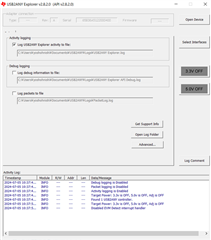
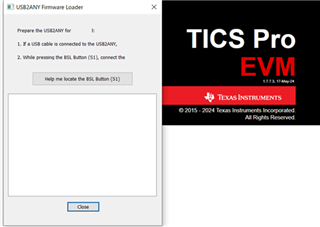
My customer has trouble in starting TICS Pro. Log image is attached.
Also, USB2ANY Explorer has error too.

How to resolve this situation?

-LED of USB2ANY is turning on.

-When USB2ANY S1 button and Close button are pushed, error isn't be removed.
 

Best regards,

Goto

  • Hi Goto-san,

    When TICS Pro ask you to update the firmware, follow the on-screen instruction to complete firmware upgrade. We need to (1) unplug the usb cable (2)press and hold the BSL button (3)insert the usb cable (4)release the BSL button

    Please note, TICS Pro and USB Explorer may require different firmware.