LMK05028: TICS Pro - load register map

Part Number: LMK05028


Hi team, 

I am working with the TICS pro and the LMK05028 with the following 2 register maps: Fs_40G_LMK05028.txt Fs_42G_LMK05028.txt 

when im loading the register map i dont see any change on the first page: 
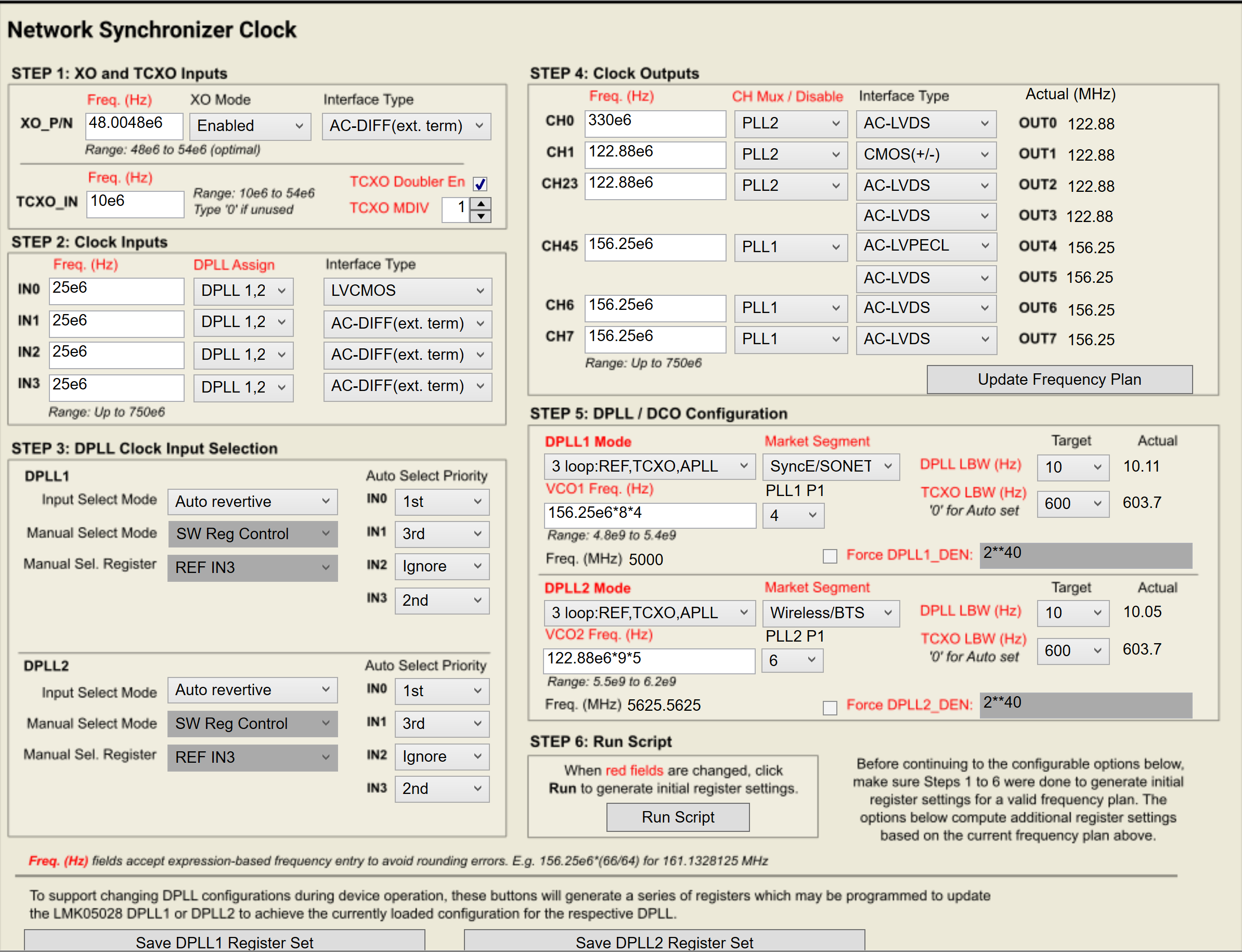
image.png


saying that, i so see in the prompt that the regusters has been written according to the file, 

is there an easy way to see the device configuration similar to the start page? why isnt it updating when loading diffrent register maps? 

basiclly we want to make a small change but making sure all the other registers stay untouched but it is hard to understand the device behivoer with out the first page updating. 


thanks! 

  • Hello, 

    TICS Pro has a few different controls which only exist in the GUI and not in the register map. For example, the clock input frequencies don't directly relate to any specific device registers, but they are used for some calculations and displays within the GUI. You can tell if a field in the GUI is register-backed by hovering over it with your mouse and checking the context menu in the left corner of the screen. A register-backed control will include the register number, start/stop bit, and length. A "flex" element that is not linked to any device registers will only display it's name. See example below:

    What this means is that when you import the hex register values, only the register-backed controls in the GUI will update. Any flex elements will hold the same value unless they're manually overwritten. If you want all elements of the GUI to update, I would recommend saving/loading the .tcs configuration file instead of the hex register values. Let me know if this helps. 

    Regards, 

    Connor 

  • lets say im updating the GUI with the HEX register map, 

    dose it means that afterwards if i export it as TCS file it will be updated with the right values? do i need an actual EVM for that? 

  • Hi,

    If you export a .tcs file, then all of the "flex" controls will also be exported with the correct values. You don't usually need to be connected to an EVM to make changes in the TICS Pro GUI.