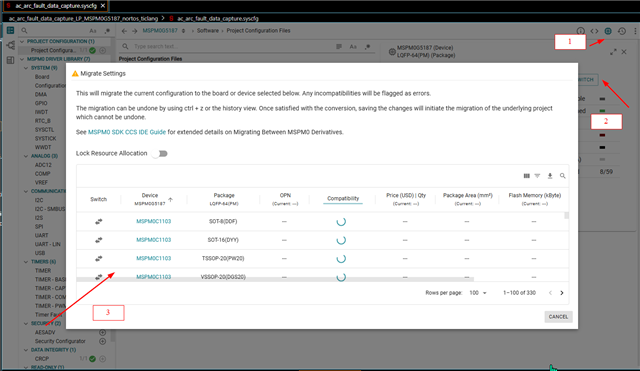
Part Number: MSPM0G5187
Other Parts Discussed in Thread: MSPM0G5117, SYSCONFIG, ,
I am using the MSPM0G5117, which is not listed in the forum, so I selected a closely related MCU part number.
My MSPM0G5117 variant (with Tiny USB) does not support SysConfig. Because of this, most configuration changes have to be done manually in the config.c and config.h files.
I need to change the MCU clock frequency (operating frequency) from 32 MHz to 80 MHz, since the MSPM0G5117 supports up to 80 MHz and I want to utilize its full capacity.
Could you please share the correct procedure to achieve this?
Additional Method Tried:
As suggested by the local TI team:
- I used an example project from the SDK (without Tiny USB) that supports the SysConfig UI
- Modified the clock tree settings there
- Copied the generated changes from
config.candconfig.h - Replaced the existing clock configuration in my project
Replaced Clock Configuration Code:
static const DL_SYSCTL_SYSPLLConfig gSYSPLLConfig =
{
    .inputFreq              = DL_SYSCTL_SYSPLL_INPUT_FREQ_32_48_MHZ,
    .rDivClk2x              = 1,
    .rDivClk1               = 0,
    .rDivClk0               = 0,
    .enableCLK2x            = DL_SYSCTL_SYSPLL_CLK2X_DISABLE,
    .enableCLK1             = DL_SYSCTL_SYSPLL_CLK1_DISABLE,
    .enableCLK0             = DL_SYSCTL_SYSPLL_CLK0_ENABLE,
    .sysPLLMCLK             = DL_SYSCTL_SYSPLL_MCLK_CLK0,
    .sysPLLRef              = DL_SYSCTL_SYSPLL_REF_SYSOSC,
    .qDiv                   = 4,
    .pDiv                   = DL_SYSCTL_SYSPLL_PDIV_1
};

SYSCONFIG_WEAK void SYSCFG_DL_SYSCTL_init(void)
{
    // Low Power Mode is configured to be SLEEP0
    DL_SYSCTL_setBORThreshold(DL_SYSCTL_BOR_THRESHOLD_LEVEL_0);
    DL_SYSCTL_setFlashWaitState(DL_SYSCTL_FLASH_WAIT_STATE_2);

    DL_SYSCTL_setSYSOSCFreq(DL_SYSCTL_SYSOSC_FREQ_BASE);

    /* Set default configuration */
    DL_SYSCTL_disableHFXT();
    DL_SYSCTL_disableSYSPLL();

    DL_SYSCTL_configSYSPLL((DL_SYSCTL_SYSPLLConfig *) &gSYSPLLConfig);

    while (SYSCFG_DL_SYSCTL_SYSPLL_init() == false)
    {
        /* Retry SYSPLL locking */
        DL_SYSCTL_disableSYSPLL();
        DL_SYSCTL_enableSYSPLL();

        /* Wait until SYSPLL stabilizes */
        while ((DL_SYSCTL_getClockStatus() & SYSCTL_CLKSTATUS_SYSPLLGOOD_MASK)
                != DL_SYSCTL_CLK_STATUS_SYSPLL_GOOD) {}
    }

    DL_SYSCTL_setULPCLKDivider(DL_SYSCTL_ULPCLK_DIV_2);
    DL_SYSCTL_setMCLKSource(SYSOSC, HSCLK, DL_SYSCTL_HSCLK_SOURCE_SYSPLL);
}
Issue:
After replacing the clock configuration with the above code, the build fails with the following error:
gmake: Target 'all' not remade because of errors.