


Part Number: LMX2820
When using the LMX2820, we first configure it to operate in the fast VCO calibration mode(FCAL) with No Assist. After normal initialization, the chip outputs a 5.65 GHz signal, and the LD (Lock Detect) pin goes high, indicating a normal lock.
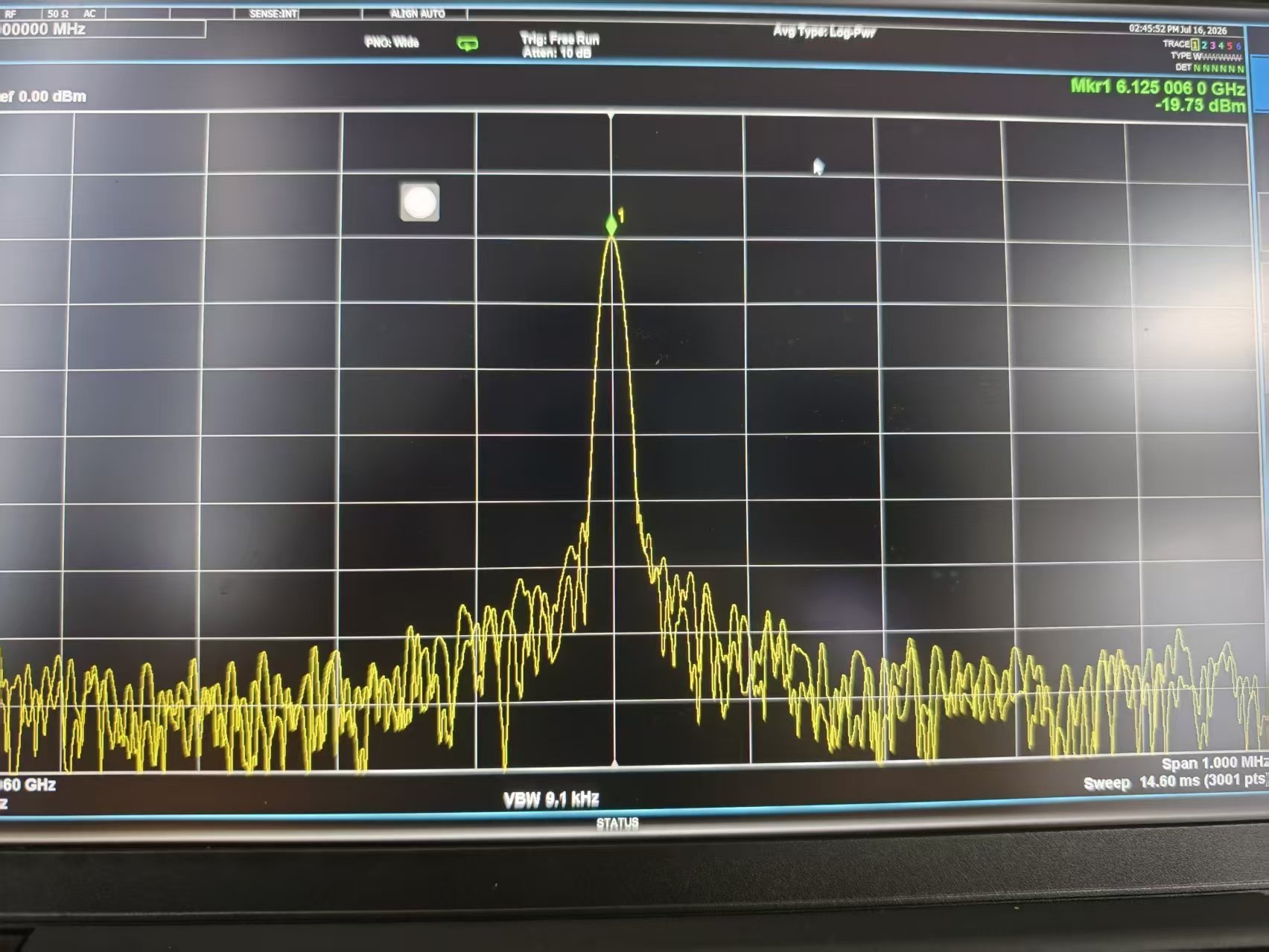
Next, we send SPI commands via the FPGA to reconfigure the LMX2820 to output 6125 MHz signal. The LMX2820 successfully outputs this frequency, and the LD signal remains high. Please see the attached spectrum analyzer screenshot for the test results.
Following this, we want to configure the LMX2820 to operate in the full assist calibration mode. To achieve this, we read back the values of the three control registers (VCO_SEL, VCO_DACISET, and VCO_CAPCTRL) via the SPI bus. We then set these three registers to FORCE mode and write the read-back values back to the chip via SPI.
The read-back registers are as below:
R74: 0x8665
R75: 0xC3
The forced registers are as below:
R0: 0x6420
R10: 0x880
R23: 0x1103
R20: 0x26C3
R22: 0x2233
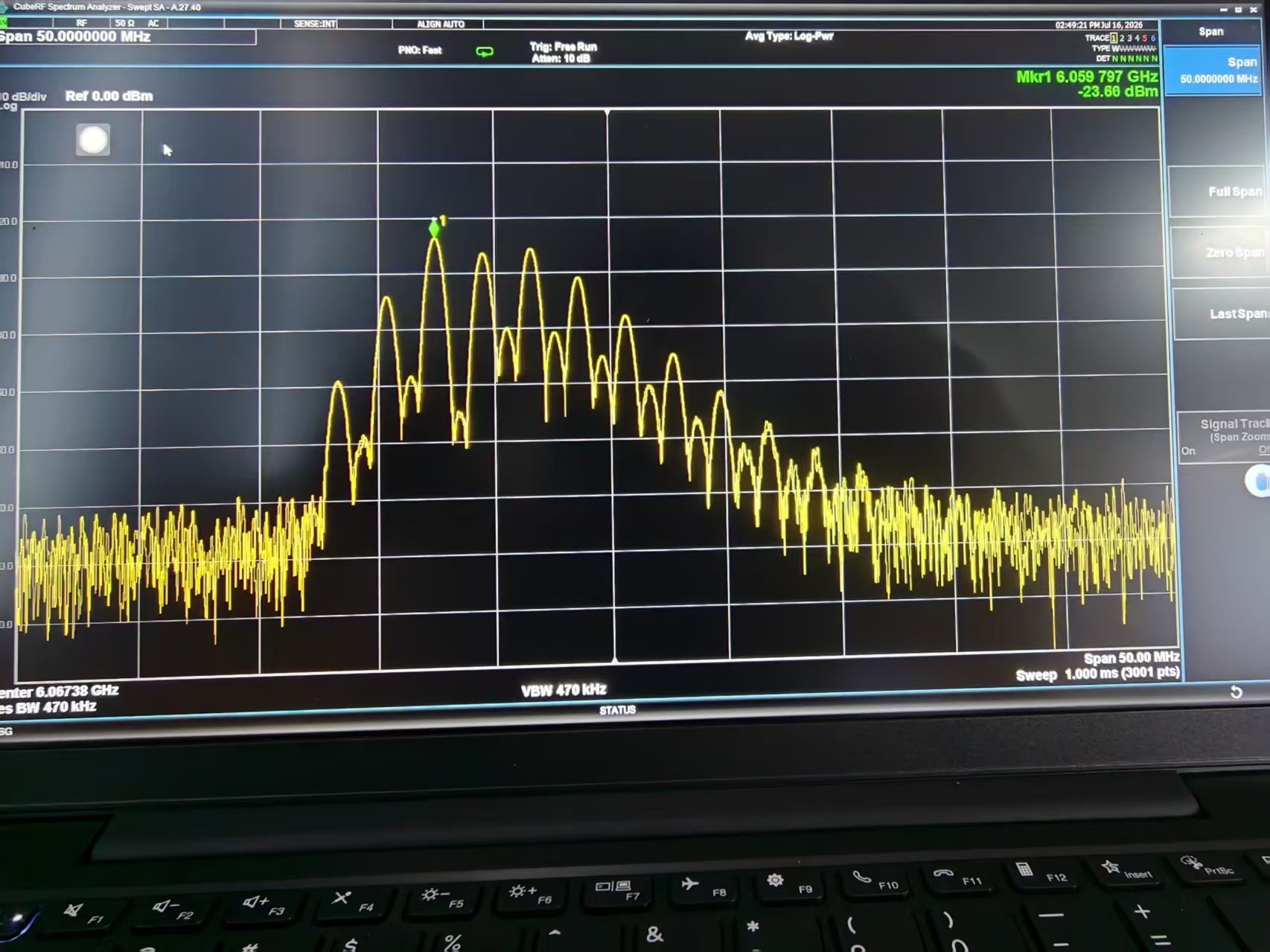
At this point, the LD (Lock Detect) signal of the LMX2820 remains low, indicating an unlocked state. Furthermore, the output frequency of the LMX2820 is not the expected normal 6125 MHz. Please refer to the spectrum analyzer screenshot below for the test results under this condition.
What could be causing this unlock issue? Alternatively, could you please provide the correct procedure for using full assist calibration? Thank you!
