This thread has been locked.

If you have a related question, please click the "Ask a related question" button in the top right corner. The newly created question will be automatically linked to this question.

LMK03318: How to generate EEPROM file that can be offline programmed

Part Number: LMK03318
Other Parts Discussed in Thread: CDCE6214

Our product uses the LMK03318 and CDCE6214. I would like to know how to generate an EEPROM file for offline programming.

For the CDCE6214, do I need to first write the register settings into the EEPROM and then read them back to generate the EEPROM image? If not, what is the recommended procedure?
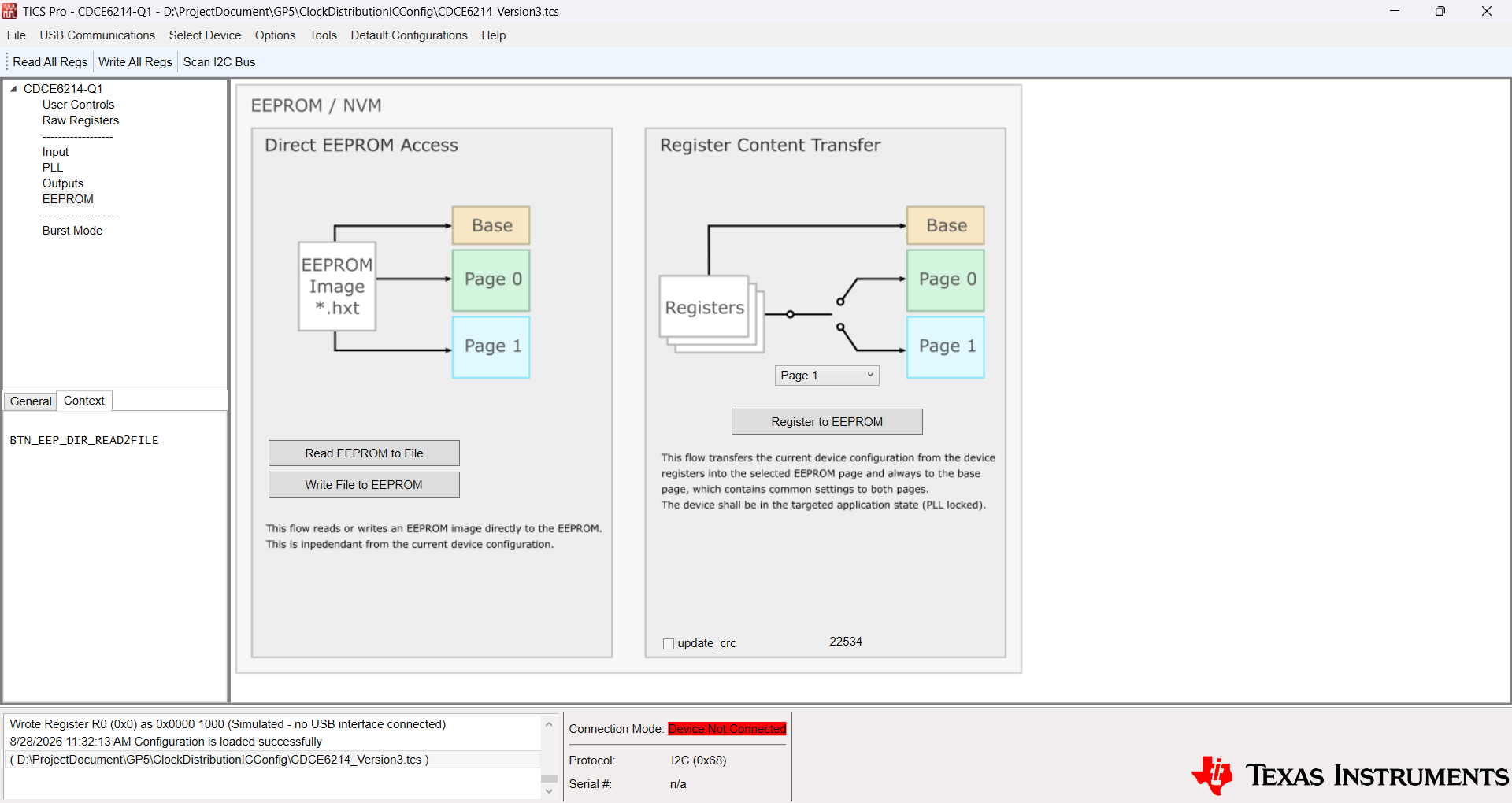
image.png

For the LMK03318, do I need to click "Commit Registers to GUI Map" first and then click "Export GUI Map to EEPROM File" to generate the EEPROM file?
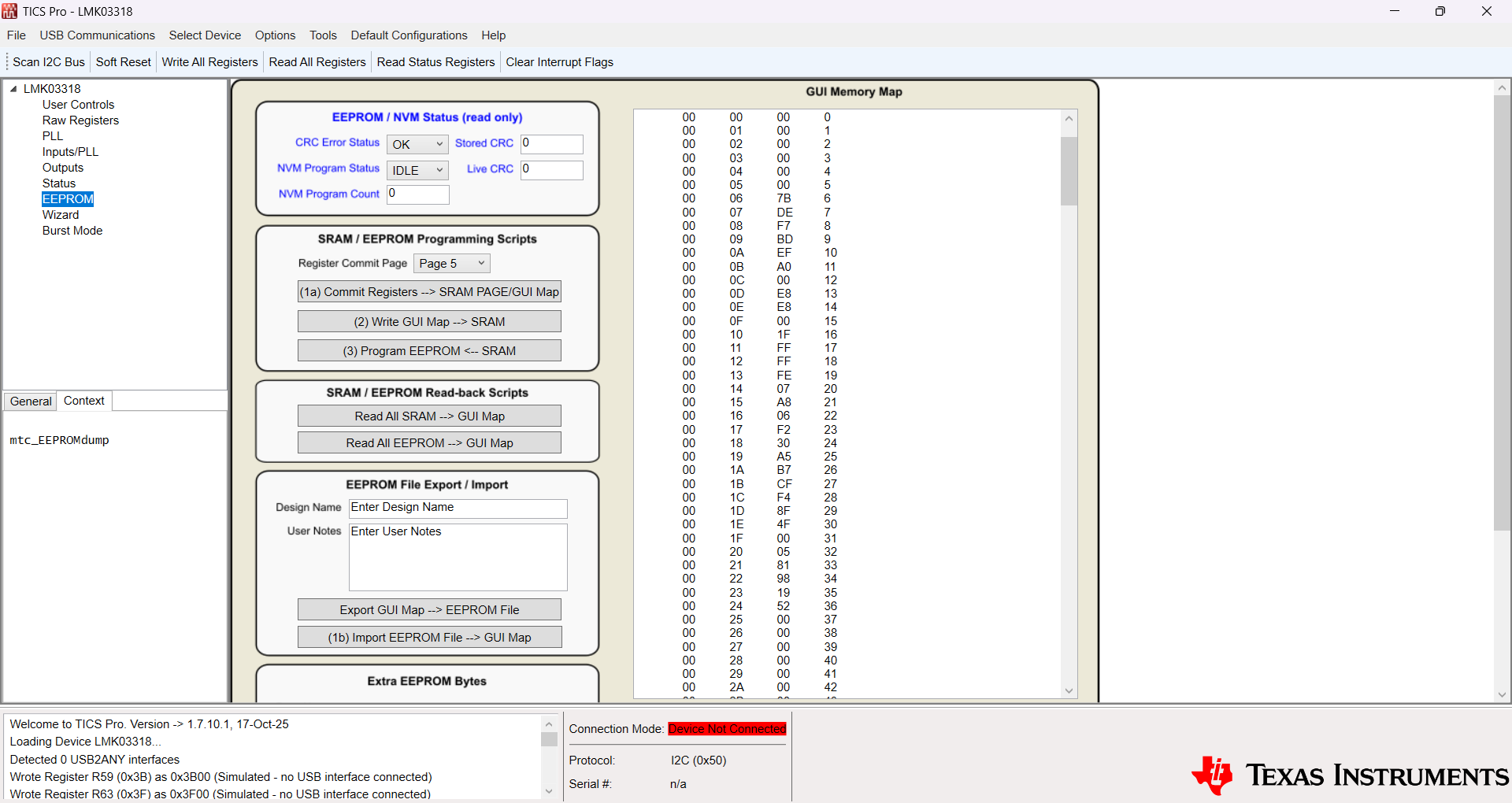
image.png


  • Hi Tianshu,

    For the CDCE6214, your understanding is correct. After unlocking the EEPROM (setting EE_LOCK to 5h) and configuring the device registers in the GUI, you can select "Register to EEPROM" to write the registers to a specific EEPROM page. After doing this, selecting "Read EEPROM to File" will generate a .hxt EEPROM image that you can use for future programming. 

    For the LMK03318, your understanding is correct as well. "(1a) Commit Registers --> SRAM PAGE/GUI Map" commits the registers you've set in the GUI to the memory map to a specific EEPROM page, and "Export GUI Map --> EEPROM File" exports the entire map to a .epr file for future programming.

    Best,
    Jaryd

  • Hi Dukes,

    Thank you very much for your help!

    Best regards,

    Guo Tianshu