This thread has been locked.

If you have a related question, please click the "Ask a related question" button in the top right corner. The newly created question will be automatically linked to this question.

DP83TG720S-Q1: A practical understanding of maximum cable length

Part Number: DP83TG720S-Q1

Hi there,

I have developed a board that uses the DP83TG720S-Q1 with the DP83822IRHBR to create a 1000BASE-T to 1000BASE-T1 bridge. So far I've been able to successfully configure the registers and get a link up when using a cable of around 0.5 meters between two of these custom boards.

However I can't seem to achieve a 1000BASE-T1 link with cables over 2 meters.

So I wanted to ask, what kind of maximum distance can we expect on the 1000BASE-T1 side. I do realise there are many variables here, including the CMC, drive swing, connector and the cable, but I just wonder if there is some rough guideline of what the maximum distance we can expect is? 

I know the 1000BASE-T1 specification states a max length of 40 meters, but it seems my boards fall well short of that.

Thanks,

Josh

  • Hi Josh,

    The IEEE standard, specifies that 15M as the cable reach for normal automotive application, you should get this cable reach, with the 720. We can further extend the cable reach if required.  

    To debug your problem, can you please share your schematic, and confirm that you are using the software configuration as in the following document. 

    https://www.ti.com/lit/an/snla371a/snla371a.pdf?ts=1645211471774&ref_url=https%253A%252F%252Fwww.ti.com%252Fproduct%252FDP83TG720S-Q1

    I am wondering why you are using the DP83822 as this 100 Mbps, not a GbE. 

    Best, 

    Alon

  • Hi Alan,

    My apologies, I meant the DP83867 (the 1000BASE-T PHY), that's what we're using in this design.

    I will check that doc and get back to you shortly, I'm pretty sure we are but I should re-upload to check.

  • Hi Alan,

    Thanks for your patience, I have rerun some tests and can now provide you with some more definitive information. Before I do, you should know that I was able to achieve a link with a cable of around 22 meters. So now my question is more "how far can we go? Can we reach 40m?"

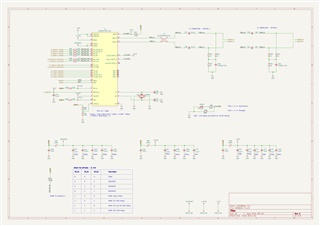
    Schematic

    In general the schematic follows the design guidelines. The only exotic thing is that we have SPE connectors, one is a Molex PicoBlade and the other is a Harting T1 connector (Presumably this causes a small stub on the signal)

    /resized-image/__size/320x240/__key/communityserver-discussions-components-files/138/Spe.jpg

    Software configuration

    I can confirm we are using the configuration detailed in that document, we write to all the same registers as in table 3-1 for the master, and table 3-2 for the slave. I also add another register write to set the RGMII timing, but this should not have any effect on the SPE connection.

    Cabling tests

    I run a number of tests using a single pair of 24AWG wires, stripped out from a CAT6 ethernet cable. The cable was in lengths of 5.5 meters, so I manually made up longer lengths by soldering 5.5m lengths together.

    I connected this to the Molex Picoblade connectors on the board. I was able to get up to 22 meters before the link went down. Below is an image of the link pulse at the other side of the 22m (only one board)


    When trying with a 44 meter cable, I saw the link below.

    Attempts to increase drive strength

    I noticed register 405h (A2D_REG_05) in the datasheet which appears to control drive strength. I wrote this to its maximum value of 1200, and I saw the driver swing increase by about 0.7V. I thought this would increase the maximum length but it still did not work at 44m. Oddly enough, using the increased drive setting, the 22 meter cable was no longer able to get a link. I changed this register back to the default and it was fine at 22 meters.

    So I would like to ask, what other tools can I try to get 44 meters working? Are there any other registers I can write to? Do you think I am now limited by the cable I am using (manually spliced?). I would be interested to know, in your experience, what is practically achievable with this setup.

    Thank you for all your help.

  • Reuploading the schematic because the link does not seem to be high resolution.

  • Hi Alon, did you have time to have a look at this?

  • Hi Josh, 

    I am glad you were able to achieve 22m link on 1000Base-T, I have asked the team to share more tips with me, and hopefully I will have some tips to share tomorrow. 

    Thank you for the patience, and good job getting 22m. 

    Best,

    Alon 

  • Thanks Alon, looking forward to seeing what tips they come up with

  • Hi Josh,

    I spoke with the team, there are many variables at play here, changing one register could have negative effects in an unpredictable place. 

    There is no one specific setting the team mentioned to boost cable reach, however they did mention you will likely be able to get further reach using a shielded cable pair as opposed to unshielded. 

    Given you mentioned you are running spliced wires, that would be the first item I would replace in order to test and see if you gain cable reach. 

    Hope this helped, let me know if you manage to gain more reach. 

    Best,

    Alon.

  • Well, that's kinda helpful but not really.

    I guess you're telling me what I already know; better cables means longer length. I had hoped for some insight into the registers and how these all work but I guess that's not forthcoming?

    Does TI plan to create an application note or is this not going to happen?

  • Hi Josh,

    I apologize we don't have better tips here, I will bring this up with the team once more. 

    As far as app-note for this specific topic, I believe there won't be anything coming out as we typically focus only on topics which match the datasheet specification. 

    Best, 

    Alon.

  • Hi Josh,

    I brought the topic up with the team, and they highlighted that a good shielded cable should give you better results. 

    Best,

    Alon

  • Ok, I'll give it a go and share results here, thanks.