TPS25751: OTG mode OCP and OVP setting

Part Number: TPS25751
Other Parts Discussed in Thread: BQ25731,

Hi Team,

Could you please kindly help with the question below?

When the dock is powered by a 20 V / 4.75 A adapter and operated in OTG mode, what is the Power‑Delivery (PD) over‑current‑protection (OCP) current when a standard USB‑C cable (rated for 3 A) is connected?

Thanks.

Best Regards,
William Lai

  • HI William,

    Register 0x29 will configure the Type C current advertisement.

    What is controlling the OTG mode? Will the Source PDO's be limited to 5V? 

    Can you please provide the config .json? 

  • Hi Jason: 

    Please see attached of my .jason file setting. 

  • Hi Jason: 

    Thanks for your help. 

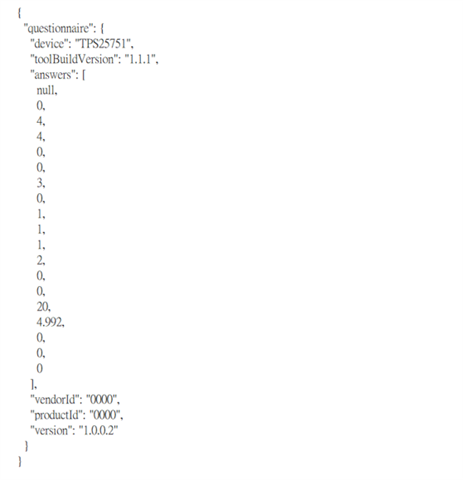
    Attached is our PD config setting .json file. 

  • {
      "questionnaire": {
        "device": "TPS25751",
        "toolBuildVersion": "1.1.1",
        "answers": [
          null,
          0,
          4,
          4,
          0,
          0,
          3,
          0,
          1,
          1,
          1,
          2,
          0,
          0,
          20,
          4.992,
          0,
          0,
          0
        ],
        "vendorId": "0000",
        "productId": "0000",
        "version": "1.0.0.2"
      }
    }

  • My application is BQ25731+ TPS25751. A 20V/5A adaptor is connectes on Charger BQ25731 battery as OTG mode power sourve. Could you help me to check the current limit value at PD controller TPS25751 output. 

  • Hi Eve,

    Oh ok understood.

    For the TPS25751 output the config file is set to allow 100W PD contracts for both source (output) and sink (input)

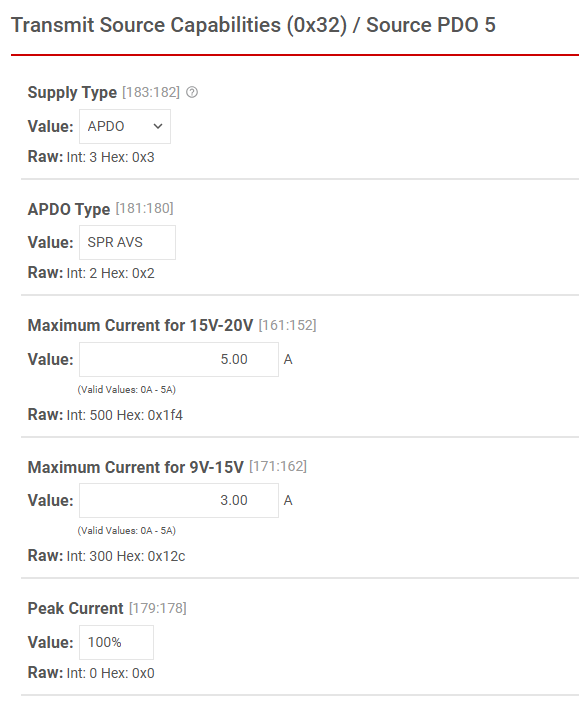
    This is for any USB PD devices that are connected, since "Advanced Configuration" was not enabled the config GUI assigns default values for the Source and Sink PDOs.

    Source (Output):

    5V 3.0A

    9V 3.0A

    15V 3.0A

    20V 5.0A

    APDO - SPR AVS (standard power range adjustable voltage supply) this mode allows another device to negotiate a variable voltage from 3.3-21V

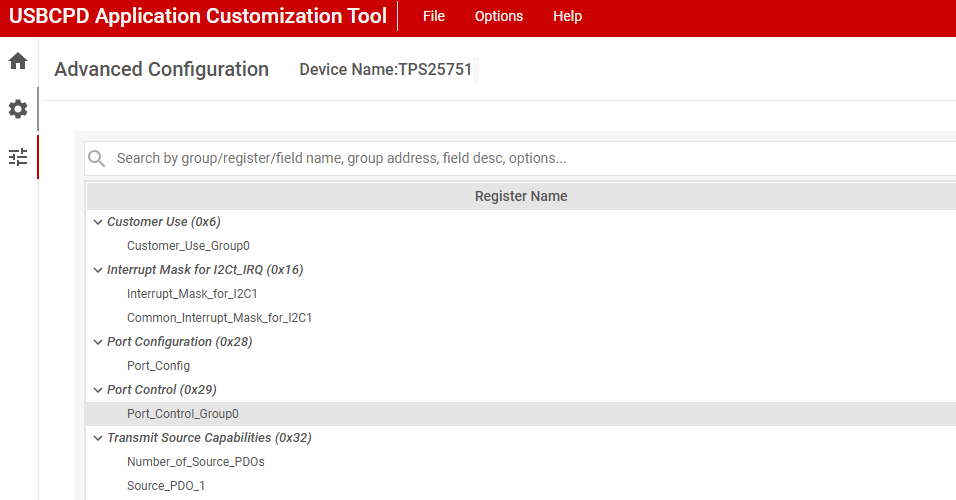
    To enable "Advanced Configuration" you can click the slider near the top of the GUI, and access the advance config via the 3 slider icon on the left.

    For non-PD contracts register 0x29 controls the output current limit. However with a few considerations.

  • I have another question need your help. Because our customer require the max. output current should limit < 110% reted current. We use non E-mark cable, and the max. USB PD output current should be 3A. May I set-up the output over current protection (OCP) =110% (3.3A) at OTG mode. Our application is  use a 20V/5A adaptor to instead battery as power source and work at OTG mode.  Attach is out schematic for your reference. 

    AttachApollo docking_260529.pdf 

  • Hi Eve,

    Thank you for including the schematic!

    To check my understanding the system requirements for power delivery is to supply the maximum current of the PDO. So for a non-emarked cable the TPS25751 must supply the full 3A, and for an e-marked cable the full 5A?

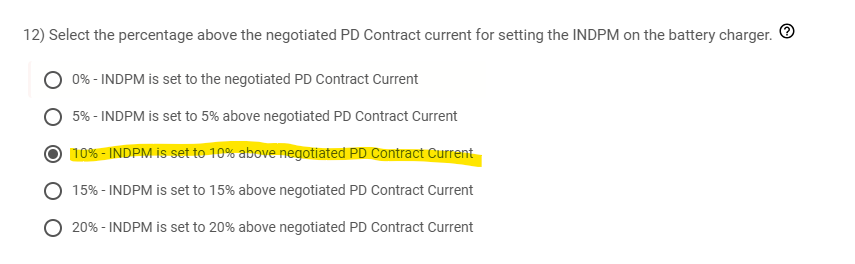
    For this I believe the best method is to change question #12 in the questionnaire to set INDPM 10% above negotiated contract.

    By selecting this value TPS25751 will configure BQ25731 current limit to 10% above the negotiated PD contract.