Part Number: AM2434
Other Parts Discussed in Thread: SYSCONFIG
Hello,
We have chosen AM2434_ALV chip and now have a custom eval-board, which uses a 2Gb LPDDR4 from winbond (www.mouser.de/.../W66BP6NB_W66CP2NQ_WFBGA200_datasheet_A01_001_20200-2909736.pdf)
As far as we understand, there are two options initializing DDR:
1) initializing DDR via CCS Scripts, for this I need to generate a custom GEL file
2) adding a DDR instance in the *.syscfg of a CCS project and specifying the path to the generated *_Reginit.h, building and executing this firmware application
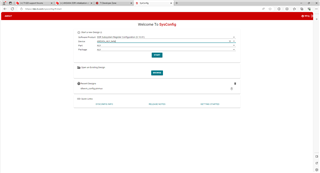
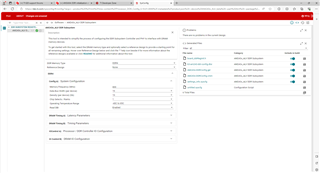
For generating both, the GEL file and *_Reginit.h we used the DDR Subsystem Register Configuration (0.10.01) tool from here (https://dev.ti.com/sysconfig) and set the settings as far as we knew.
/**
 * These arguments were used when this file was generated. They will be automatically applied on subsequent loads
 * via the GUI or CLI. Run CLI with '--help' for additional information on how to override these arguments.
 * @cliArgs --device "AM243x_ALV_beta" --package "ALV" --part "ALV" --product "Processor_DDR_Config@0.10.01"
 * @versions {"tool":"1.19.0+3426"}
 */

/**
 * Import the modules used in this configuration.
 */
const DDRSS = scripting.addModule("/DDRSS");

/**
 * Write custom configuration values to the imported modules.
 */
DDRSS.system_cfg_dram_type                = "LPDDR4";
DDRSS.lpddr4.$name                        = "sitara_lpddr4_DDRSS_LPDDR40";
DDRSS.lpddr4.system_cfg_dram_density      = 2;
DDRSS.lpddr4.config_dram_mr2_wl_FS2       = 4;
DDRSS.lpddr4.config_dram_mr11_dq_odt_FS1  = "Disable";
DDRSS.lpddr4.config_dram_mr11_dq_odt_FS2  = "Disable";
DDRSS.lpddr4.config_dram_mr11_ca_odt_FS1  = "Disable";
DDRSS.lpddr4.config_dram_mr11_ca_odt_FS2  = "Disable";
DDRSS.lpddr4.config_dram_mr1_nWR_FS2      = 6;
DDRSS.lpddr4.config_dram_mr22_odte_cs_FS0 = "Disable";
DDRSS.lpddr4.config_dram_mr22_odte_cs_FS1 = "Disable";
DDRSS.lpddr4.config_dram_mr22_odte_cs_FS2 = "Disable";
When executing the GEL script we are stuck at
MAIN_Cortex_R5_0_0: GEL Output: Polling PI DONE bit... in AM24_DDR_Initialization_ECC_Disabled(), when using option 2) DDR_Init() is added to generated drivers, however after execution we still cannot load a program to DDR, trying leads to the following error message:MAIN_Cortex_R5_0_0: GEL Output: CPU reset (soft reset) has been issued through GEL. MAIN_Cortex_R5_0_0: Trouble Writing Memory Block at 0x80000000 on Page 0 of Length 0x7ff0: (Error -1065 @ 0x80001000) Unable to access device memory. Verify that the memory address is in valid memory. If error persists, confirm configuration, power-cycle board, and/or try more reliable JTAG settings (e.g. lower TCLK). (Emulation package 9.12.0.00150) MAIN_Cortex_R5_0_0: File Loader: Verification failed: Target failed to write 0x80000000 MAIN_Cortex_R5_0_0: GEL: File: C:\Users\username\workspace_v12\hello_world_ddrINIT_am243x-evm_r5fss0-0_nortos_ti-arm-clang\Debug\hello_world_ddrINIT_am243x-evm_r5fss0-0_nortos_ti-arm-clang.out: Load failed.
Tested with
CCS 12.4.0
MCU+ SDK 09.00.00.35
BTW for including a cutom GEL file I put it into C:\ti\ccs1240\ccs\ccs_base\emulation\gel\AM24x\AM24_DDRSS and modified AM24x_GP_EVM.gel to load our custom GEL-script
// GEL_LoadGel("$(GEL_file_dir)/AM24x-DDR4-1600MTs.gel"); GEL_LoadGel("$(GEL_file_dir)/CUSTOM-AM243x-DDRConfig.gel");Any hints would be highly appreciated.