This thread has been locked.

If you have a related question, please click the "Ask a related question" button in the top right corner. The newly created question will be automatically linked to this question.

TMDSRM48HDK: U39 chip on board is getting very hot

Part Number: TMDSRM48HDK
Other Parts Discussed in Thread: TMDS570LS31HDK

Hello Team, 


One of our customers purchased TMDSRM48HDK and claim the following,

---------

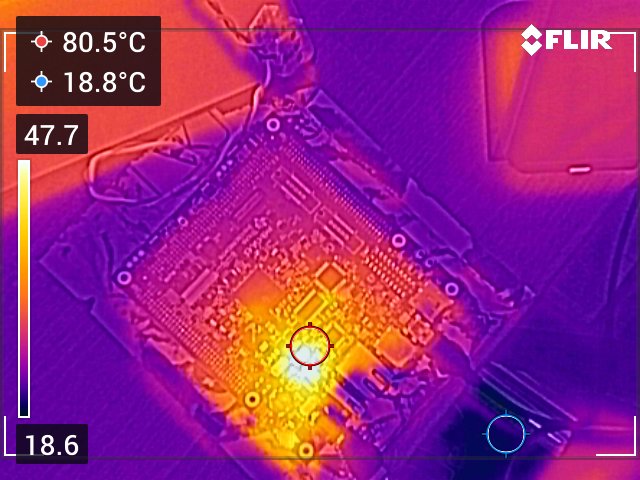
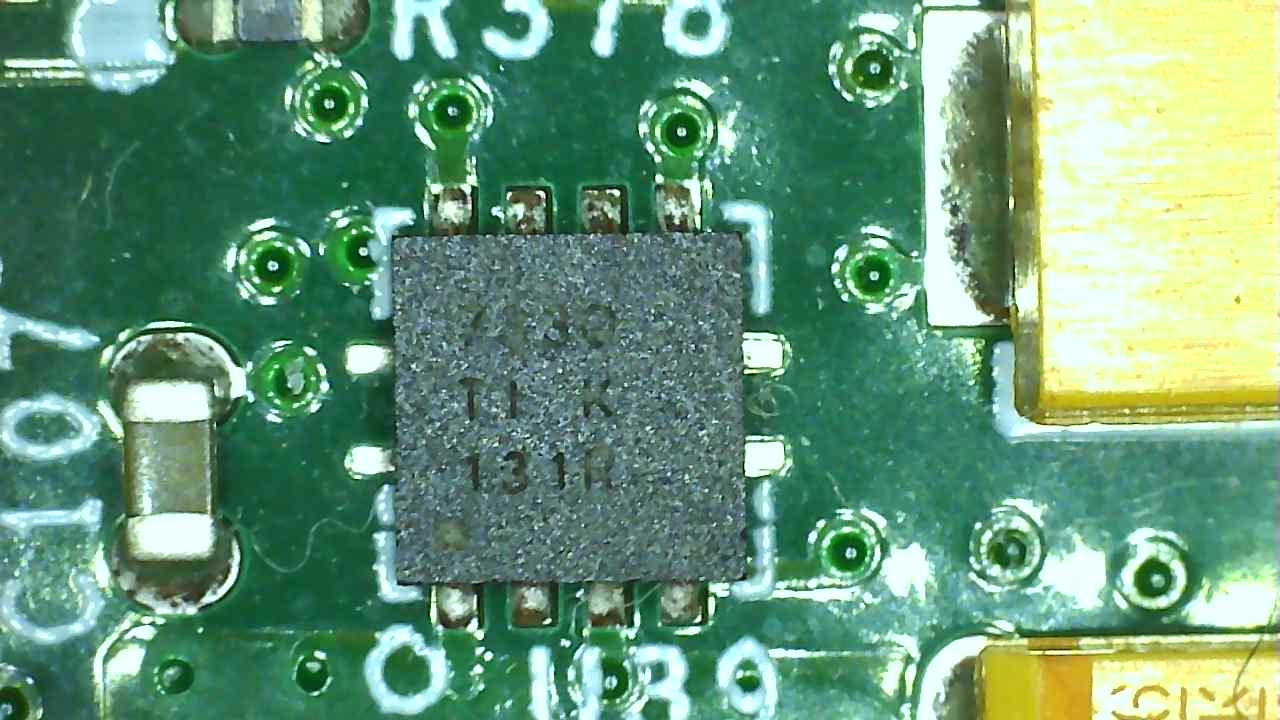
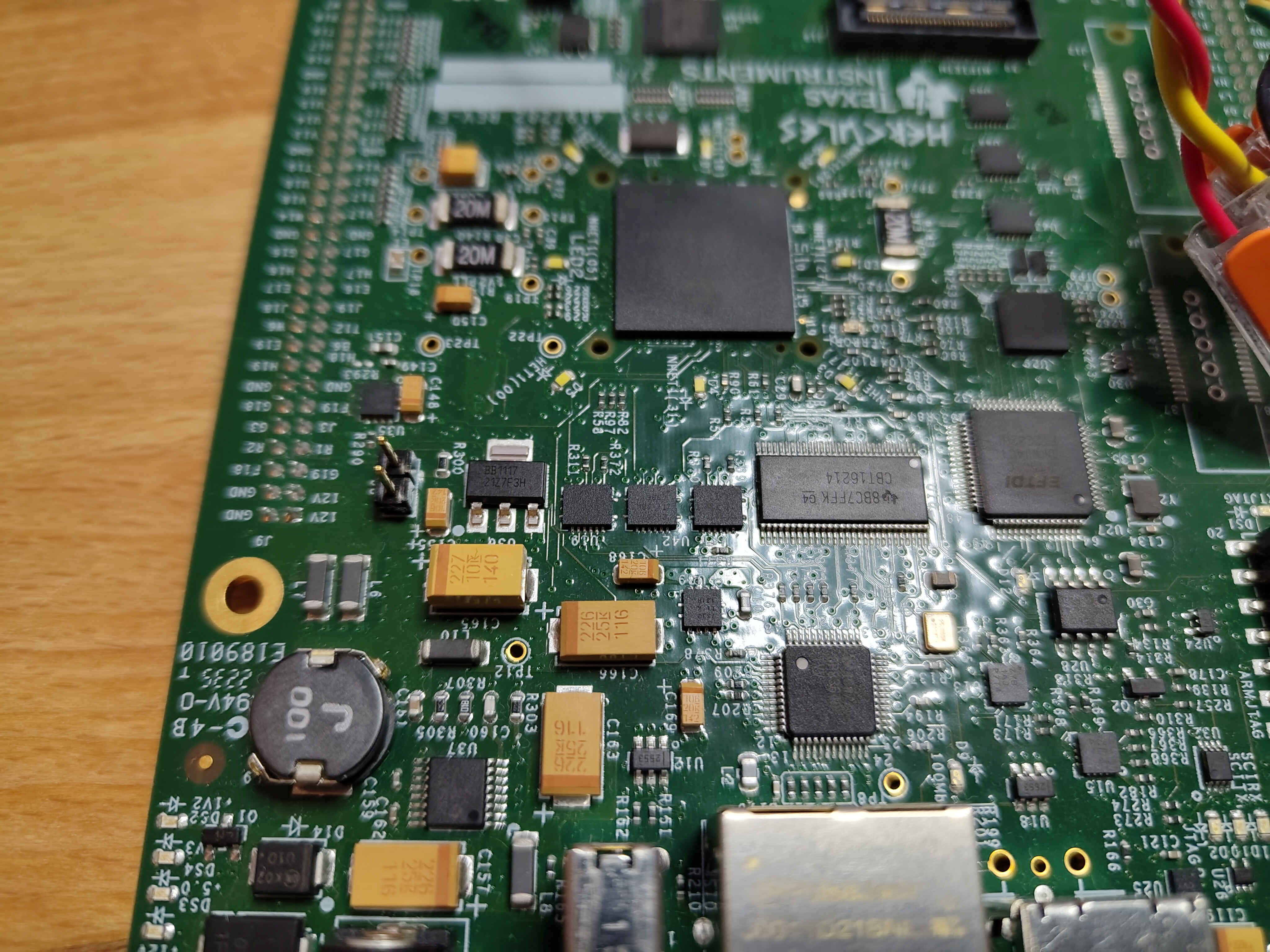
Unfortunately, the following issue arose. The on-board USB debugger is accessible but cannot connect to the RM48. A component labeled "U39" on the board is getting very hot. The LEDs around the RM48 are all off. We suspect that the U39 chip is a voltage regulator for the RM48's power supply and that this supply is no longer functioning. Hercules_Problem_3.jpg
Hercules_Problem_2.jpg


Hercules_Problem_1.jpg

------------


Could you please advise regarding this issue?


Thank you.

Usman

538225


  • Hi Usman,

    Your customer's diagnosis is correct. U39 is the TPS73733QDRBRQ1, a 3.3V LDO voltage regulator that supplies power to the RM48 MCU [1][2]. The symptoms described — U39 running very hot, LEDs off around the RM48, and inability to connect via the debugger — all point to a failed or overloaded 3.3V power rail.

    What's Happening

    This is a known failure pattern on TI Hercules HDK boards. An identical issue was documented on the TMDS570LS31HDK, where U39 (same part, TPS73733QDRBRQ1) failed, causing the 3.3V LED to turn off and voltage measurements to read far below spec (e.g., 1.08V instead of 3.3V) [2]. Without a functioning 3.3V rail, the RM48 cannot power up, which explains why the debugger can see the USB interface but cannot reach the MCU.

    Likely Root Cause

    The TPS73733 may have failed due to:

    • A short circuit on the 3.3V rail (damaged MCU or peripheral drawing excessive current, forcing the regulator into thermal overload)
    • Reverse current damage if the board experienced an improper power-down sequence [3]
    • Thermal pad connection issue — the exposed pad on this device must be soldered to ground; if the connection is compromised, thermal dissipation and internal grounding are both affected [4]

    Recommended Actions

    1. Measure the 3.3V rail at the output of U39 to confirm it's below spec
    2. Check for shorts on the 3.3V net — if the MCU or another component has failed, it may be pulling the rail down and causing U39 to overheat
    3. Replace U39 (TPS73733QDRBRQ1) if the 3.3V rail has no short. The part is available from DigiKey and other distributors [2]
    4. Alternatively, supply external 3.3V to the board's test points to bypass U39 and verify whether the rest of the board functions [2]

    If U39 continues to overheat after replacement, the RM48 MCU itself may have an internal short on its I/O or core supply pins, and the board would likely need full replacement.


    To help refine this recommendation, it would be helpful to know:

    • Whether there was any event (ESD, incorrect power supply, hot-plug) that preceded the failure
    • The actual voltage measured at U39's output pin
    • Whether the board was previously working or failed on first use

    1. LP-XDS110: Debug Programming Error - RM48 power supply discussion
    2. TMDS570LS31HDK: U39 TPS73733QDRBRQ1 failure and replacement
    3. TPS737: Reverse current and EN pin management
    4. TPS737-Q1: Thermal pad must be connected to ground

    Best Regards,

    Zackary Fleenor