This thread has been locked.

If you have a related question, please click the "Ask a related question" button in the top right corner. The newly created question will be automatically linked to this question.

MSP432P401R: REBOOT RESET Command is not working in the BSL scripter

Part Number: MSP432P401R


Hi,

I have flashed MSP432P401R chip using BSL scripter through UART.. But the problem is the command "REBOOT RESET" inside the script attached below is not resetting the device..

Doing manual reset is working and it enters the application program.

Any help is appreciated..

//
//Script example MSP432 UART BSL
//Device : MSP432P401R
//Comm Bridge: XDS110 - MSP432LP BackChannelUART 
//   for this setting, the parity need to be
//   set from Scripter side
//   When MSP-BSL Rocket is used, parity will be
//   generated by the Rocket
//
//Download blink application to
//MSP432 device through UART BSL
//
LOG
MODE P4xx UART 9600 COM25 PARITY
RX_PASSWORD_32 .\pass256_wrong.txt
RX_PASSWORD_32 .\pass256_default.txt
MASS_ERASE
RX_DATA_BLOCK_32 Blink_LED.txt
//RX_DATA_BLOCK_32 Blink_LED.hex
TX_BSL_VERSION_32
TX_DATA_BLOCK_32 0x0000 0x4000 ReadBlock_MSP432P401R.txt
//TX_DATA_BLOCK_32 0x0000 0x4000 ReadBlock_MSP432P401R.hex
REBOOT_RESET

  • This is not as expected. The file you have included is directly from the BSL example. Are you also using the example blink_LED.txt file?

    Regards,
    Chris

    Update;  I have gone through the bsl example and it works as expected, rebooting the system and running the downloaded application code.

    MSP-EXP432P401R Rev. 2.0, device was erase with factory reset before performing script

    BSL Scripter version 3.4.0 Release date: 04/26/2018

  • Hi Chris,

    I'm not using Blink_Led.txt. My code is much larger than this and it takes approximately 1-2 min to download the code..I'm also getting the last print too. i.e. REBOOT RESET. But it is not resetting the device.

    Once i do manual reset it works fine. Even If the REBOOT RESET didnt work, the code will be downloaded to MSP right?..

  • What is a manual reset?  Are you cycling power or using the /RST line?  The REBOOT RESET command simply calls the following in the BSL.

    void BSL432_API_rebootReset()
    {
    #if defined (__MSP432P401R__) || defined (__MSP432P401M__)
        MAP_SysCtl_rebootDevice();
    #elif defined (__MSP432P4111__) || defined (__MSP432P411V__) || defined (__MSP432P411Y__)
        MAP_SysCtl_A_rebootDevice();
    #else
    #error Device not defined.
    #endif
    }
    void SysCtl_rebootDevice(void)
    {
        SYSCTL->REBOOT_CTL = (SYSCTL_REBOOT_CTL_REBOOT | SYSCTL_REBOOT_KEY);
    }

    You are correct.  The code is downloaded, it appears that the device is not starting correctly from the reset vector.  Do you have any special features configured in the JTAG mailbox?  Can you repeat your testing with the simple blink LED test program to see if it behaves the same?

    Regards,

    Chris

  • Hi Vishnu,

    could you give more details about BSL Scripter version and chop version you are using?

    let me validate on my side with your setup.

  • Hi Chris / Fatmavathi,

    BSL version is 3.4.0 . When used LED_BLINK.TXT, reset works in launchpad. Unfortunately on our board MSP432 is doing some specific power monitoring functions, we cant able to test this.

    When we use our code  reset is not working..

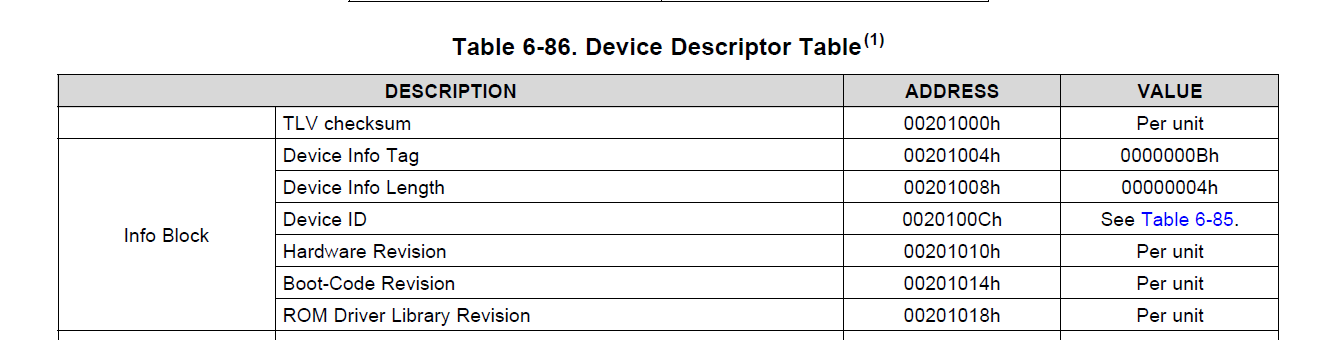
  • What is the revision of the silicon (B,C,D?) and BSL that resides in information memory?  

    Regards,

    Chris

  • Vishnu,
    I can no longer support this thread. Please ask a related question - 'Ask a related question' button. If you have further inquiry.

    Regards,
    Chris

**Attention** This is a public forum