This thread has been locked.

If you have a related question, please click the "Ask a related question" button in the top right corner. The newly created question will be automatically linked to this question.

PROCESSOR-SDK-AM64X: Problems with setting up ENET_SWITCH example

Part Number: PROCESSOR-SDK-AM64X
Other Parts Discussed in Thread: SK-AM64B, SYSCONFIG, DP83869

Hi,

we are trying to setup the Enet Layer 2 CPSW SWITCH Example with the SK-AM64B Evaluation Board.
Empty project can be started and debugged. Enet-Example works also very well.

CPSW SWITCH Example can be started but is stuck after Port 1 link up.

Got the the example from MCU SDK C:\ti\mcu_plus_sdk_am64x_08_05_00_24.

Output from UART Terminal:

==========================
 Layer 2 CPSW SWITCH Test
==========================

Init all peripheral clocks
----------------------------------------------
Enabling clocks!

Create RX tasks
----------------------------------------------
cpsw-3g: Create RX task

Open all peripherals
----------------------------------------------
cpsw-3g: Open enet
EnetAppUtils_reduceCoreMacAllocation: Reduced Mac Address Allocation for CoreId:1 From 3 To 2

Init all configs
----------------------------------------------
cpsw-3g: init config
Mdio_open: MDIO Manual_Mode enabled
cpsw-3g: Open port 1
EnetPhy_bindDriver: PHY 0: OUI:080028 Model:23 Ver:01 <-> 'dp83867' : OK
cpsw-3g: Open port 2
PHY 0 is alive
PHY 1 is alive

Attach core id 1 on all peripherals
----------------------------------------------
cpsw-3g: Attach core
cpsw-3g: Open DMA
initQs() txFreePktInfoQ initialized with 16 pkts
cpsw-3g: Waiting for link up...
Cpsw_handleLinkUp: Port 1: Link up: 1-Gbps Full-Duplex
MAC Port 1: link up
cpsw-3g: Port 1 link is up

Sysconfig File is out of the example. It seems like second PHY interface is not configured.

  • Hello ,

    The engineer who works on the Networking side was on leave, and responses were getting delayed.

    Regards,

    S.Anil.

  • Hi Ashwani,

    Thanks for your response.

    I followed the suggested steps but the problem still persists. Port1 and Link1 goes up, but there is no output for Port2 and Link2.

    In the UART Output from above it can be seen, that there is a "EnetPhy_bindDriver" Output after opening port 1, but not after port 2. Maybe its an configuration error for the second PHY?

  • Hi Jonas,

    Will it be possible for you,

    1. To try to reproduce the issue on AM64x-EVM with latest MCUSDK release (8.6) ?

    If not,

    1. To try to reproduce the issue on AM64x-SK with latest MCUSDK release (8.6) ?

    Meanwhile I will try to reproduce the issue on AM64x-SK board with latest MCUSDK release (8.6).

    Are you okay with this ?

    Best Regards

    Ashwani

  • Hi Ashwani,

    thanks a lot for your help. I tried to reproduce the issue with MCUSDK Version 8.6.0.43 but the problem still persists. I followed the steps from the linked thread and also included the project in ccs via resource explorer and started a debug session with the same result.

    If needed, here are the bootloader versions:

    DMSC Firmware Version 8.5.3--v08.05.03 (Chill Capybar
    DMSC Firmware revision 0x8
    DMSC ABI revision 3.1
    

    Unfortunately we dont have a AM64x-EVM at our institute, just the AM64x-SK-B board. Is there a migration needed, since it is a hs-fs device?

    If it makes things easier, we can probaply arrange a call via mail?

    Thanks in Advance

    Jonas

  • Hi Jonas,

    I tried to reproduce the issue with MCUSDK Version 8.6.0.43 but the problem still persists

    Thanks for update.

    Please confirm the setup as below:

    • AM64x-sk board with SDK 8.6 release.
    • example will be used: CPSW switch example "C:\mcu_plus_sdk\examples\networking\enet_layer2_cpsw_switch\am64x-sk"

    If possible, can you please share the picture of your setup to make similar setup on my side ?

    Best Regards

    Ashwani

  • Hi Ashwani,

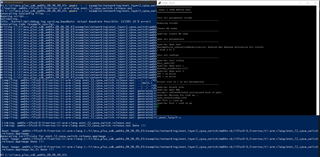
    here is the screenshot you asked for.

    Board is SK-AM64B.

    CCS Version is 12.3.0.00005.

    Syscfg Version is 1.14.0

    CPSW-Port is connected to Ethernet-Adapter of my PC (PHY0).

    Second Port is connected to Ethernet-Adapter of the docking station (PHY1).

    Hope that helps.

    Best regards

    Jonas

  • Thanks Jonas for setup details.

    CPSW-Port is connected to Ethernet-Adapter of my PC (PHY0).

    Second Port is connected to Ethernet-Adapter of the docking station (PHY1).

    It will be easy if you can share picture of these connections in your setup.

    Can you try with CPSW_port1 <=> LAN_Cable <=> CPSW_port2 ?

    Best Regards

    Ashwani

  • Hi Ashwani,

    here is the picture:

    red cable is connected to host-PC and CPSW-RGMII-1

    yellow cable is connected to docking-station of host-PC and CPSW-RGMII-2

    - Tried the cable between the two cpsw ports but with no other results

    In my AM64x.ccxml Console i have the output, that "DDR is not initialized with R5 connect"

    but Initialization Script "AM64_DDR_Initialization_ECC_Disabled" hangs with output "Waiting for first frequency change request ..."

    Best Regards

    Jonas

  • Hi Jonas,

    Thanks for setup picture.

    Tried the cable between the two cpsw ports but with no other results

    Means loopback setup for CPSW is also not working. I will try this first on my setup.

    In my AM64x.ccxml Console i have the output, that "DDR is not initialized with R5 connect"

    but Initialization Script "AM64_DDR_Initialization_ECC_Disabled" hangs with output "Waiting for first frequency change request ..."

    This may be related to ccxml file limitation to initialize DDR.

    Can you please try "Flash SOC Initialization Binary" method mentioned in https://software-dl.ti.com/mcu-plus-sdk/esd/AM64X/latest/exports/docs/api_guide_am64x/EVM_SETUP_PAGE.html

    Best Regards

    Ashwani

  • Hi,

    thanks for retrying.

    Flash initialization may be a problem of ccs, as i found out in an other thread. Bootloader output in OSPI mode looks good.

    Another interesting thing:

    In autogenerated "ti_board_config.c" there are some irritating things:

    The ".phyAddr" of second entry in "gEnetCpbBoard_am64x_evm_EthPort[]" is 3 instead of 1. I cannot change the phyAdress in Sysconfig-Tool because its readonly. Where can i change this?

    The ".extendedCfg" of second entry points to "gEnetCpbBpard_dp83869PhyCfg", what irritates me. Because the documentation said, that SK-AM64B comes with two DP83867 transceivers. 

    Here is the part of "ti_board_config.c"

    /*
     * AM64x board configuration.
     *
     * 1 x RGMII PHY connected to am64x-evm CPSW_3G MAC port.
     */
    static const EnetBoard_PortCfg gEnetCpbBoard_am64x_evm_EthPort[] =
    {
        {    /* "CPSW3G" */
            .enetType = ENET_CPSW_3G,
            .instId   = 0U,
            .macPort  = ENET_MAC_PORT_1,
            .mii      = { ENET_MAC_LAYER_GMII, ENET_MAC_SUBLAYER_REDUCED },
            .phyCfg   =
            {
                .phyAddr         = 0,
                .isStrapped      = false,
                .skipExtendedCfg = false,
                .extendedCfg     = &gEnetCpbBoard_dp83867PhyCfg,
                .extendedCfgSize = sizeof(gEnetCpbBoard_dp83867PhyCfg),
            },
            .flags    = 0U,
        },
        {    /* "CPSW3G" */
            .enetType = ENET_CPSW_3G,
            .instId   = 0U,
            .macPort  = ENET_MAC_PORT_2,
            .mii      = { ENET_MAC_LAYER_GMII, ENET_MAC_SUBLAYER_REDUCED },
            .phyCfg   =
            {
                .phyAddr         = 3,
                .isStrapped      = false,
                .skipExtendedCfg = false,
                .extendedCfg     = &gEnetCpbBoard_dp83869PhyCfg,
                .extendedCfgSize = sizeof(gEnetCpbBoard_dp83869PhyCfg),
            },
            .flags    = 0U,
        },
    };
    
    /*
     * am64x-evm virtual board used for MAC loopback setup.
     */
    static const EnetBoard_PortCfg gEnetVirtBoard_am64x_evm_EthPort[] =
    {
        {    /* RGMII MAC loopback */
            .enetType = ENET_CPSW_3G,
            .instId   = 0U,
            .macPort  = ENET_MAC_PORT_1,
            .mii      = { ENET_MAC_LAYER_GMII, ENET_MAC_SUBLAYER_REDUCED },
            .phyCfg   =
            {
                .phyAddr = ENETPHY_INVALID_PHYADDR,
            },
            .flags    = 0U,
        },
        {    /* RMII MAC loopback */
            .enetType = ENET_CPSW_3G,
            .instId   = 0U,
            .macPort  = ENET_MAC_PORT_1,
            .mii      = { ENET_MAC_LAYER_MII, ENET_MAC_SUBLAYER_REDUCED },
            .phyCfg   =
            {
                .phyAddr = ENETPHY_INVALID_PHYADDR,
            },
            .flags    = 0U,
        },
    };

    Ho can i edit those parameters? Because the file is autogenerated with every built. Is there any config file for the board configuration which is used in Sysconfig Tool?

    Best Regards,
    Jonas

  • Update from my side:
    Got the example working but just with some workaround steps:

    • followed the steps from the linked thread and created the release version of the example
    • edited the auto generated "ti_board_config.c" file
      • removed all dp83869 references
      • changed the second handle of "getEnetPhyDrvs[]" to "&gEnetPhyDrvDp83867"
      • adapted phyAddr (3 to 1) and extendedCfg, extendedCfgSize (similar to firt phy) of second CPSW3G in "gEnetCpbBoard_am64x_evm_EthPort[]"
    • commented out the generation of sysconfig files in makefile
    • rebuild the example with adapted ti_board_config.c file
    • loaded the release output with ccs

    Is there any other way to change the values in ti_board_config ?

    Best regards,

    Jonas

  • Thanks Jonas for updates.

    Is there any other way to change the values in ti_board_config ?

    We do not recommend to manually update these auto generated files.

    I will convey your concern and suggestions to dev team.

    Best Regards

    Ashwani