This thread has been locked.

If you have a related question, please click the "Ask a related question" button in the top right corner. The newly created question will be automatically linked to this question.

USB camera interfacing through linux terminal in OMAPL138LCDK

Other Parts Discussed in Thread: OMAPL138

I am using OMAPL138 LCDK I am trying to use a Logitech HD web Cam to capture video and display through VGA port to the LCD when i connected it after booting the SD card on teraterm after logging in the device shows which like this

omapl138-lcdk login: root
root@omapl138-lcdk:~# usb 1-1: USB disconnect, device number 2
usb 1-1: new full speed USB device number 3 using ohci
usb 1-1: New USB device found, idVendor=046d, idProduct=0825
usb 1-1: New USB device strings: Mfr=0, Product=0, SerialNumber=2
usb 1-1: SerialNumber: C1D14B60

after it it again comes to the promt how can i interface the USB web cam to this kit pls help..

I am not able to do it plz help now it is very necessary to interface the camera and display it through VGA port to screen for my project progress

plz help me to complete this task...

  • Hi Vivek,

    omapl138-lcdk login: root
    root@omapl138-lcdk:~# usb 1-1: USB disconnect, device number 2
    usb 1-1: new full speed USB device number 3 using ohci
    usb 1-1: New USB device found, idVendor=046d, idProduct=0825
    usb 1-1: New USB device strings: Mfr=0, Product=0, SerialNumber=2
    usb 1-1: SerialNumber: C1D14B60

    This seems to be that you have not enabled UVC support in linux kernel configuration,

    If you enabled in UVC support in linux kernel config by using the following thread then you can see the Camera name in  USB logs.

    http://e2e.ti.com/support/dsp/omap_applications_processors/f/42/t/325471.aspx

    Are you facing any issues for linux kernel configurations?

    procedure given in above link are not understandable like

    host $ cd linux-3.1.10
    host $ ARCH=arm CROSS_COMPILE=arm-arago-linux-gnueabi- make distclean
    host $ ARCH=arm CROSS_COMPILE=arm-arago-linux-gnueabi- make omapl138_lcdk_defconfig
    host $ ARCH=arm CROSS_COMPILE=arm-arago-linux-gnueabi- make menuconfig
    host $ ARCH=arm CROSS_COMPILE=arm-arago-linux-gnueabi- make uImage
    host $ ARCH=arm CROSS_COMPILE=arm-arago-linux-gnueabi- make modules
    host $ ARCH=arm CROSS_COMPILE=arm-arago-linux-gnueabi- make modules_install INSTALL_MOD_PATH=<your ARMv5 target file system locatio

    these commands are not executing
    so i am not able Export arm-arago-linux-gnueabi- toolchain in  host machine

    Have you downloaded OMAPL138 LCDK's linux SDK released by TI?

    http://software-dl.ti.com/dsps/dsps_public_sw/c6000/web/omapl138_lcdk_sdk/latest/index_FDS.html

    ti-sdk-omapl138-lcdk-01.00.00.bz2 --> file name

    http://processors.wiki.ti.com/index.php/OMAP-L138_LCDK_Linux_Software_Developer%27s_Guide#OMAP-L138_LCDK.C2.A0Linux_SDK_Directory_Structure%3C/span%3E

    Log

    root@INFCH05297:~/Titus_Linux_Backup/ti-e2e/OMAPL138_LCDK/ti-sdk-omapl138-lcdk-01.00.00# cd ..
    root@INFCH05297:~/Titus_Linux_Backup/ti-e2e/OMAPL138_LCDK# ls
    ti-sdk-omapl138-lcdk-01.00.00  ti-sdk-omapl138-lcdk-01.00.00.bz2
    root@INFCH05297:~/Titus_Linux_Backup/ti-e2e/OMAPL138_LCDK# 
    root@INFCH05297:~/Titus_Linux_Backup/ti-e2e/OMAPL138_LCDK# cd ti-sdk-omapl138-lcdk-01.00.00
    root@INFCH05297:~/Titus_Linux_Backup/ti-e2e/OMAPL138_LCDK/ti-sdk-omapl138-lcdk-01.00.00# ls
    bin            boot.cmd  docs       example-applications  host-tools    mkbootscr   Rules.make
    board-support  boot.scr  dsp-tools  filesystem            linux-devkit  mkbootscr~  setup.sh
    root@INFCH05297:~/Titus_Linux_Backup/ti-e2e/OMAPL138_LCDK/ti-sdk-omapl138-lcdk-01.00.00# cd board-support/
    root@INFCH05297:~/Titus_Linux_Backup/ti-e2e/OMAPL138_LCDK/ti-sdk-omapl138-lcdk-01.00.00/board-support# ls
    linux-3.1.10                  prebuilt-images                         u-boot-2010.12-psp03.21.00.04.lcdk.bz2.md5
    linux-3.1.10-lcdk_v0.bz2      u-boot-2010.12-psp03.21.00.04.lcdk
    linux-3.1.10-lcdk_v0.bz2.md5  u-boot-2010.12-psp03.21.00.04.lcdk.bz2
    root@INFCH05297:~/Titus_Linux_Backup/ti-e2e/OMAPL138_LCDK/ti-sdk-omapl138-lcdk-01.00.00/board-support# cd linux-3.1.10
    root@INFCH05297:~/Titus_Linux_Backup/ti-e2e/OMAPL138_LCDK/ti-sdk-omapl138-lcdk-01.00.00/board-support/linux-3.1.10# 


  • sir

    Yes i have downloaded the above file ti-sdk-omapl138-lcdk-01.00.00.bz2 --> file name

    while clicking above links it gives an error msg

    Sorry, there was a problem with your last request!

    Either the site is offline or an unhandled error occurred. We apologize and have logged the error. Please try your request again or if you know who your site administrator is let them know too.


    in the log that u have given after going to that linux 3.1.10 folder what next is needed to be done

  • as per your log i have executed the commands an got 

    root@vivek-HP-Pavilion-g4-Notebook-PC:/home/vivek/Desktop/ti-sdk-omapl138-lcdk-01.00.00/board-support/linux-3.1.10# ls
    arch Documentation init lib README sound
    block drivers ipc MAINTAINERS REPORTING-BUGS tools
    COPYING firmware Kbuild Makefile samples usr
    CREDITS fs Kconfig mm scripts virt
    crypto include kernel net security
    root@vivek-HP-Pavilion-g4-Notebook-PC:/home/vivek/Desktop/ti-sdk-omapl138-lcdk-01.00.00/board-support/linux-3.1.10# make menuconfig ARCH=arm CROSS_COMPILE=arm-arago-linux-gnueabi-
    *** Unable to find the ncurses libraries or the
    *** required header files.
    *** 'make menuconfig' requires the ncurses libraries.
    ***
    *** Install ncurses (ncurses-devel) and try again.
    ***
    make[1]: *** [scripts/kconfig/dochecklxdialog] Error 1
    make: *** [menuconfig] Error 2
    root@vivek-HP-Pavilion-g4-Notebook-PC:/home/vivek/Desktop/ti-sdk-omapl138-lcdk-01.00.00/board-support/linux-3.1.10#

  • Hi,

    *** required header files.
    *** 'make menuconfig' requires the ncurses libraries.
    ***
    *** Install ncurses (ncurses-devel) and try again.
    ***

    Install the ncurses packages from ubuntu repo using the following command.

    sudo apt-get install ncurses-dev

    Ex:

    root@titus-desktop:/home/titus# sudo apt-get install ncurses-dev
    Reading package lists... Done
    Building dependency tree       
    Reading state information... Done

    1) After that enable UVC support using kernel menuconfig from the below thread

    2) Compile the kernel.

    3) Boot with latest kernel image then connect USB camera.

  • sir

    i have installed ncures successfully

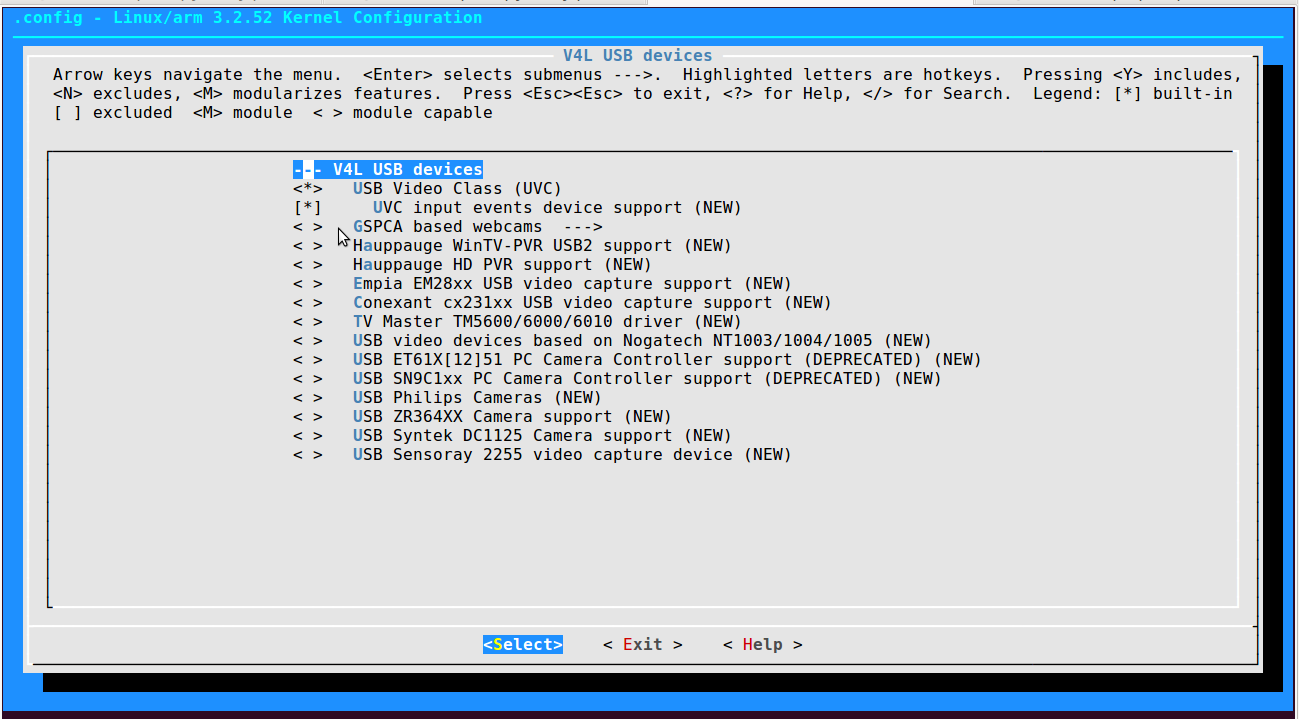
    after that Linux/arm 3.1.10 Kernel Configuration opens

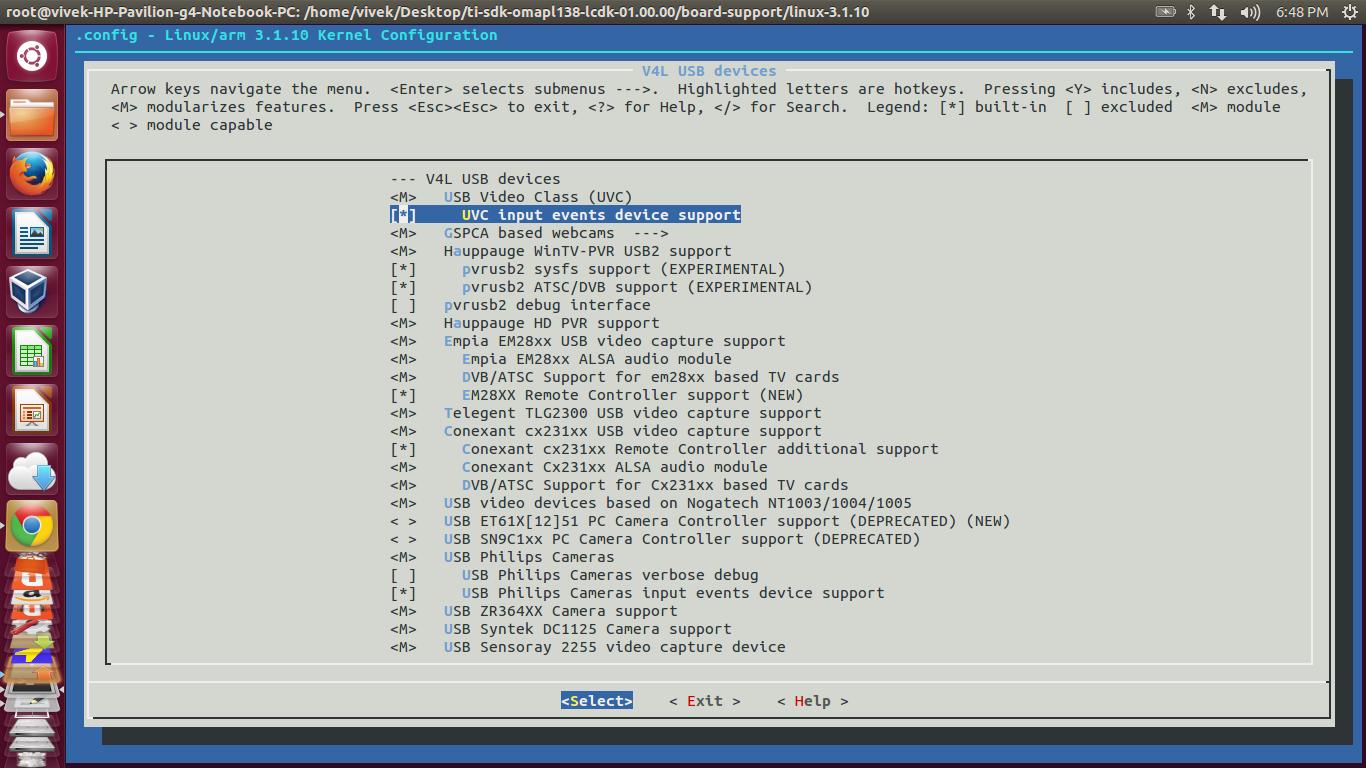
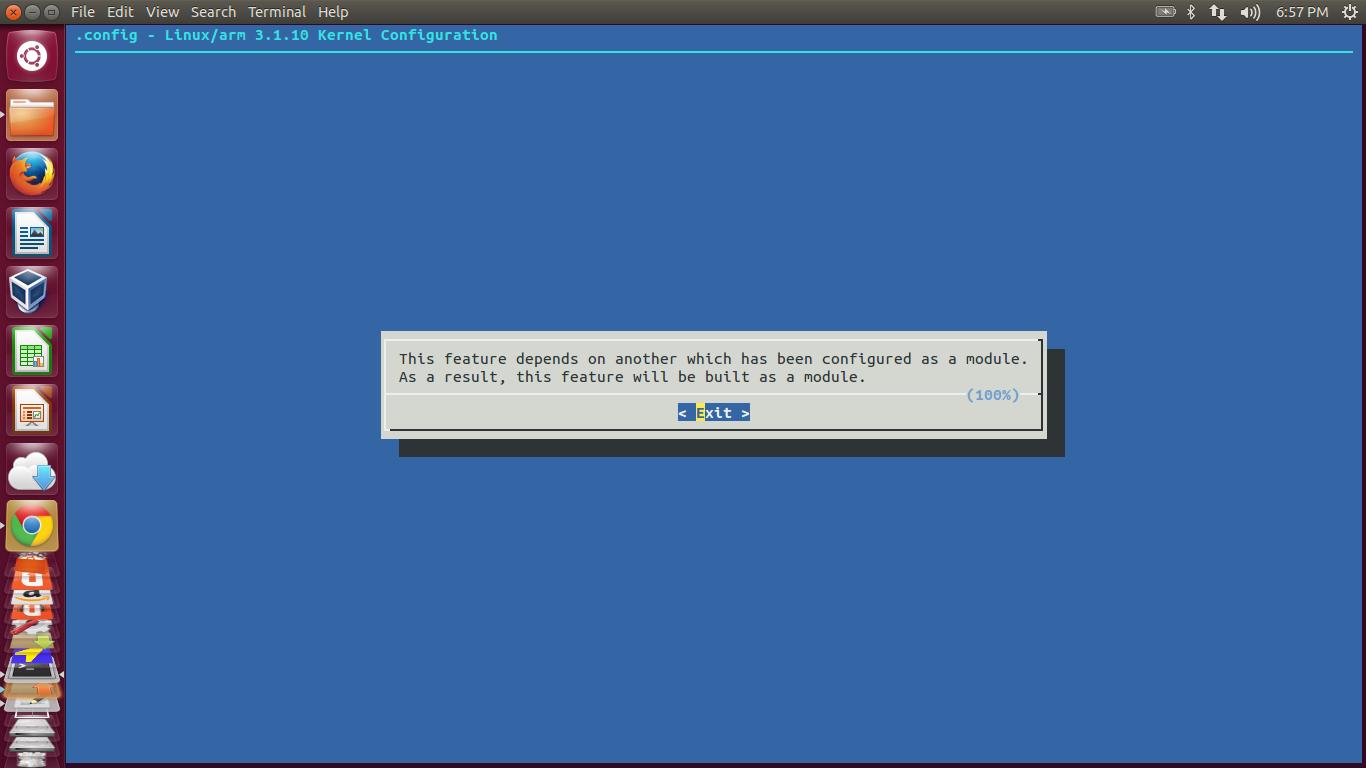
    in that i cant able to enable USB UVC support  <M>   USB Video Class (UVC)  when i am pressing Y to enable it gives a message i.e  

    ────────────────────────────────────────────────────────────────────────┐
    │ This feature depends on another which has been configured as a module. │
    │ As a result, this feature will be built as a module. │
    ├────────────────────────────────────────────────────────────────(100%)──┤
    │ < Exit > │
    └────────────────────────────────────────────────────────────────────────┘

    what it means it gets enable or not  but after exit it remains as  <M>   USB Video Class (UVC)  M does't change to *

    does it enabled or what should be done ...

    when pressing y it gives

  • Hi,

    1) Press "SPACE"  key for selecting UVC module and Enter then save it.

    2) Compile the kernel source

    make uImage ARCH=arm CROSS_COMPILE=arm-arago-linux-eabi-

    3) Copy the kernel image located at "arch/arm/boot/uImage" to SD card 1st partition.

  • sir

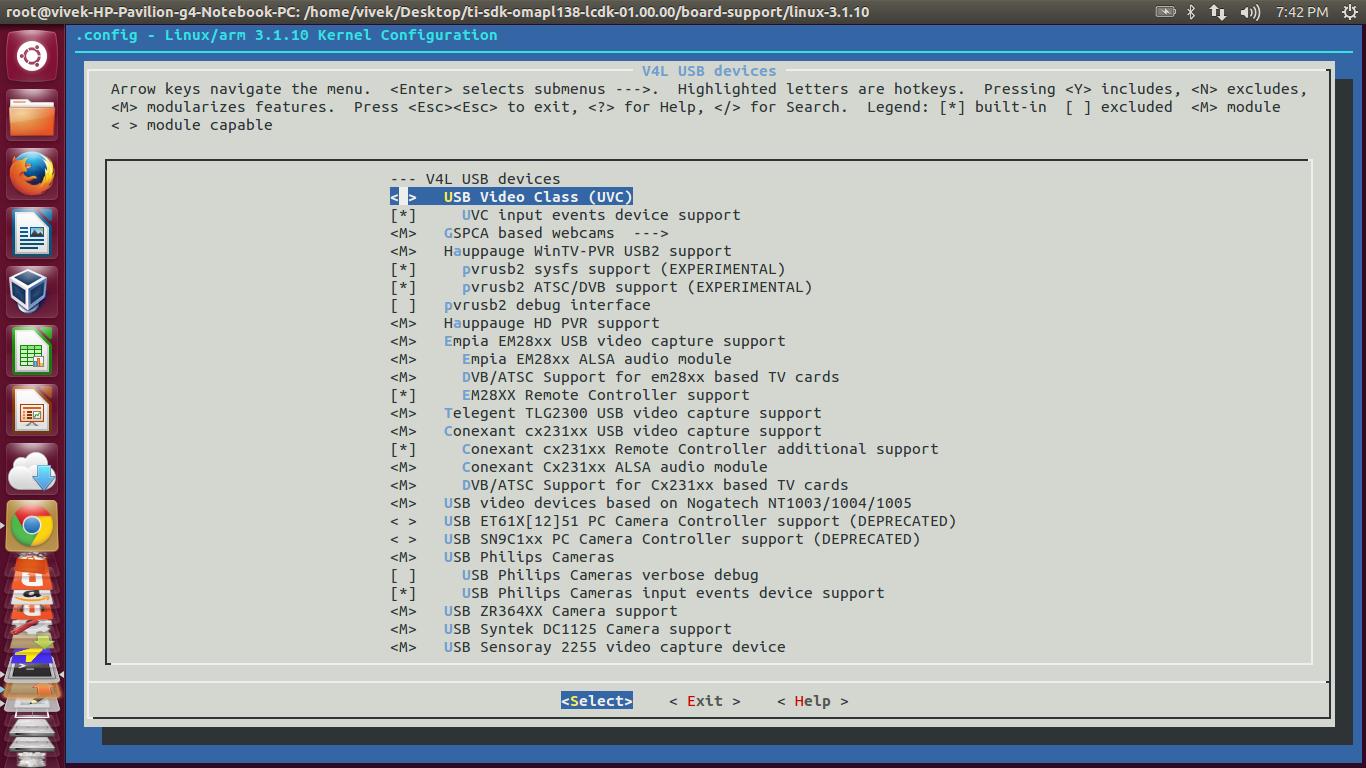
    after  pressing space it is not taking any value it remains M

    i pressed y but it same as previous says

    ┌────────────────────────────────────────────────────────────────────────┐
    │ This feature depends on another which has been configured as a module. │
    │ As a result, this feature will be built as a module. │
    ├────────────────────────────────────────────────────────────────(100%)──┤
    │ < Exit > │
    └─────────────────────────────────────

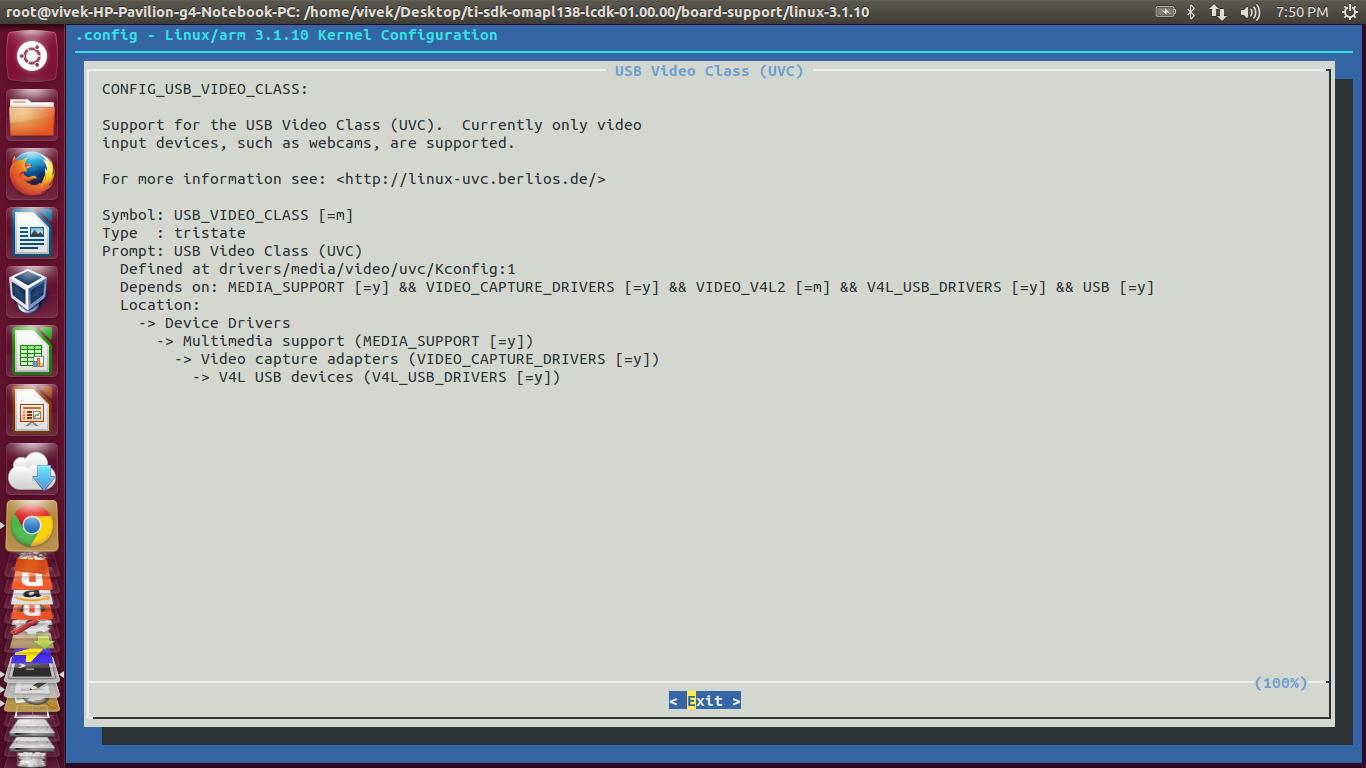
    after that i press ? for help it comes like

    so i not getting it should be like <*> or < >or <M>  it does not get saved

    if i once again enter to it remains same as previous means it is not getting saved

    plz suggest