This thread has been locked.

If you have a related question, please click the "Ask a related question" button in the top right corner. The newly created question will be automatically linked to this question.

AM5728: USB test

Part Number: AM5728

Refer to processor sdk user guide about USB test, but the oscilloscope did not detect signal from USB. ( When connect U-disk on this USB port, the oscilloscope can capture signal,so the oscilloscope is OK).

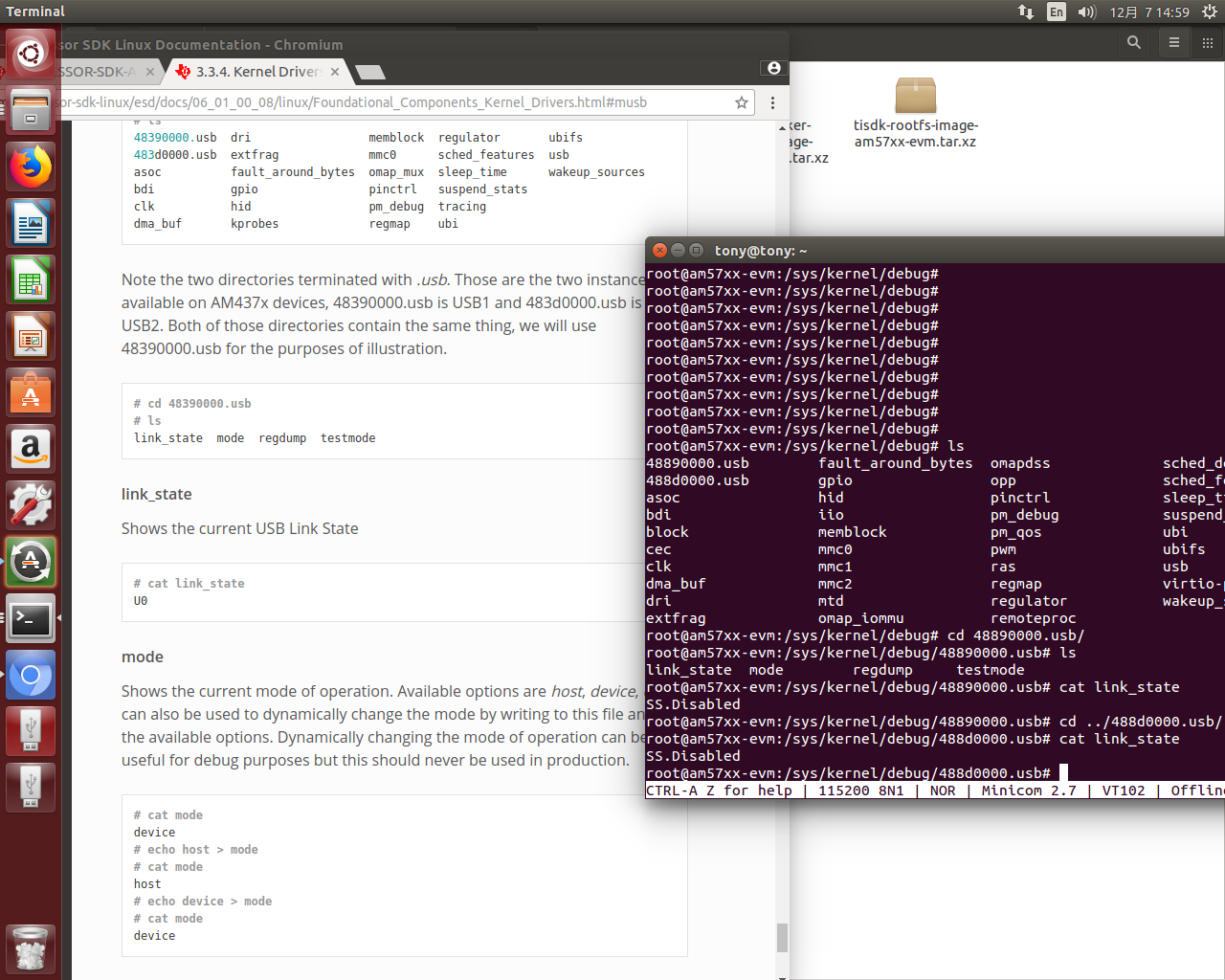
Customer find the link_state is SS.Disabled, which is different with the user guide's U0. is it related. I guess it should not. I

#1. Is this test tools verified on AM57xx?

#2. The 0x48890000 is USB3.0, is the test tool workable for it and verified?

I don't have a suitable oscilloscope and probe on hand, so I can run the test but can't capture signal. the phenomenon is reported by customer.
  • Hi Tony,

    Tony Tang said:
    Refer to processor sdk user guide about USB test, but the oscilloscope did not detect signal from USB.

    Can you please explain what the USB setup is?

    Is this on any of the TI EVMs or custom board?

    Which USB port is used? What is it connected to? Any command or tool which has been running for the testing?

    Tony Tang said:
    #1. Is this test tools verified on AM57xx?

    Please explain what is the exact the test tool you referred to? The SDK documentation doesn't mention any "Test Tool".

  • Hi, Bin,

    Bin Liu said:
    What is it connected to?

    We refer USB 2.0 Test Modes section. connect a test fixture on Oscilloscope, which is dedicated accessories for USB testing.

    Bin Liu said:
    Which USB port is used?

    Tried on both port of 48890000.usb and 488d0000. 

    • Using a non-standard DebugFS interface (see below for details)

    Any time we don’t have a functioning Host on the Test Setup and still want to enter USB 2.0 Test Modes, we can use this non-standard interface for that purpose. One such use-case is for low level USB 2.0 Eye Diagram testing where the DUT (Device Under Test) is connected to an oscilloscope through a test fixture.

    Bin Liu said:
    Any command or tool which has been running for the testing?

    then run echo test_packet > testmode, also tried other options in below:

    testmode

    Shows current USB 2.0 Test Mode. Can also be used to enter such test modes in situations where we can’t issue proper SetFeature(TEST) requests. Available options are test_jtest_ktest_se0_naktest_packettest_force_enable. The only way to exit the test modes is through a USB Reset

    Bin Liu said:
    Can you please explain what the USB setup is?

    The USB setup works already. can access U-Disk already

    Bin Liu said:
    Is this on any of the TI EVMs or custom board?

    Customer do it on their own board. don't have workable EVM on hand.

    Bin Liu said:
    Please explain what is the exact the test tool you referred to? The SDK documentation doesn't mention any "Test Tool".

    I mean the method provide in the SDK: test_packet > testmode

  • Hi Tony,

    Okay, now I understand you want to enter USB Test Mode for both USB host and peripheral port. Please refer to the WiKi page below. The WiKi uses AM437x as the example, you only have to use the corresponding register address for AM57x.

  • Bin,

    Thanks.

    if update it into the on-line SDK user guide, it should help a lot.

  • Tony,

    Yes, we are planning to migrate some of the WiKi pages into the Processor SDK documentation.