This thread has been locked.

If you have a related question, please click the "Ask a related question" button in the top right corner. The newly created question will be automatically linked to this question.

PGA855: Simulation Model

  • Hello,

    This fix is still in progress, unfortunately we still do not have a timeline for the completion.

    Can we test a specific configuration on the bench to help answer your question here?

    Regards,
    Mike

  • I would be using the same voltage from VS+- to power LVDD and LVSS, which are +30V and -4V. Can you confirm if this would work? From datasheet it seems okay to power the device that way.

  • Hi Hao,

    Configuring the PGA855 with (VS+) = (+ LVDD) = +30V, and (VS-) = (-LVSS) = -4V, VOCM = +13V and PGA Gain =16V will work. Please ensure to connect the thermal pad to the VS- negative input supply at -4V.

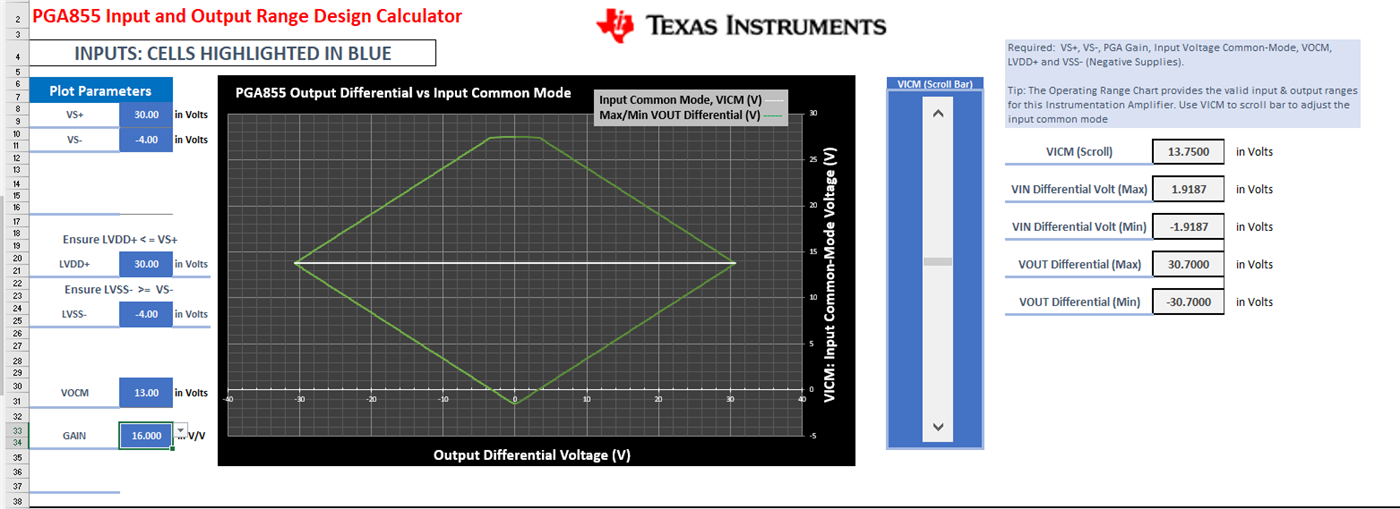
    Below is a snapshot of the PGA855 Input and Output Voltage Range Design Calculator tool, showing the device is in range.

    Settings for this plot: (VS+) = + LVDD = +30V, and VS- = -LVSS = -4V, VOCM=+13V and PGA Gain =16V.The device will be able to accommodate the largest differential input signal (±1.918V), when the input common-mode voltage is +13.75V; producing a differential output voltage of ±30.7V.

    Regarding the PGA855 Input and Output Range Design Calculator:

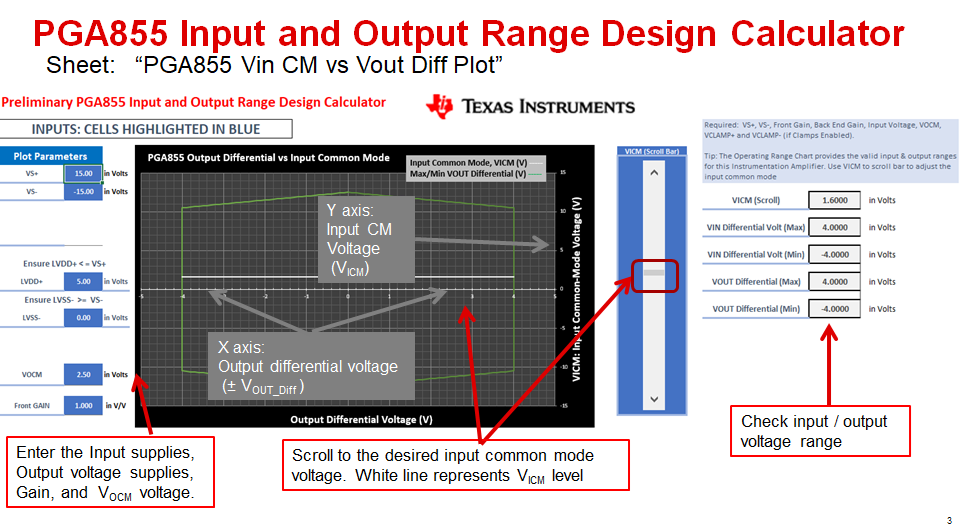
    The designer fills the cells in blue, that is, input supplies VS+, VS-; output supplies LVDD+, LVSS-; VOCM voltage, and PGA Gain.   You can change the input common-mode voltage using the VICM scroll bar.  The calculator provides a plot with the input-common mode voltage vs output voltage range. 

    The fields at the right side show you the max and minimum input and output voltage range for a given input common-mode as a function of the supplies, gain and VOCM voltage.

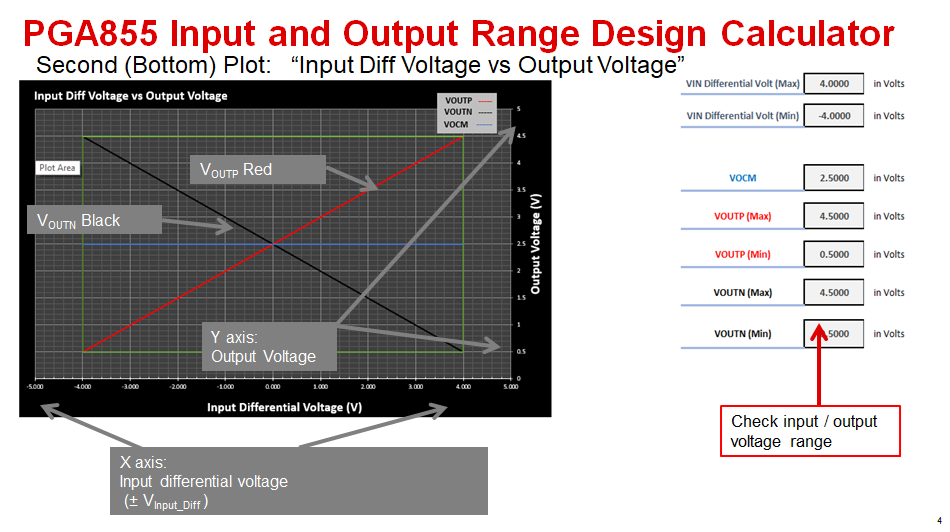
    The bottom plot on the calculator shows the “PGA855 Input Differential Vs Output Voltage”, and the tool provides the min/max OutP and OutN pin voltage ranges as a function of the supplies, VOCM voltage and PGA Gain inputs.

    You can download the PGA855 excel calculator tool in this link:

    https://www.ti.com/tool/download/PGA85X-INPUT-OUTPUT-RANGE-DESIGN-CALC

    Thank you and Kind Regards,

    Luis Chioye