LMK03318: Fail to Offline Program LMK03318

Part Number: LMK03318
Other Parts Discussed in Thread: USB2ANY, LMK03328

Our product uses the LMK03318. I would like to know how to generate an EEPROM file for offline programming. Do I need to click "Commit Registers to GUI Map" first and then click "Export GUI Map to EEPROM File" to generate the EEPROM file?  I have attached the EEPROM file that I generated, "LMK03318_OffilineConfig.zip". However, after I programmed this file into LMK03318, it does not output any clocks. I have also attached the corresponding configuration file, "LMK03318_Version3.zip", for your reference. Do I need a specified programmer for offline programming? Could you please review thses files and give me some advice on how to resolve this issue?
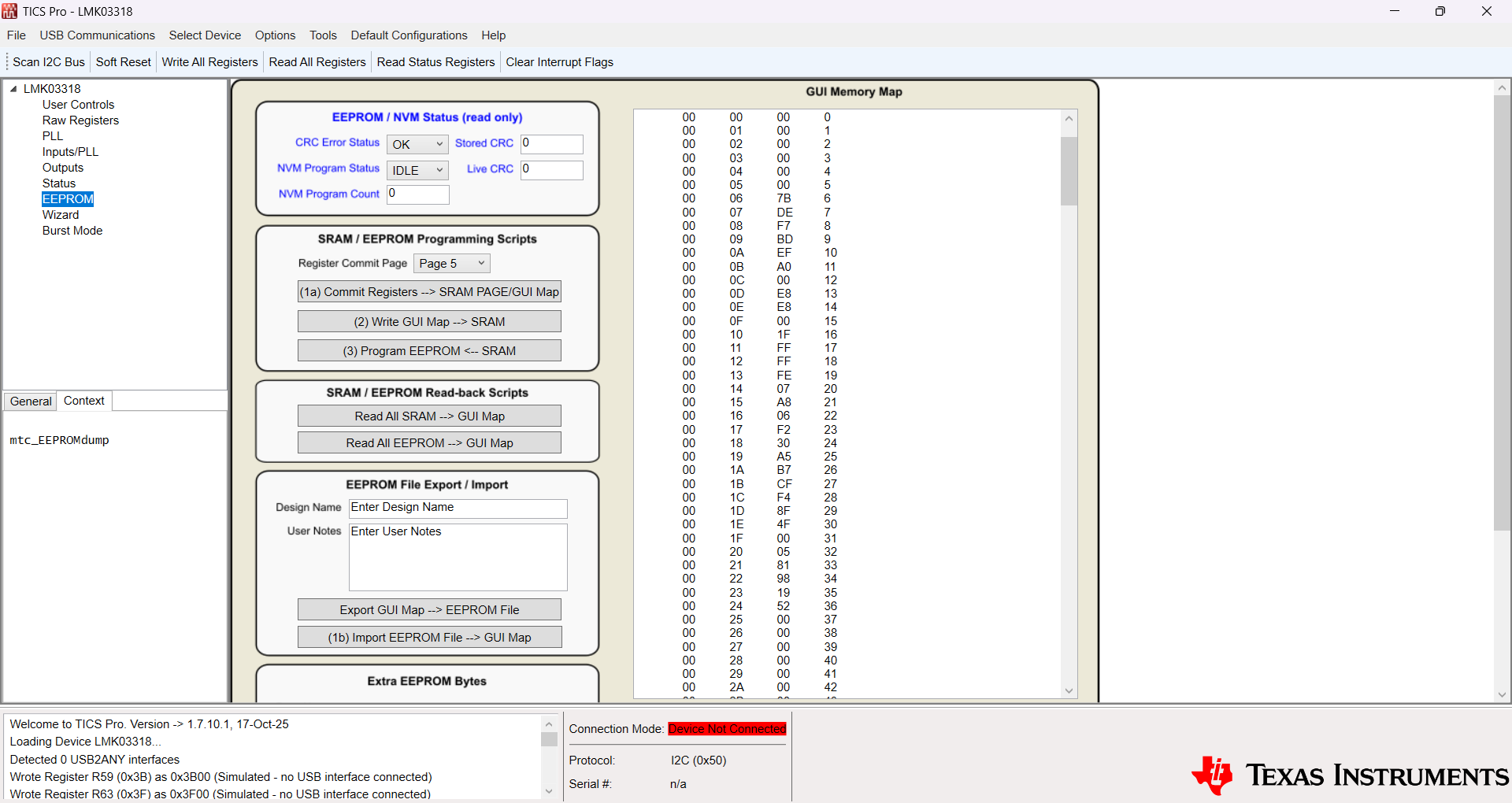
image.png

  • I'd like to add that the LMK03318 can be configured successfully through online programming, and the clock outputs are present. This indicates that the hardware is operating correctly and the configuration file is correct.

  • Hi,

    What do you mean by offline and online programming? 

    TICS Pro tool doesnt connect to the web

    Can you help elaborate on the output issue? Are you seeing the output not work when after programming the device? Have you tested the config before programming to ensure that the required output is observed? 

    the steps from programming can be found in section 10.5 Programming of the datasheet

    Best,

    Sandra 

  • Hi Sandra,

    Online programming refers to programming the EEPROM file into the onboard LMK03318 via USB2ANY after the device has been assembled on the PCB. Offline programming refers to programming the EEPROM file into the LMK03318 before the device is assembled onto the PCB. I encountered issue when I offline programmed LMK03318.

    Best regards,

    Guo Tianshu

  • Hi Guo, 

    Note below steps are from the datasheet. 

    To program the device using MCU/FPGA, please follow below steps 

    Option 1 to write to the SRAM 

    1- write the registers to the desired configuration 

    2- Write R145[3:0] with a valid SRAM page (0 to 5) to commit the current register data.

    3- Write a 1 to R137.6. This verifies that the device registers are copied to the desired SRAM page.

    4- If another device setting is desired to be written to a different SRAM page, repeat steps 1-3 and select an unused SRAM page.

    Option 2 to write to the SRAM 

    1- Write the most significant 8th bit of the SRAM address in R139.0 and write the least significant 8 bits in R140.

    2- Write the desired data byte in R142 in the same I2C transaction and this data byte is written to the address specified in the step above. Any additional access that is part of the same transaction causes the SRAM address to be incremented and a write occurs at the next SRAM address. Access to SRAM terminates at the end of current I2C transaction.

    3- Steps 1 and 2 need to be followed to change EEPROM bytes 11 and 12. Byte 11 denotes the I2C target address of LMK03328 and Byte 12 denotes an 8-b user space that can be used as a device identifier among multiple LMK03328 instances with different EEPROM images.

    Write to the EEPROM from SRAM: 

    1- Verify that the "Write SRAM" procedure (Write SRAM) is performed to commit the register settings to the SRAM page or pages with start-up configurations intended for programming to the EEPROM array.

    2- Write 0xEA to R144. This provides basic protection from inadvertent programming of EEPROM.

    3- Write a 1 to R137.0. This programs the entire SRAM contents to EEPROM. When complete, the contents in R136 increment by 1. R136 contains the total number of EEPROM programming cycles that are successfully completed.

    4- Write 0x00 to R144 to protect against inadvertent programming of EEPROM.

    5- If an EEPROM write is unsuccessful, a readback of R137.5 results in a 1. In this case, the device does not function correctly and locks up. To unlock the device for correct operation, a new EEPROM write sequence must be initiated and successfully completed.

    Once the device is programmed successfully they can readback NVMCNT register, this is an indicator of the number of times the EEPROM has been programmed. This register will increment every time the EEPROM is programmed. 

    if they still have issues, please help share details on what issues they are observing and why the believe that the device is not being programmed 

    Best,

    Sandra 

  • Hi Sandra,

    The process you mentioned is the online programming method that can be implemented on our board. However, I am trying to resolve the offline programming issue.

    By offline programming, I mean programming the EEPROM file into the LMK03318 before the device is assembled onto the PCB, typically using an external programmer. I could not find any description of this offline programming procedure in the datasheet. Could you please provide guidance or relevant documentation?

    Best regards,

    Guo Tianshu

  • Hi Gou,

    The flow is the same regardless of the device is soldered on a PCB or in a socket... 

    Customer must first write the config to SRAM then they will be able to write to the EEPROM.

    TI does not have a programmer EVB for this device.  

    Best,
    Sandra 

  • Hi Sandra,

    Thank you for your help very much!

    Best regards,

    Guo Tianshu