This thread has been locked.

If you have a related question, please click the "Ask a related question" button in the top right corner. The newly created question will be automatically linked to this question.

RTOS/AM5748: Clock queue element is 0xBEBEBEBE

Part Number: AM5748
Other Parts Discussed in Thread: SYSBIOS

Tool/software: TI-RTOS

Hi TI Experts,

My customers are experiencing the same problem as the related question.
(We don't know "it is actually the same".)
e2e.ti.com/.../859522

Clock queue element becomes 0xBEBEBEBE, "Data abort" have occurred.
A related question happens in Task_delete (), we happened with Task_destruct ().
So we think that Task_destruct is insufficient.

They made the problem information and sequence diagram.
qelemE2E.pdf

Anticipation of the case:
If we decide to wait time using the following function.
Task_sleep / Event_pend / Semaphore_pend

Maybe, we using Task_destruct (-> Task_construct) while waiting,
the task stack address (0xBEBEBEBE) remains.


They think that Swi (clock) can not be exclusively processed,
so they added Swi_destruct/construct () before and after Task_destruct/Task_construct ().

They avoided the problem of "Data abort", however they think that it has problems with performance and can't cover about every pattern.

Question :
Would you tell me the formal solution.

■Environment
AM5748 custom board
(We think that even EVM will occur)
pdk_am57xx_1_0_11
bios_6_76_00_08 (+ Mailbox.c/Task_smp.c modified)
 Fixed Task_setPri(), Task_getMode(), and Mailbox_post ().
 The Sysbios team knows.
ICE: Lauterbach TRACE32

Regards,
Rei

  • Hi Rei,

    Background information

    1. The kernel uses 0xBEBEBEBE to initialize the stacks (both system and task).
    2. Task_delete and Task_destruct are essentially the same except the Task_Object is not freed in the Task_destruct (like it is in Task_delete).
    3. We have fixed the issue reference in the thread you pointed at above ("Task_delete of a task in the READY state can result in an orphaned clock object and eventual application crash") many years ago, so I don't believe that is the case.
    4. The Task module does not clean-up items allocated/construct by task that the Task module was not responsible for. For example, it will free the stack if it was allocated in the Task_create/construct. It does not free a Clock object if it was create/constructed by the application code in the task. This is left to the application writer to do this since they know what they are doing with it.

    Hypothesis #1a

    Do you have a Clock_Struct on the task stack of the task being deleted/destructed? Did you call Clock_destruct on it, before destructing the task? If not, this would explain the behavior. When the task is destructed, the clock object is still on the queue. When the task is constructed and the same block of memory is used for the stack, it will be initialized to 0xbebebebe...and the Clock_Struct next and prev field will be changed to 0xbebebebe.

    Hypothesis #1b

    Are you calling Clock_destruct in the task delete hooks? This might be a problem since the stack is freed (if allocated in the Task_create/construct) before the delete hook is called. Someone else could have allocated the memory that used to be the task's stack and modified it...thus corrupting the Clock_Struct before the hook function was called.

    Potential fixes

    1. You need to call Clock_destruct before destructing the Task (along with freeing any other resources the application code allocated as needed).

    2. Don't have the Clock_Struct be on the stack (have it be global or use Clock_create). Putting a kernel Struct on the stack is useful some times, but care must be taken since the stack is dynamic. 

    Debug (if hypothesis is wrong)

    Can you get a picture of the ClockQ before you destruct the task (i.e. before 0xbebebebe is seen). I'd like to see where everything is when it is working. Also, can you include each task stack base and size. Do the same for the System stack. I want to see which stack the Clock object is in (I'm assuming the 0xbebebebe infers it is in a stack).

    Todd

  • Hi Todd,

    Thank you for your reply.

    ■ Response to Background information and Potential fixes

    The clock of Task_sleep was used by sysbios.
    It isn't the clock called by the application.

    They are invalidated by Task_setPri (-1).
    After Invalid the task , We use Task_destruct.
    We don't use Task_destruct to Ready Task.

    ■ Response to Hypothesis #1a
    They don’t call Clock_destruct because they don't generate Clock class in their task.
    Also, their system uses clock as a 1ms tick, so it can not be destructed.

    ■ Response to Hypothesis #ib
    They don't call Clock_destruct in the task delete hooks.
    Please see the sequence.

    ■Our thoughts
    It is sysbios that sets task stack Elem to ClockQ. (Not an application)
    Task_sleep(etc.) set Element on the task stack.
    We think that this causes DataAbort 0xBEBEBEBE.
    We think that the problem is that sysbios don't remove Que from ClockQ at Task_destruct.


    About the task stack.

    e2ereply.pdf

    Regards,
    Rei

  • Hi Rei,

    Thanks for ruling out the application usage of a Clock_Struct. We're trying to reproduce the scenario where the Task_sleep's Clock_Struct is not removed in the Task_destruct (actually Task_Instance_finalize). 

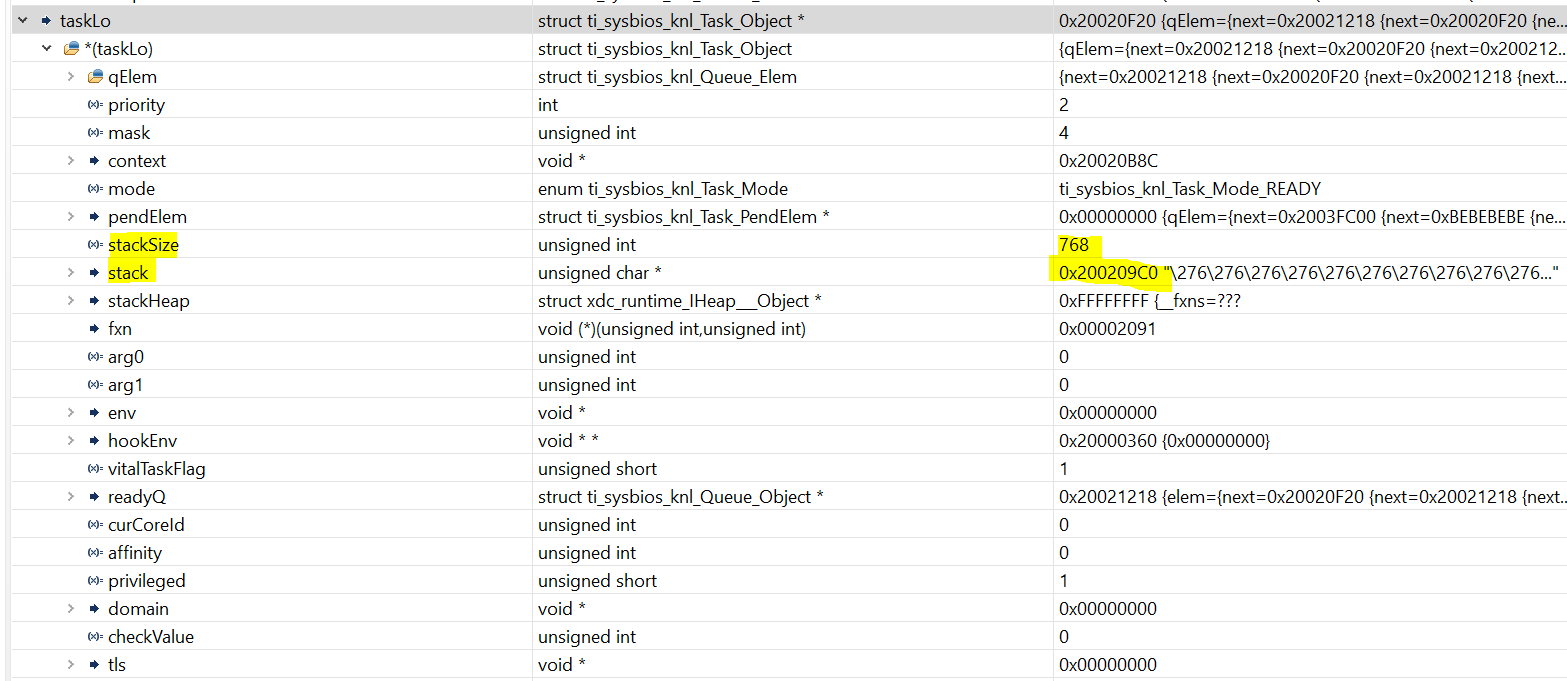
    The information you gave us did not include the task stacks. One way to get that is by looking at the Task_Handle (since you are not using CCS....otherwise the easiest way is to use ROV). For example, taskHi is a Task_Handle in this application. When I show in the expression window in CCS, you can see the stack and size.

    Can you please confirm that the corrupted Clock_Object is on the stack of the task that had its priority set to -1, destructed and then constructed. This helps rule out other corruption. 

    Regarding the task that was destructed and then constructed again, was the stack provided in the Task_Params or did you let the Task_construct API allocate the stack (by have Task_Param's stack be NULL)? If you provided the stack, can you confirm the stacksize parameter is correct (e.g. it is the size of the stack buffer you provided). I expect it is correct, but it should be an easy thing to confirm.

    Meanwhile, we will continue to see how the Clock_Object used by the Task_sleep could be left on the Clock's queue. The main kernel scheduler developer will be back in the office tomorrow and hopefully he'll spot something. 

    Todd

  • Rei,

    Also in the above picture is the task mode (Task_Mode_Ready) two lines before stackSize. Can you get us that value also? We remove the Clock Object when the mode is Task_Mode_READY or Task_Mode_BLOCKED. Something else would explain the issue, and we could focus our search.

    Thanks,

    Todd

  • Hi Todd,

    Thank you for your reply. I received additional information from the customers. I tell them to check the task stack.

    They seem to have found the cause of the data abort.

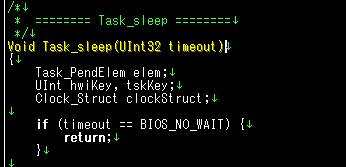
    Hwi exclusive control of Task_sleep () seems to be wrong.

    e2e2.pdf

    When they moved Hwi_disable () to forward, it seems to be working for the time being.
    They are testing in detail now.

  • Rei.

    Thanks. This looks promising. How often does the problem happen? If this is the issue, I'd expect it to only occur after some duration. Can you confirm this?

    Todd

  • Rei,

    We've looked at this some more. We are going with a different solution that still fixes the race window but minimizes the interrupt latency and preserves the Log statement in its current location. Semaphore_pend and Event_pend had a similar window that we will also fix. We are making an engineering build this week and we'll be running regress tests to confirm the window is closed and no other side-effects occurred. I'll update you after those are completed. 

    Todd

  • Hi Todd,

    Thank you as always. We will wait for the test results. We will wait for the test results.

    Regards,

    Rei

  • Rei,

    All the tests passed. We'll be releasing the 6.76.02.02 GA build (which is already made) once we get final approvals. 

    Todd

  • Hi Todd,

    Thank you for your reply.

    I will wait for "6.76.02.02".

    Regards,

    Rei